If you want to run AI models on your own machine and learn the basic concepts with me to do it effectively, then this is the right article :).
This is part one of the series. In the next one we build local AI workflows with n8n and Ollama. This article is the vocabulary we need to pick a model, load it without crashing your machine, and know what each setting does.
The pieces
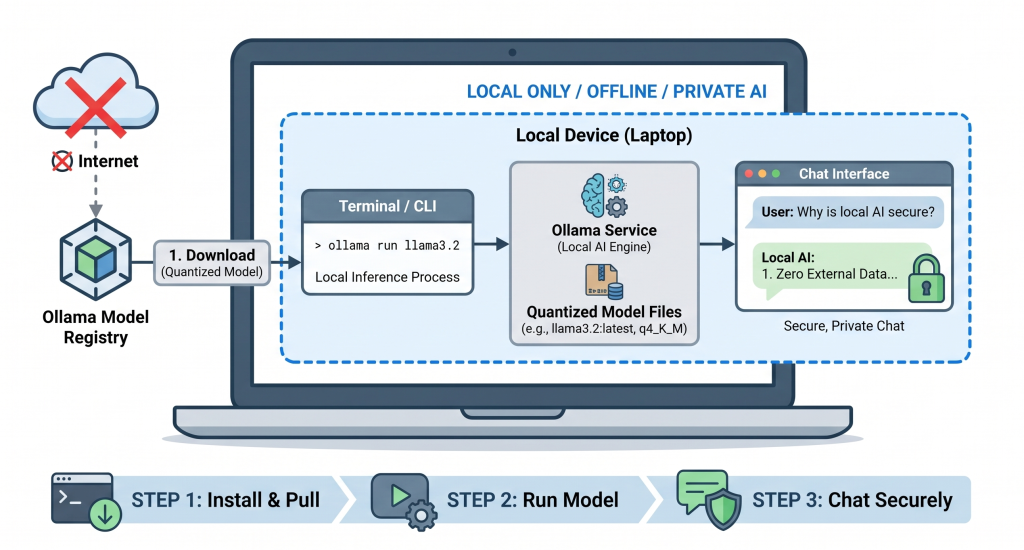
Running a model locally involves a few separate things that people mix up all the time.
The model is a file on your disk. The server (Ollama, LM Studio) loads that file and runs the math. The API is a local address the server opens so other apps can reach it. The clients are whatever you point at it: a chat window, your code editor, an n8n workflow. You never talk to the model directly, you always go through the server.