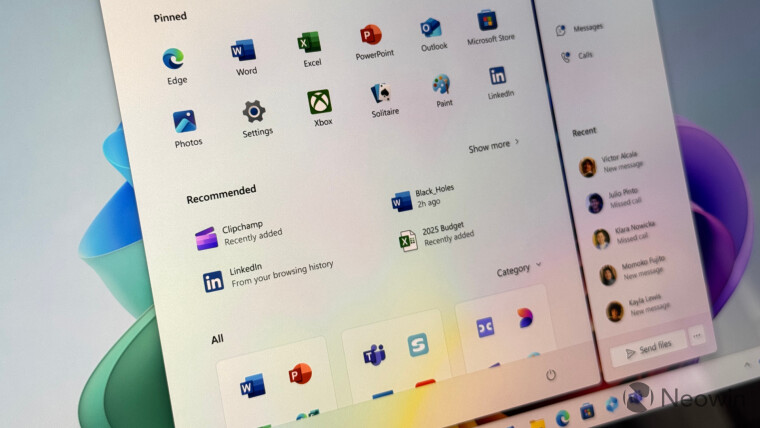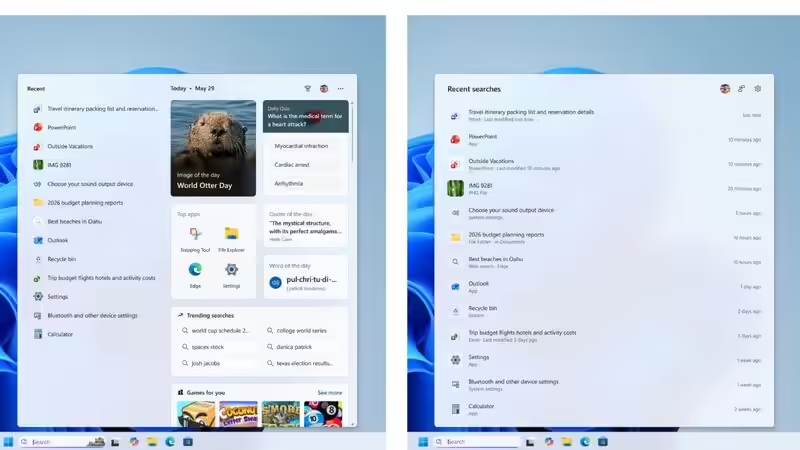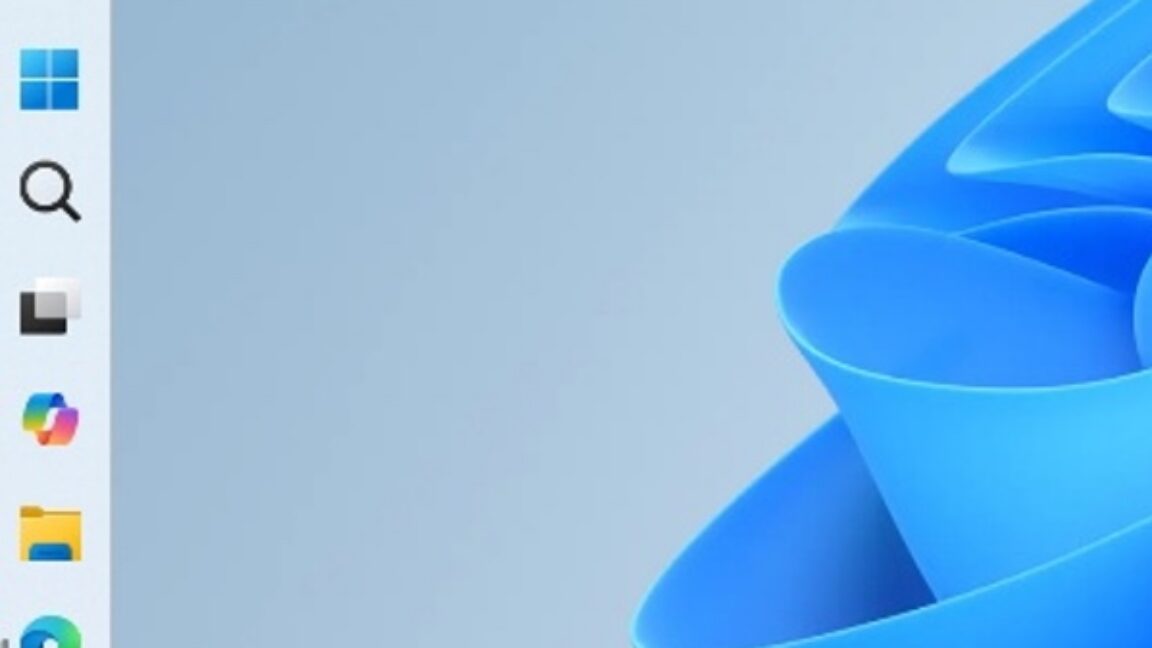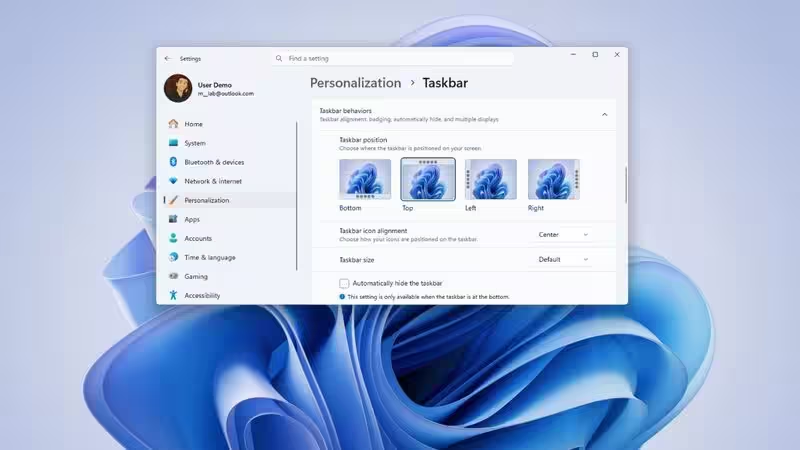
Windows 11 26H2 Update: Taskbar, Start Menu and Search Get Major UpgradesMicrosoft is developing a significant Windows 11 update, version 26H2, for release later this year. This update will bring substantial changes to the Taskbar, Start menu, and Windows Search functionalities. Users will gain more flexibility in positioning and sizing the Taskbar, and the Start menu will offer enhanced customization options. Windows Search is also set to become smarter, prioritizing local results and improving accuracy for user searches.One of the largest updates for Windows 11 in quite some time is currently being developed by Microsoft. Whereas Windows 11 has undergone constant improvement via feature updates, the next Windows 11 version, which is 26H2, is set to include a lot of changes that will make the user experience better.The update, which is due to come out at some point this year, will concentrate on those aspects of Windows where users spend the most time, such as the Taskbar, Start menu, and Windows Search. Some of these updates will also focus on those functionalities that have been asked to be reinstated in Windows since the upgrade from Windows 10.About The AuthorJournalist and a writer with a strong interest in news, culture, technology, and human-interest stories. Passionate about making complex topics accessible and engaging.Below are some of the largest functionalities coming in Windows 11 26H2.Taskbar finally gets long-awaited flexibilityOne of the most notable characteristics of Windows 11 26H2 includes the capacity to switch the Taskbar from one side to another. From the time when Windows 11 was introduced, the Taskbar has been fixed at the bottom edge of the display which annoyed many longtime users of Windows.With the forthcoming update, people would have an option to fix their Taskbars to any other side of the screen including top, left, and right, similar to what used to happen in previous editions of Windows. In addition, Microsoft will be updating its interface in such a way that it changes according to the positioning of the Taskbar. In simple terms, once you move the Taskbar to the top, all the elements such as Start menu and Search bar will open from down. Moreover, the system icons, shortcuts and clock will automatically adjust to the new setting.The update will bring the option of making the Taskbar small. Those users who like their desktops more organized can reduce the height of the Taskbar and also minimize the size of its icons.Start menu becomes far more customisableSince its release, the Start menu in Windows 11 has been the most criticised feature in the system. A lot of people feel that Microsoft did away with useful personalisation features that were available in Windows 10.This version seems to correct a number of these criticisms. The new version of the Start menu will be different in that, instead of providing a single layout for the Start menu, Microsoft will provide different preset layouts depending on user preference.More articles by AuthorTrending StoriesAdditionally, users will have the freedom to decide which items to show in the Start menu. Pinned apps, recent items, and all apps can be can be enabled or hidden individually, making the interface cleaner and more personalised.Yet another improvement worth mentioning is the clear distinction between recommended files and recommended systems. This means users will be able to disable suggestions in the Start menu without influencing recently opened files or Jump Lists in other parts of Windows.Privacy protection is another feature getting its fair share of attention. Specifically, Microsoft is bringing in the ability to hide the user’s picture and name automatically when screen sharing is taking place during video conferences or presentations.Windows Search is getting smarterSearch is another area which is due for a complete revamp.The new Search home page would not display trending topics and advertisements; instead, the Search would highlight the recently searched items so that users can continue from where they left off in a jiffy without cluttering their desktop.Moreover, Microsoft will make changes to the display of the search results too. While displaying the web results, there will be proper spacing, clear source indicators and thumbnail images for the results. Simultaneously, the Windows would give priority to local files, installed apps and system settings if they are most relevant to the user’s search.Those who want to keep the searches local will have an option to do so through separate controls by which they can turn off web results and even Microsoft Store results separately.Windows Search will also enhance its accuracy in recognizing the wrong spellings, incomplete words and even the missing letters in file or app names.Focus on everyday usabilityInstead of bringing new visual changes to the user interface, it seems that Windows 11 version 26H2 focuses on making useful changes to everyday functionality.Among such changes is enhanced desktop flexibility, new personalization features, stronger privacy controls and a considerably enhanced search feature. Some of those changes help to get back functionality which has been asked for by Windows 11 users since its release, but also improve the operating system for modern AI-driven workflow. For users who spend many hours working on their computers, this will make Windows faster and cleaner.When will Windows 11 version 26H2 arrive?There has not been an official announcement from Microsoft on the date that Windows 11 version 26H2 will be released. It is, however, anticipated that the new features will be available towards the end of this year.Just like in the past with other feature updates, some of the new features might become available earlier through cumulative updates to Windows 11. FAQsQ1. What is Windows 11 version 26H2?Windows 11 version 26H2 is the next version of the OS from Microsoft that will feature a number of upgrades for Taskbar, Start Menu, Windows Search and other features.Is it possible to move the Taskbar in Windows 11 26H2?Yes. This version of Windows is likely to give people an option to locate their Taskbar not only at the bottom of the screen, but also at the top and on its left/right sides.What modifications will be made to the Start Menu?This version of Windows will provide users with several layout options for their Start Menu, give more options for customisation of the pinned applications and recently used items, as well as increased privacy when sharing the screen.What are the improvements made in Windows Search?Search will now consider recently used applications and files, prefer results from a local PC rather than web and will better understand misspellings and partial queries.When is Windows 11 26H2 going to be released?No official release date is known, yet this update is likely to appear this year, with some modifications coming earlier via usual Windows updates.end of article
Windows 11 26H2 Update: Taskbar, Start Menu and Search Get Major Upgrades
Microsoft is developing a significant Windows 11 update, version 26H2, for release later this year. This update will bring substantial changes to the Taskbar, Start menu, and Windows Search functionalities. Users will gain more flexibility in positioning and sizing the Taskbar, and the Start menu will offer enhanced customization options. Windows Search is also set to become smarter, prioritizing local results and improving accuracy for user searches.
1,106 words~5 min read