Remote work and home offices are becoming more prevalent, changing people's tech demands. A reliable internet connection is now just as important (if not more) than having a capable laptop or smartphone. While the router provided by your internet service provider may be good enough for a household with only a few devices, it may struggle as you add additional devices, video calls, online gaming, and multiple users to the network.Upgrading to a state-of-the-art Wi-Fi router will improve speeds, reduce dead zones, and ensure stable connections throughout your home. Key features like multi-gig ports and certain advanced security tools also play an important role for households with demanding connectivity needs. Get more in-depth ZDNET tech coverage: Add us as a preferred Google source on Chrome and Chromium browsers.
Show more (4 items)
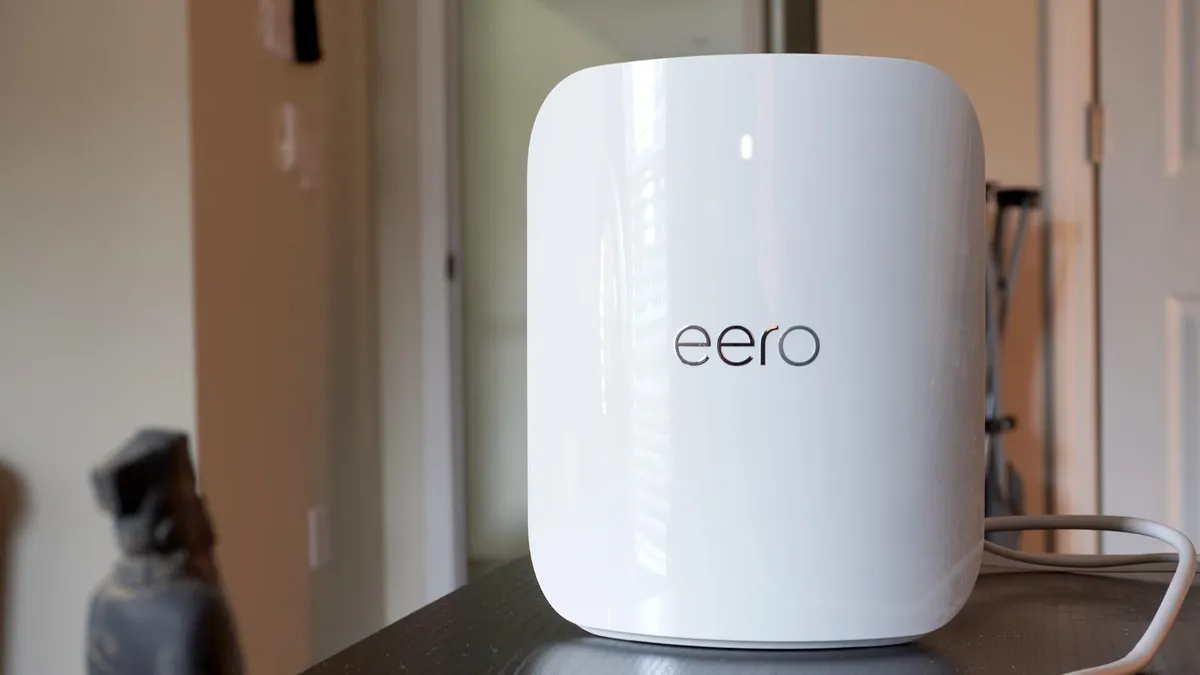
Best mesh wifi deals of the week $1,600 (save $700) $200 (save $130) $330 (save $220) $280 (save $70) $580 (save $320) Deals are selected by the CNET Group commerce team, and may be unrelated to this article. What's the best Wi-Fi router right now?To find the best Wi-Fi routers, we researched both popular, established models and newer releases, focusing on performance, coverage, features, and overall value. We even spoke to experts and researched customer reviews to make better decisions. After much deliberation, we chose the Eero Pro 7 as our top pick overall. It delivers next-gen Wi-Fi 7 performance, ensuring strong whole-home coverage and excellent reliability. It's perfect for households that want a fast, stable network with a device that's easy to setup.Also: We tested 15 Wi-Fi 7 routers in our lab, and this one had the widest coverageIn our July update, we added all new products as our top picks. The best Wi-Fi routers of 2026 Maria Diaz/ZDNET Why We Like It: The Eero Pro 7 stands out as one of the most reliable and frictionless Wi-Fi 7 mesh systems. It delivers speeds of up to 3.8Gbps and outputs a consistently strong signal of up to 2,500 square feet per unit. I stress "per unit" because you connect multiple Pro 7 nodes to expand coverage. What really sets this router apart is how it handles congestion. The router splits its signal across three bands: 2.4 GHz, 5 GHz, and 6 GHz. If one band becomes congested, the Eero Pro 7 will instantly move connected devices over to a freer band. In total, a single node can support over 200 simultaneously.Review: Eero Pro 7Who It's For: I'd recommend the Eero Pro 7 to anyone who wants strong, dependable home Wi-Fi that's easy to set up. The accompanying app simplifies the onboarding process. It fits best in medium- to large-sized homes with a wide range of devices, such as smart TVs streaming 4K movies and an ecosystem of smart home gadgets.Who Should Look Elsewhere: The Eero Pro 7 isn't the cheapest option. To get the most out of this router, you'll need to get multiple units. ZDNET Staff Writer Maria Diaz tested the system at her home and found that two Eero Pro 7 units were not enough to handle all her smart home gadgets. According to Diaz, "bandwidth depends on the type of connected devices and their type of connection."Eero Pro 7 features: Tri-band | Dual 5 GbE ports | Wi-Fi 7 | speeds up to 3.9 Gbps | built-in Thread, Zigbee, and Matter smart home hub integration | supports 200+ devices | covers 2,000 sq ft