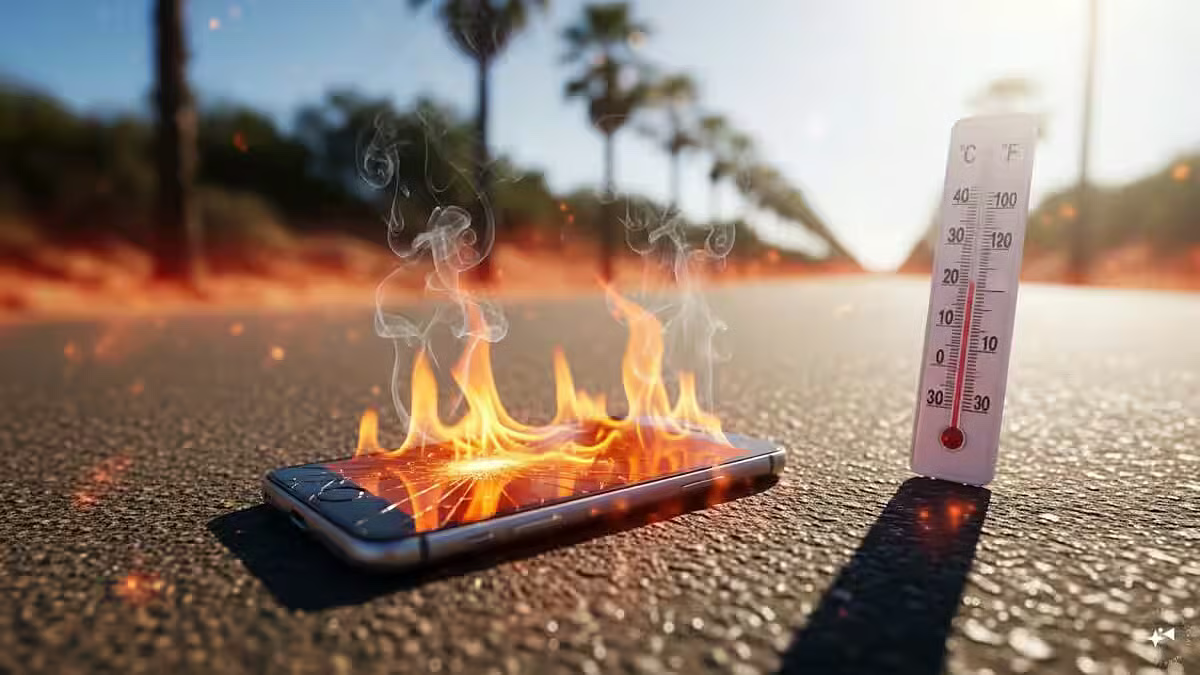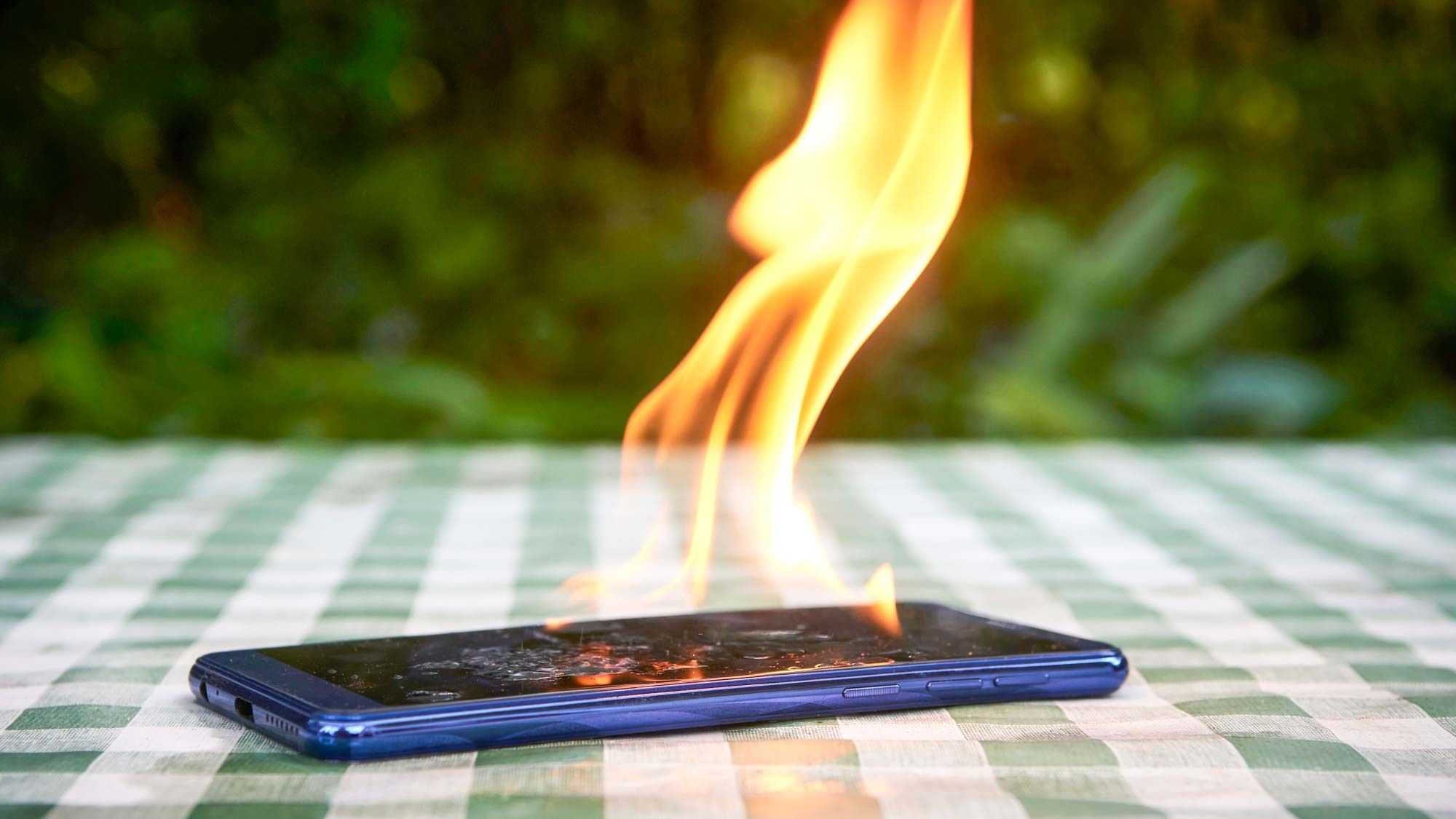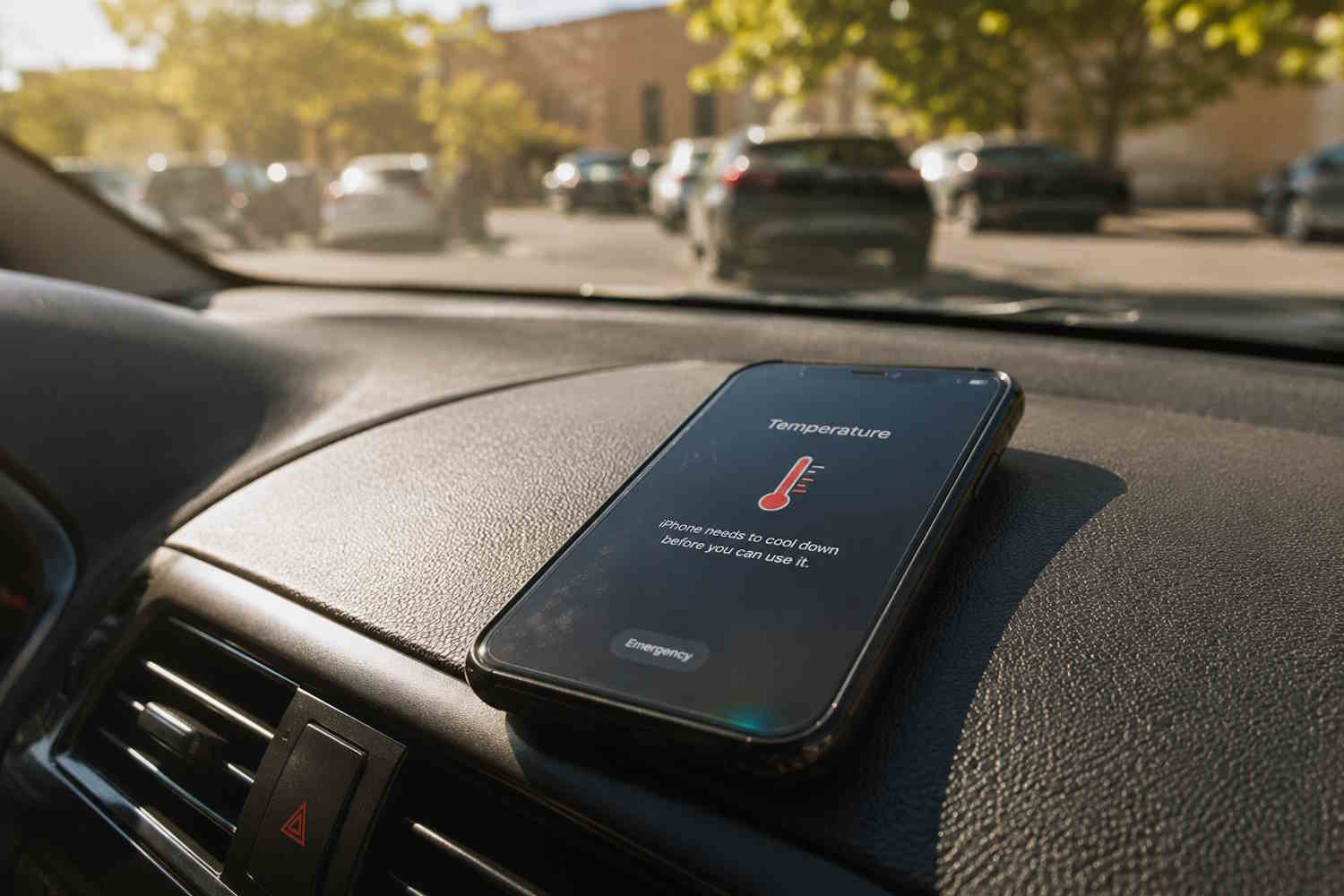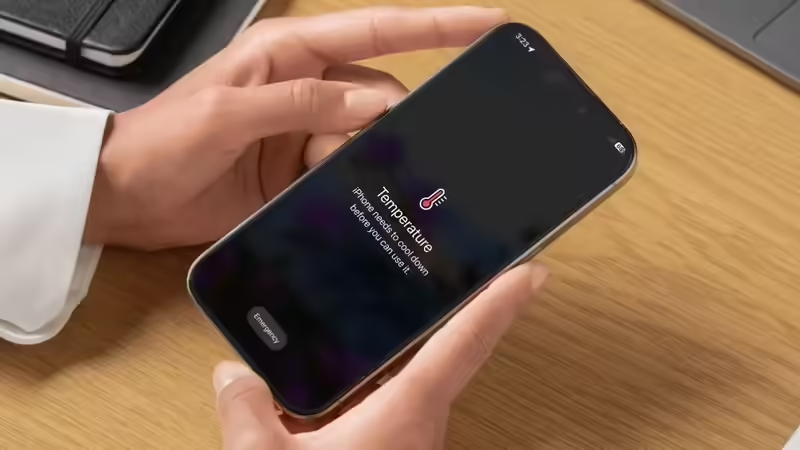
A warm phone during a video call is ordinary. A phone too hot to hold after a few emails is a signal. Below are the causes, the fixes, and the point at which the honest move is to hand it to someone with a diagnostic bench.Sneha noticed her iPhone 16 Pro running warm one afternoon. Not mid-game. Not on a call. Just sitting on her desk, screen dark, doing apparently nothing. A week on, it happened in the middle of class, a YouTube clip playing for her students, when the phone slid into thermal protection — display dimmed, camera disabled, lesson stalled.The culprit was a background app refresh loop, set off by an update she had missed. Ten seconds in Settings closed a problem she had worked around for a fortnight.Most iPhone overheating is exactly that ordinary, and most of it clears with one small change. This guide moves from the easiest fix to the hardest. Work down the list in order.First, find out what is actually heating your phoneThe iPhone protects itself by throttling — easing back on performance and charging speed when it runs too hot. Apple builds the phone to run best between 0°C and 35°C, with 16–22°C the comfort zone; sustained heat above 35°C can permanently cost the battery capacity. The fix depends on the cause, so name the cause before you reach for a solution.CauseHow commonSeverityFix difficultyBackground app draining the CPUVery commonMediumEasyCharging while using the phone hardVery commonMediumEasyDirect sunlight or a hot roomCommonHighEasyiOS update installing in the backgroundCommonLowEasy (wait)Buggy or poorly optimised appCommonMediumEasyLocation services running constantlyCommonMediumEasyDisplay brightness set too highModerateLowEasyThick case trapping heatModerateMediumEasyBadly degraded battery healthLess commonHighService neededHardware faultRareHighApple StoreTake the case off and get out of the sunStart here, because it hides in plain sight. The iPhone sheds heat through its metal frame, and a thick rubber or plastic case wraps that frame in insulation, the back panel most of all. Phone warm, case on? Pull the case, set the phone on a hard surface in a cool room, and give it five minutes.Sunlight makes it far worse. A phone on a car dashboard or a sunny sill can reach 50°C in minutes, well past the line where thermal protection trips. The fix is a matter of place rather than software: move the phone into shade and let it cool on its own.One firm rule, though. Keep the phone away from the fridge, the freezer and cold water. A sharp drop in temperature pulls condensation inside the casing, and moisture on the components does more lasting harm than the heat ever would.Stop charging while you hammer the phoneCharging makes heat. Heavy use makes heat. Do both at once, and you make far more than either alone — the battery feeds the processor and takes a charge in the same moment, a thermal load the cooling system was built to handle in bursts rather than for hours.If the heat concentrates while charging, feel for warmth right at the cable joint. A frayed or uncertified cable adds electrical resistance, and resistance shows up as heat at that exact point. Switch to an Apple-certified cable and charger. A genuine cable costs a fraction of a battery replacement.A note on overnight charging: leave Optimised Battery Charging on. It pauses the charge at 80 per cent and tops up the rest just before your usual unplug time, which keeps the battery off a full, warm 100 per cent for hours. On iPhone 15 and later, find it under Settings → Battery → Charging; on iPhone 14 and earlier, under Settings → Battery → Battery Health & Charging.Find the app misbehaving in the backgroundA poorly built app can sit on the CPU without ever showing its face. The hand feels heat, the battery drops faster than usual, and the screen shows nothing wrong because it is off.How to catch it:Open Settings → Battery and scroll to the usage list. Sort by Last 24 Hours.Look for an app eating background power out of proportion to your use — a navigation app left running as a service is a frequent offender.Force-quit it from the App Switcher (swipe up and flick it away). Phone cools within a few minutes? You found it.If it keeps waking in the background, head to Settings → General → Background App Refresh and switch that app off.Switch off Location Services for apps that have no business tracking youLocation is one of the steadiest sources of mystery heat. Every app pinging your position in the background — food delivery, weather, a social platform — wakes the GPS hardware on a loop, holds a processor core busy, and trickles out heat the whole time.How to audit it:Go to Settings → Privacy & Security → Location Services.For any app that has no real need to track you always, set it to While Using or Never.Scroll to System Services and switch off the ones you can spare — Significant Locations and iPhone Analytics among them.Turn down the brightness, and rethink Always On DisplayThe display is the single biggest heat source in an iPhone, and brightness tracks power draw almost directly. A screen pinned to maximum with auto-brightness off pours out thermal load every second it stays lit. The simple move: Settings → Accessibility → Display & Text Size, turn auto-brightness on, and let the ambient sensor do the work.Always On Display keeps the screen drawing power even when the phone is face down and idle. For a phone that runs warm, switch it off at Settings → Display & Brightness → Always On. The battery and the temperature both thank you.Update iOS — or wait out the one that is installingA fresh iOS install kicks off heavy background work: rebuilding the Spotlight index, re-analysing Photos, and running storage integrity checks. That can keep the processor busy for roughly 30 to 90 minutes after the update, and the phone runs noticeably warm even while it looks idle in your hand.The move is patience. After a major update, leave the phone plugged in, screen off, somewhere cool for an hour. Once the indexing finishes, the heat fades. Still abnormally hot a full day later? Suspect the build itself — Apple tends to ship a point fix within days of a widely reported bug.Warmth after an update is the price of indexing rather than a sign of damage. Give it an hour before you start digging through Settings.Flip on Low Power Mode when the work gets heavy Low Power Mode trims background activity, drops the refresh rate on ProMotion screens, eases brightness and slows a few processor-hungry tasks — each one a direct cut to heat output. Reach it at Settings → Battery → Low Power Mode, or ask Siri. The battery icon turns yellow while it runs.Worth adding it to Control Centre (Settings → Control Centre) so it sits one swipe away during gaming, navigation and video calls, the three jobs likeliest to cook the phone in active use.Restart the phone — properlyA full restart, rather than a tap to the lock screen, clears the RAM, ends every background process and resets thermal management. A phone left on for days can settle into a steady background CPU load, and that load becomes a slow, sourceless creep of heat. A weekly restart is sound maintenance. A restart while the phone runs warm is the fastest single fix on this list.Check the battery health — it may be the root of itA lithium battery that has lost capacity throws off more heat per charge cycle than a healthy one. Age raises its internal resistance, and resistance turns electrical energy straight into heat. A phone two years old or more that has only lately started running hot is a prime candidate.How to read the report:Open Settings → Battery → Battery Health & Charging.Maximum capacity under 80 per cent puts the battery in replacement territory by Apple's own measure.A "Service Recommended" flag means book an Apple Authorised Service Centre. A battery replacement in India runs roughly Rs. 3,500 to Rs. 6,900, depending on the model — treat that as a guide and confirm the current figure with Apple before you commit.When all else holds, reset every setting With no single app to blame, a settings reset clears the kind of misconfiguration that makes services behave badly while staying invisible in the battery logs.Go to Settings → General → Transfer or Reset iPhone → Reset → Reset All Settings. This keeps your data and apps; it returns Wi-Fi passwords, display preferences and privacy options to their defaults. A few things need setting up again afterwards, and in exchange, it clears a class of software faults that no single app fix reaches. One caution: Reset All Settings and Erase All Content are different doors. The first keeps your data, the second wipes the phone. Read the screen twice before you tap.The fixes most people get wrongThe obvious moves are above. These are the ones that hide, and a couple of them invert what most people assume.Leave Wi-Fi on — it runs cooler than cellular. The instinct when a phone heats up is to switch everything off, Wi-Fi included. That backfires. Apple recommends keeping Wi-Fi on because it draws less power than cellular data and improves performance. A phone leaning on mobile data for everything works the modem harder and warmer. On a known network, Wi-Fi is the cooler road.A weak signal is a quiet furnace. In a basement, a lift, a train cutting or any dead zone, the phone hunts for a tower by cranking its transmit power, and that hunt throws off real heat for no reward. Flip on Aeroplane Mode where there is genuinely no signal. The hunt stops, and so does the heat.Set cellular to 5G Auto. Holding a full 5G connection in patchy coverage keeps the modem straining and warm. Open Settings → Cellular → Cellular Data Options → Voice & Data and choose 5G Auto, which lets the phone fall back to LTE when 5G stops earning its keep. Cooler running, with the speed where it counts.When it is already hot, charge with a cable. Wireless and MagSafe charging run warmer than wired, so a phone that is already warm gains little from sitting on a pad. Plug it in instead, and skip the wireless top-up until it has cooled.Check the charging port for lint. Pocket fluff packs into the port over months, adds resistance at the connection and concentrates heat right where the cable seats. A gentle sweep with a soft, dry brush clears it. A phone that only heats at the cable joint often wants this rather than a new battery.Mind what the phone is resting on. Charging on a bed, a sofa arm, or a pillow wraps the frame in insulation, the same trap as a thick case. A hard, open surface lets the metal shed heat the way it was built to.Skip the beta if heat matters. Developer and public beta builds carry extra logging and diagnostics that keep the processor busier than a final release. A phone that started running warm the week you joined the beta has likely found its answer. Roll back to the public build, or wait for the next beta drop.When the mercury hits 45°C: the India heat playbookApple builds the iPhone to run between 0°C and 35°C. A Delhi or Jaipur afternoon in May or June sails past that, and the phone you are holding is working above the line where heat stops being a nuisance and starts costing you battery for good. Apple is blunt about it: using the phone in very hot conditions can permanently shorten battery life. Three everyday Indian situations push it there fastest.A phone clamped to a two-wheeler handlebar, screen lit, navigation running, sun straight down on a black mount — the commuter's and delivery rider's daily cooker. A phone left on a parked car's dashboard, where the cabin climbs to 60°C and beyond within minutes. And a phone charging or streaming through a power cut in a room with no fan and no air conditioning, the temperature is creeping up with nowhere for the heat to go.What the warning screen actually means. When the internal temperature crosses the limit, the iPhone shows a black screen: "iPhone needs to cool down before you can use it." At that point, the phone goes inert except for emergency calls, and on the way there, you may see the signal weaken, a charging pause, the camera flash cut out, and the display dim. Navigation keeps running on audio alone. This is the phone protecting itself, rather than a fault.What to do the moment it appears?Speed matters here because every extra minute above 35°C is a withdrawal from the battery's lifespan.Stop using it at once. The warning is the instruction; pushing through it is what does the lasting harm.Power the phone off fully — switched off, it generates almost no heat and cools far faster.Get it to the coolest air available. An air-conditioned room is ideal; failing that, shade and a fan, because moving air pulls heat off the frame even without cooling it.Pull the case off so the metal frame can breathe.Leave it off the charger until it is cool to the touch. Charging adds heat to a phone that has none to spare.Take it off the bike mount or out of the car. A black mount in direct sun is the hottest seat it could occupy.One instinct to override.At 45°C heat the urge to chill the phone fast is strong. Keep it away from the fridge, the freezer and cold water all the same — the sudden drop draws condensation inside the casing, and water on the components is a worse problem than the heat.Once the phone returns to normal range, performance and charging come back on their own; the throttle is temporary. The battery damage from repeated 45°C exposure is permanent, which is the case for keeping it out of the sun in the first place. Riders, run the route on audio with the screen off. Drivers, the glovebox beats the dashboard. And in a heatwave, charge in the cool of early morning or late night rather than the furnace of the afternoon.When to take it to Apple — and when to stop hacking at itA phone hot to the touch while idle, in a cool room, no apps running, battery full, points at hardware. A faulty cell, a damaged battery coil or a defect in the processor sits beyond the reach of any setting, and more time in the menus only delays the inevitable. Book a diagnostic at an Apple Authorised Service Centre.Signs that read as hardware rather than software:A hot patch at the base of the phone, where the cable connects.A drop from 100 to 30 per cent inside two hours of light use.Sudden shutdowns in ordinary temperatures.A warm spot on the back that sits unevenly rather than spreading out.The verdict The teacher in Hyderabad solved hers by switching off background refresh for one app she had forgotten was even installed. Two taps. The phone has stayed cool since.Most iPhone overheating is software, easy to reach, and gone inside the first four steps here. Work down the list in order before you decide something is broken. The hardware answers — a new battery, an Apple bench — earn their place in a small minority of cases. Hold them back for the day; the simple fixes have honestly run out.A phone that runs cool is a phone that lasts. These fixes guard your afternoon and your hardware in the same move.Frequently Asked QuestionsWhy does my iPhone get hot while idle, when I am barely using it? A phone on standby can warm up from background apps, an installing update, a weak signal it keeps straining for, or charging. Check the battery usage list and force-quit the apps you have left running.Will fast charging overheat the iPhone? Fast charging makes the heat quicker than standard charging, more so during heavy use at the same time. The iPhone eases the charging current as the battery nears full to hold the heat down. Stick to certified chargers and keep gaming off the phone while it charges.Does taking the case off fix iPhone overheating? Often, yes. A thick, poorly ventilated case traps heat and slows cooling. Even a short spell with the case off lets the frame shed heat far more freely.What should I do when my iPhone has already overheated? Move it somewhere cool, switch off heavy features like Bluetooth and GPS, quit demanding apps, and let it settle on its own. Keep it away from the fridge or freezer while it cools.How do I cool my iPhone in 45°C summer heat? Stop using it, power it off, and move it into air conditioning or shade with a fan. Take the case off, keep it off the charger until it cools, and get it out of direct sun, off the bike mount and off the car dashboard. Skip the fridge and cold water — the condensation does more harm than the heat.When should overheating actually worry me? Treat it seriously when it recurs often, drags performance, throws temperature warnings, or strikes under light load. That pattern points at a software fault, a tired battery or a hardware problem that needs professional eyes.end of article
How To Fix An Overheating iPhone In 2026: 10 Steps That Work
iPhone troubleshooting. Your iPhone is running hot. Here is how to fix it.
2,881 words~13 min read