Skip to content
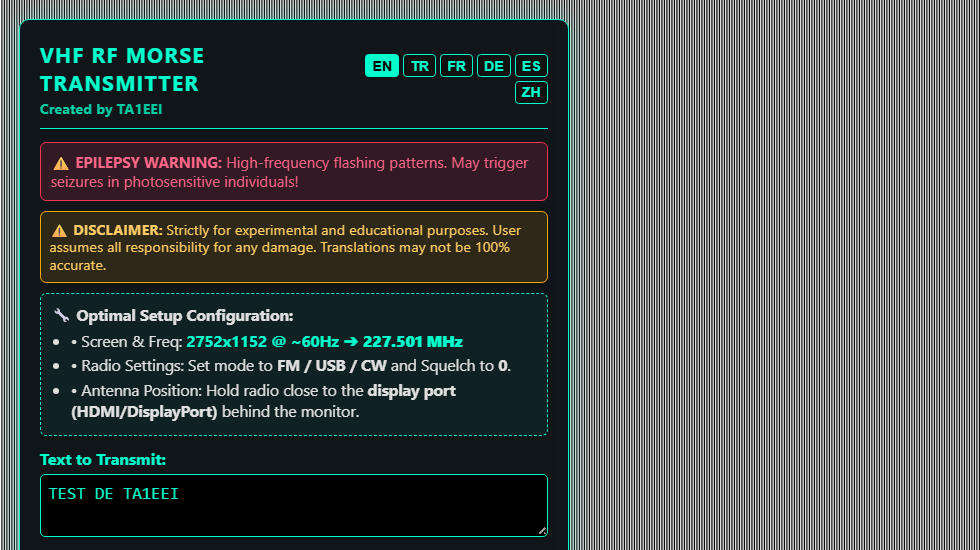
If you’re intending to transmit on the VHF band, you’re probably going to reach for a handheld or some kind of rackmount rig in your ham shack. But you needn’t bother with all that complexity, when you can use the computer on your desk to spit out such signals using a simple browser tool from [Efe].
The concept is straightforward—[Efe]’s tool manipulates pixel clocks in order to create spurious transmissions from your computer’s graphics hardware. The math pencils out pretty easily—multiply the horizontal resolution by the vertical resolution by the refresh rate, while paying attention to the precise timing of the video standard your monitor is using, and you’ve got your transmission frequency. For example, for a screen displaying 1080p at 60 Hz, with the CEA-861 timing standard, your horizontal and vertical resolutions are 2200 and 1125 respectively when paying attention to the requisite blanking intervals. Multiply those by 60 hz, and you’ll find you’re creating a signal at 148.500 MHz. Leverage this by displaying the right pattern of black and white pixels to maximise changes in voltage state on the HDMI or DisplayPort lines, and you might create a strong enough signal that you can actually pick something up. [Efe] created a tool to display these patterns to send simple Morse code messages over VHF just by flickering your screen just right.