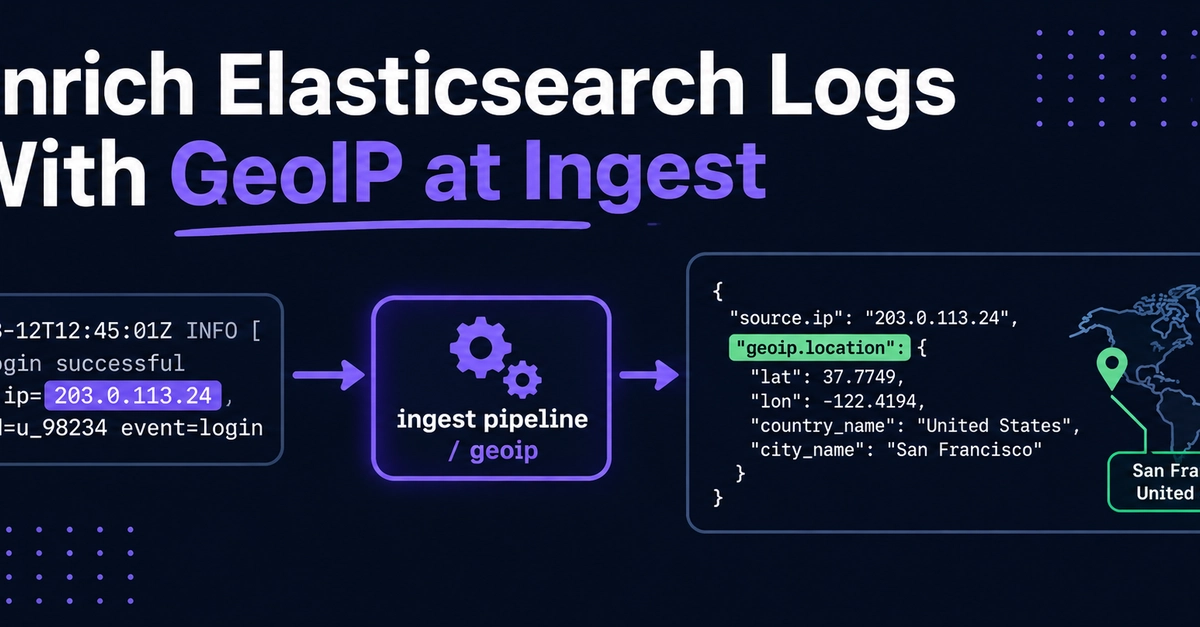
An access log full of raw IPs can't answer where a traffic spike came from. Elasticsearch GeoIP fixes that at write time, enriching public-IP events with whatever country, region, city, and coordinate data is available so queries, alerts, and dashboards downstream can use geography directly. This guide sets up that enrichment in an ingest pipeline, fixes the two things that silently break it, and puts your logs on a Kibana map.
TL;DR
The geoip processor ships with Elasticsearch as a module. No plugin install, and it auto-downloads the free MaxMind GeoLite2 databases.
Enrichment happens in an ingest pipeline. Test it with the _simulate API before you point real data at it.
Your Kibana map will be empty unless the location field is mapped as geo_point before you index. Set that in an index template first.