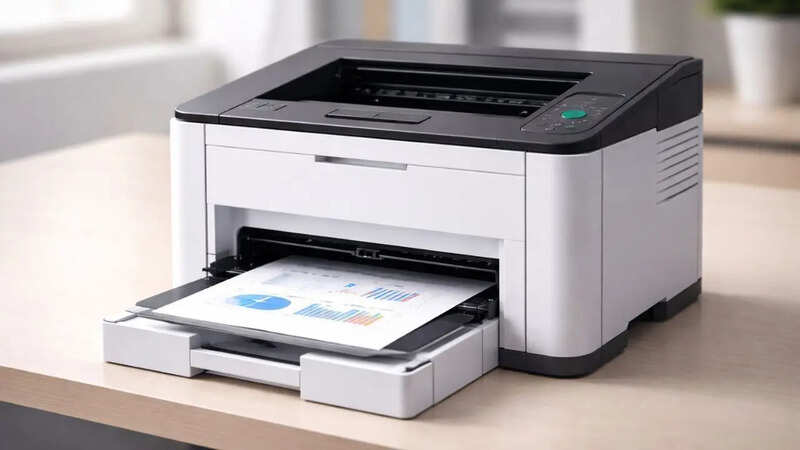
Let’s be honest - office paperwork isn’t going away anytime soon. Even in mostly digital offices, invoices need physical signatures, legal contracts require hard-copy backups, and daily admin tasks still demand actual paper on a desk. When your team relies on printed documents to keep work moving, having a machine that constantly jams or runs out of toner mid-project can quietly derail an entire afternoon.That is why monochrome laser printers remain the go-to workhorses for small businesses, startups, and busy corporate teams. Unlike home inkjets that dry up when left idle for a few days, monochrome laser printers handle heavy output, deliver crisp black-and-white text in seconds, and keep page costs low. But picking the right model comes down to knowing how your office actually operates every day. About The AuthorKey things to check before buying an office printerBefore adding a printer to your cart, take a step back and consider how your team handles paperwork. Matching specs to your real-world routine keeps you from overpaying for features you will never use or underbuying and choking your daily workflow.Recommended volume vs Maximum duty cycle: A printer’s spec sheet often boasts a massive ‘monthly duty cycle’ figure in the tens of thousands. Think of that number as a redline speed on a car; it tells you what the engine can survive in an emergency, not what it should do every day. Look instead at the recommended monthly page volume. Staying within that sweet spot protects the internal rollers and imaging drum, keeping print quality sharp and service calls to a minimum.Print speeds and first page responsiveness: If your team prints 50-page financial audits, overall Pages Per Minute (PPM) matters a lot. But if five people are constantly sending quick one-page receipts or shipping labels throughout the day, First Page Out Time (FPOT) is what actually counts. A printer that wakes up and spits out that first page in six or seven seconds keeps people from lining up at the output tray.Workflow extras like ADF and Auto Duplexing: Manually flipping pages to print on both sides is a quick way to lose ten minutes of your workday. Automatic duplexing flips the paper internally without any intervention. Similarly, if your office frequently scans or copies multi-page contracts, an Automatic Document Feeder (ADF) lets you stack paper on top and walk away while the machine does the heavy lifting.Real-world office connectivity: Where is the printer actually going to live? If it sits directly on a single accountant’s desk, a standard USB cable is simple and bulletproof. But if an entire team of ten needs to print wirelessly from laptops or phones without running back and forth with a flash drive, you will want reliable Ethernet or dual-band Wi-Fi built straight into the machine.More articles by AuthorTrending StoriesMeet 8 HP Laser Printers built for business*1. HP LaserJet 303dThe HP LaserJet 303d shines on high-volume workstations where local data security and zero network interference are essential. Because it links directly to a host PC, sensitive payroll documents or client records bypass the local network entirely. Its high-yield imaging drum and sturdy paper tray are built for continuous daily output, keeping busy administrative and legal staff moving smoothly through heavy paperwork.2. HP LaserJet 303dwTailored for fluid, multi-device team spaces, the HP LaserJet 303dw solves the common pain point of dropped office Wi-Fi signals. Equipped with self-healing dual-band wireless technology, it automatically detects connection issues and reconnects in the background to prevent stuck print queues. It is an ideal fit for modern hybrid offices where staff constantly move between laptop desks, meeting rooms, and mobile devices.3. HP LaserJet 323sdnwDesigned to handle complete document lifecycles, the HP LaserJet 323sdnw tackles heavy multi-page processing without tying up an employee at the scanner glass. Its top-mounted Automatic Document Feeder simplifies batch-scanning stack after stack of invoices, agreements, or physical archives directly to network folders. It stands out as an office workhorse for busy startups and corporate teams seeking a reliable all in one laser printer.4. HP LaserJet 323dBy deliberately omitting extra flatbed optics, the HP LaserJet 323d offers a streamlined, single-purpose design that maximizes desk space. Its simplified internal paper path keeps maintenance minimal, making it an excellent choice for dedicated customer service desks, logistics counters, or billing counters looking for the best laser printer performance focused purely on rapid, double-sided document creation.5. HP LaserJet 1188wThe HP LaserJet 1188w offers a clever footprint for executive cabins, boutique agency desks, or home offices where space comes at a premium. It features an intuitive digital control panel that makes quick scanning and copying effortless, while wireless phone printing allows team members to quickly output client drafts or travel passes without needing to fire up a computer.6. HP LaserJet 1188aIf you need a straightforward desktop assistant without software bloat or wireless setup steps, the HP LaserJet 1188a keeps things grounded. Built as a direct-connect workstation companion, this all in one monochrome printer provides immediate tactile buttons for ID-card copying and quick document scanning, making it a reliable fixture for medical clinics, front desks, and solo accountants.7. HP LaserJet 1008wThe HP LaserJet 1008w combines a ultra-compact physical profile with flexible placement options. Because it functions wirelessly over your office Wi-Fi, it can sit quietly on a side shelf or credential cabinet out of primary sightlines. It is ideal for small businesses in India needing clean text outputs without running long, unsightly cables across open walkways.8. HP LaserJet 1008aFocused on straightforward, low-maintenance printing, the HP LaserJet 1008a is a hassle-free, entry-level option for tight budgets and smaller desks. Featuring simple plug-and-play setup via USB, it delivers quick, crisp black-and-white printouts for everyday shipping labels, receipts, and internal memos without requiring network configuration.HP Business Printers: At a glanceHere is a side-by-side look at how these eight HP models compare on the features that matter most when setting up your workspace.ModelCore FunctionsTop Print SpeedAuto DuplexingPrimary ConnectivityHP LaserJet 303dPrint, Copy, ScanUp to 29 ppmYesUSB 2.0HP LaserJet 303dwPrint, Copy, ScanUp to 29 ppmYesUSB, Ethernet, Dual-Band Wi-FiHP LaserJet 323sdnwPrint, Copy, Scan + ADFUp to 29 ppmYesUSB, Ethernet, Dual-Band Wi-FiHP LaserJet 323dSingle-Function PrintUp to 29 ppmYesUSB 2.0HP LaserJet 1188wPrint, Copy, ScanUp to 20 ppmManualUSB 2.0, Wi-FiHP LaserJet 1188aPrint, Copy, ScanUp to 20 ppmManualUSB 2.0HP LaserJet 1008wSingle-Function PrintUp to 20 ppmManualUSB 2.0, Wi-FiHP LaserJet 1008aSingle-Function PrintUp to 20 ppmManualUSB 2.0At the end of the day, picking an office printer isn't about chasing the highest spec on paper; it is about matching a machine to how your team actually works. If your days involve multi-page contracts, heavy batch scanning, and shared network queues, stepped-up units like the HP LaserJet 323sdnw or 303dw will save you hours of manual hassle down the road. On the flip side, if you just need a reliable desktop machine for occasional invoices or shipping labels, compact performers like the 1008 or 1188 series give you exactly what you need without eating up valuable workspace.*Editor’s Note: The products featured in this guide are presented in no particular order of ranking or preference. Each printer caters to a specific workspace setup, from individual billing counters to networked open-plan offices.Disclaimer: This article has been produced on behalf of HP by Times Internet’s Content Collective team.end of article
Balancing speed, security, and setup: A business guide to monochrome laser printers
Office paperwork remains essential, making monochrome laser printers vital for businesses. Key features like recommended volume and first page speed impact daily workflow significantly. Automatic duplexing and document feeders streamline multi-page processing tasks efficiently. Connectivity options such as Ethernet and Wi-Fi ensure seamless team access. Selecting a printer matching specific office operations prevents workflow disruptions.
1,195 words~5 min read