The gradual rollout of Gemini in Chrome continues today with a launch in the UK.
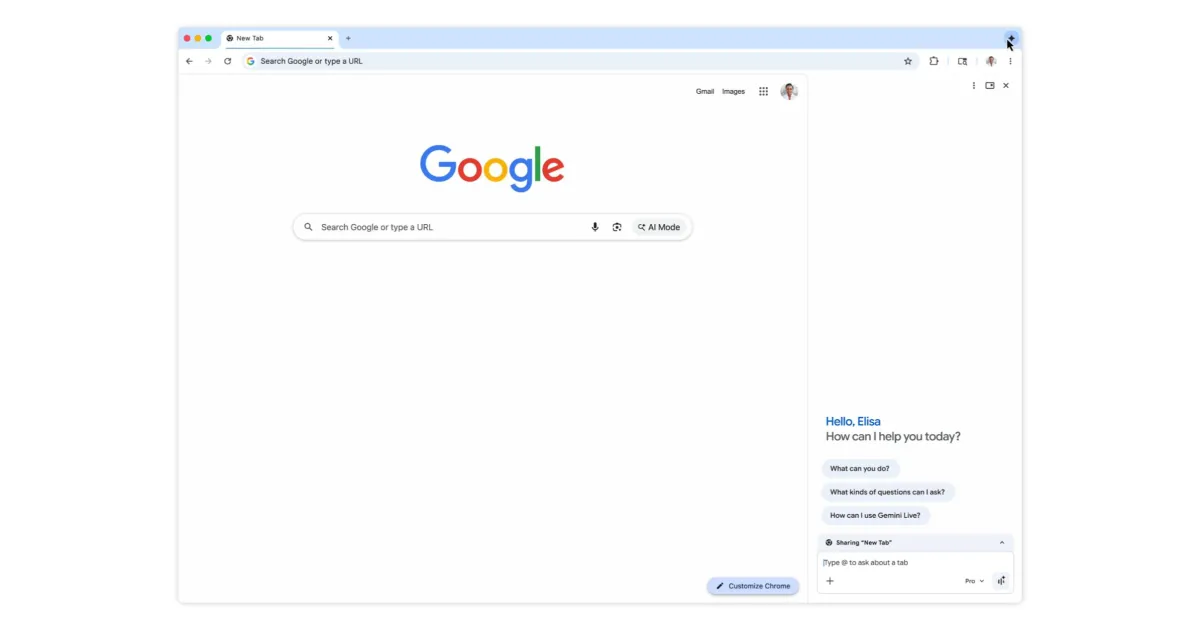
On Mac, Windows, and Chromebook Plus, you can launch Gemini in Chrome from the top-right corner of any window. This is joined by the keyboard shortcut, Mac menu bar, or Windows system tray, while you can also right-click on a page for “Ask Gemini” in the context menu.
Gemini opens as a side panel next to what you’re browsing or as a floating window. Go to Chrome Settings > AI innovations > Gemini in Chrome to customize, with Settings > Appearance > Side panel position letting you choose left or right.
Gemini in Chrome can be used to:
“…summarize lengthy content, or compare information across multiple tabs.”