Following the last expansion to the Asia Pacific region, Google is bringing Gemini in Chrome to Latin America, Africa, and the Middle East.
After the US launch, Gemini in Chrome came to Canada, India, and New Zealand this March. A month later, the integration came to Australia, Indonesia, Japan, Philippines, Singapore, South Korea, Vietnam, and other countries in the region.
The expansion continues today for “users in Latin America, Africa, the Middle East and more.”
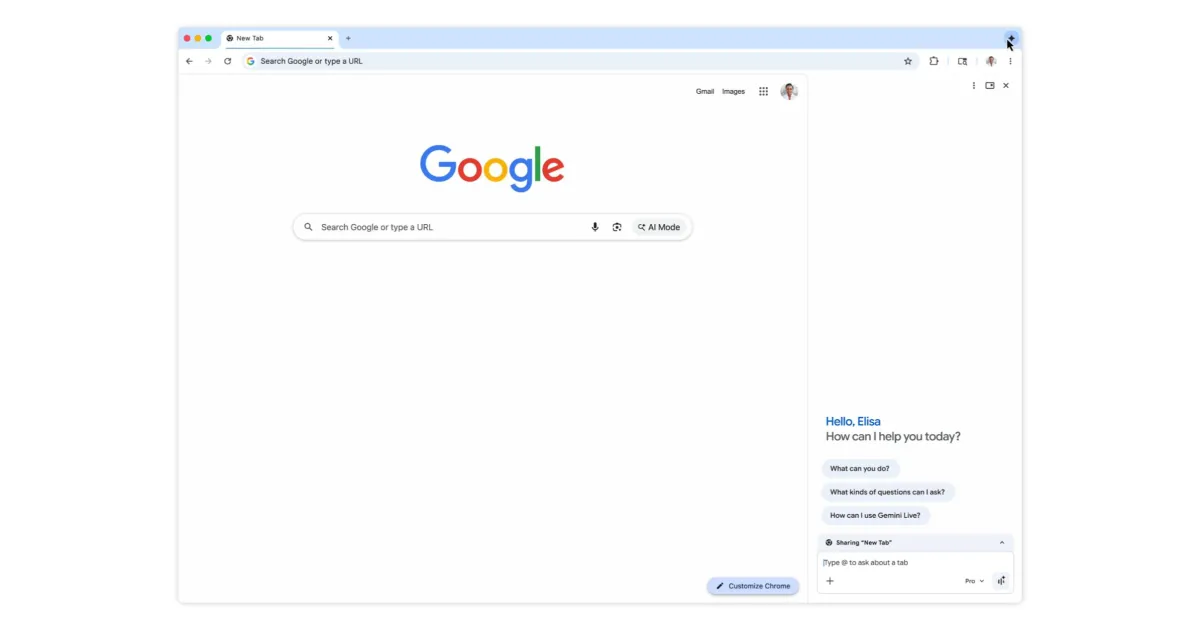
On desktop (Mac, Windows, and Chromebook Plus), you can launch Gemini in Chrome from the top-right corner of windows. There’s also a keyboard shortcut, Mac menu bar, and Windows system tray, as well as right-clicking on a page for “Ask Gemini” in the context menu.
Gemini opens as a side panel next to what you’re browsing or as a floating window. Go to Chrome Settings > AI innovations > Gemini in Chrome to customize.