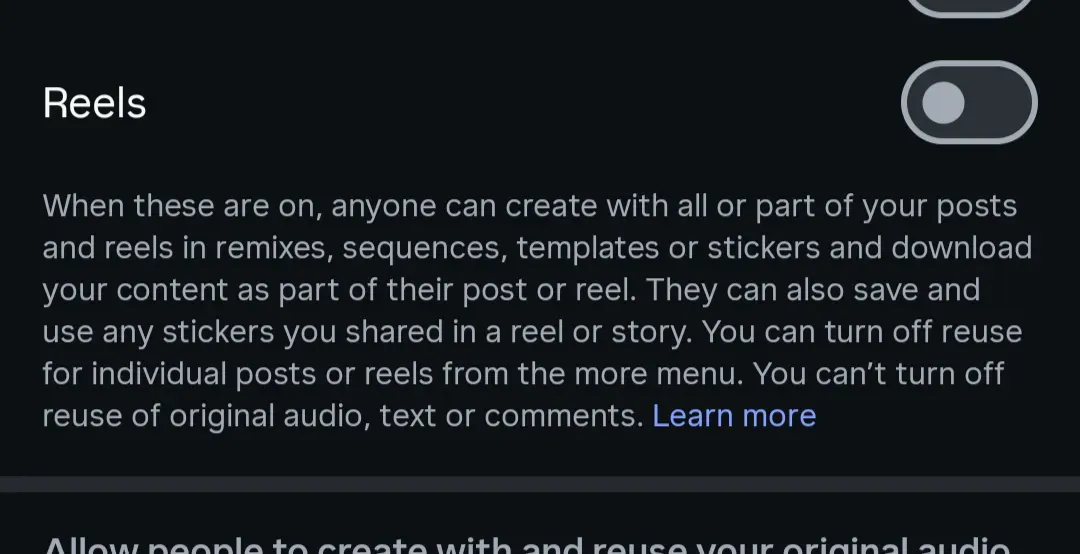
Posted Jul 8, 2026 at 7:04 PM UTCTYou can (and should) opt out of letting people use your Instagram posts with Meta’s AI.Go to your profile in the Instagram app and open the hamburger menu in the top right corner. Scroll down to “sharing and reuse,” then toggle off the sliders for “allow people to create with and reuse your content” for Posts and Reels. Then, below that, also turn off “allow people to create and reuse your original audio on Meta AI.”Screenshot: Terrence O’Brien / The VergeFollow topics and authors from this story to see more like this in your personalized homepage feed and to receive email updates.Terrence O'Brien
You can (and should) opt out of letting people use your Instagram posts with Meta’s AI.
Go to your profile in the Instagram app and open the hamburger menu in the top right corner. Scroll down to “sharing and reuse,” then toggle off the sliders for “allow people to create with and reuse your content” for Posts and Reels. Then, below that, also turn off “allow people to create and reuse your original audio on Meta AI.” [Image: https://platform.theverge.com/wp-content/uploads/sites/2/2026/07/Screenshot_20260708-145327.png?quality=90&strip=all]
110 words~1 min read