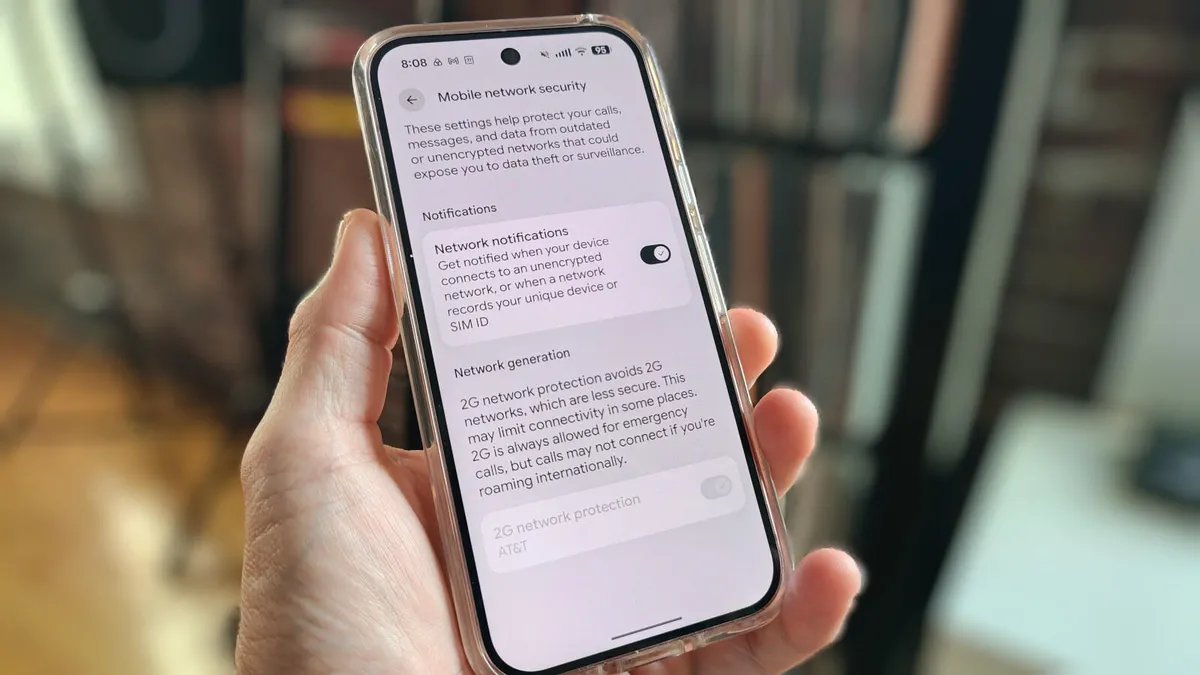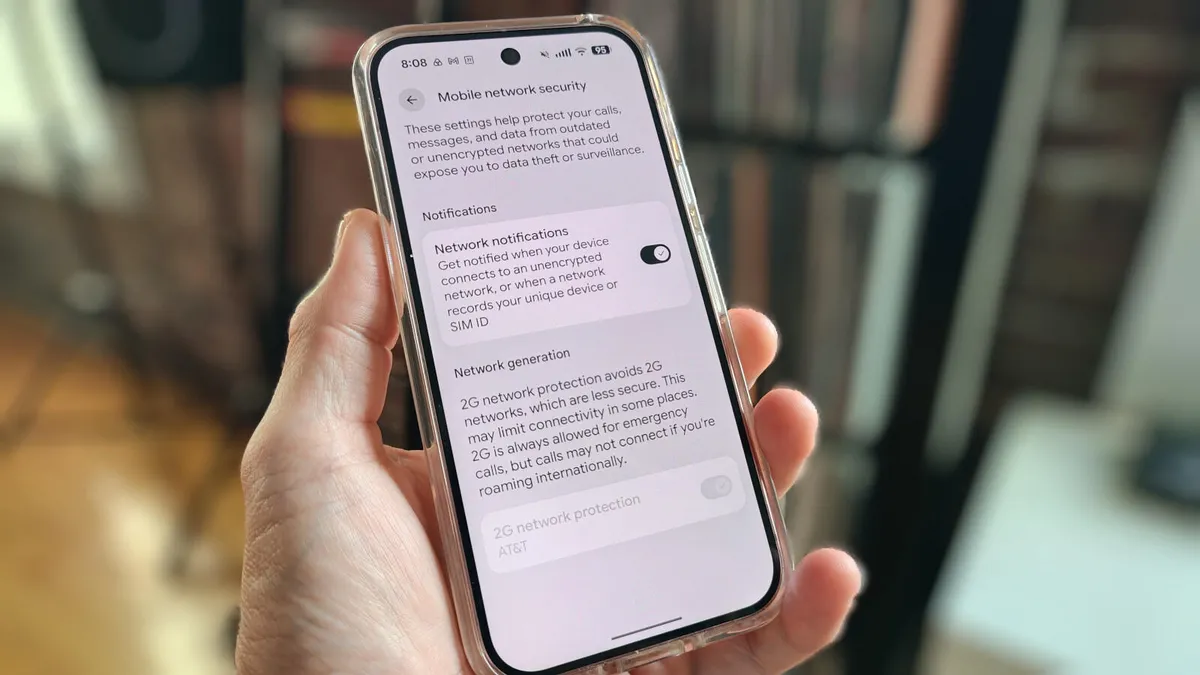
Jack Wallen/ZDNET ZDNET key takeaways There are networks out there you should not connect to.You could even mistakenly connect to a fake cell tower.Android 17 has a feature that alerts you, so you can stay safe.When you're on the go, there may be times when you absolutely have to connect to a network. Maybe you're in a location where cellular speeds are too slow to transfer a file, or maybe you're simply concerned about something gobbling up too much of your data plan.Regardless of the why, the important thing here is this: What network are you connecting to? Are you connecting to a network at your favorite coffee shop (the one that isn't protected by a password)? Maybe you're shopping, and the store you're currently perusing has a Wi-Fi network. Your gym? A hotel? The list of networks you should not randomly connect to goes on and on. Also: How to turn on Android's Private DNS mode - and why you should ASAPBut what if you're not sure about the security level of a network? Do you just automatically default to "I won't connect to that network"? That's the safest bet, but not always the most practical. Fortunately, Android 17 can help you out because there's a new addition to network security that can help protect you. Along with the Identity Check and Advanced Protection features added in Android 16, this new feature should help lock down your device. This feature is called "Network notifications." According to the settings option, you'll get notified when your device connects to an unencrypted network or when a network records your unique device or SIM ID. That's important because you may not know if you've connected to an encrypted network. Don't be fooled. Just because you have to enter a password to join a network doesn't mean it's encrypted. A malicious actor could set up a Wi-Fi network, make it seem like it belongs to your favorite coffee shop, keep it open (no password), and wait for you to connect. If that malicious actor sets that network up as unencrypted, they can easily read your data. And that, my friends, is why it's important for you to enable Android's new feature. Because Android is smarter than we are at detecting if a network is unencrypted, this feature is a no-brainer. It's also very easy to use. I'll demonstrate on my trusty Pixel 9 Pro. How to know when you've connected to a bad network Now that you know the "why," let's talk about the "how." You might think this would be a challenging task, but it's far easier than you think. All you have to do is tap an on/off slider and, boom, your Android phone will inform you if your phone or tablet connects to an unencrypted (aka "bad") network. Here's how.Also: Your Android phone's most powerful security feature is off by default and hidden - turn it on now Open the Settings app and navigate to "Network & internet" > "Mobile network security."
This new Android security setting spots bad networks and fake cell towers - enable it ASAP
Connecting to the wrong network can put your data at risk. Android can warn you, but only if you allow it.
702 words~3 min read