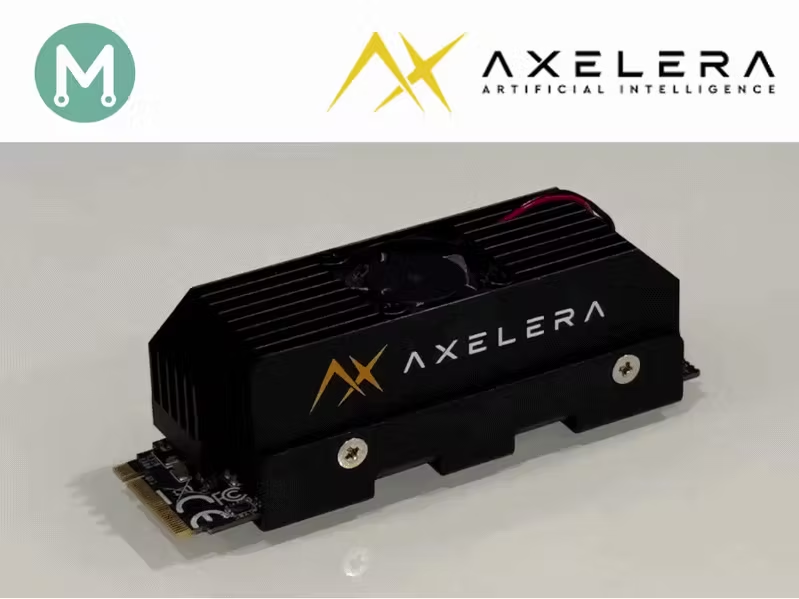
Story In Parts 1–3, we established a methodology for independent power measurement on edge AI accelerators.Series: Edge AI Power BenchmarkingNow we can finally put it to the test on the Axelera Metis.Installing the Axelera Voyager SDKAxelera provides excellent instructions on installing their Voyager SDK:Axelera Voyager SDK InstallationThis can be done as a docker container, or a python virtual environment. I recommend the python virtual environment.I am running my benchmarking on a AMD Ryzen AI MAX+ 395 PC. When I attempt to run inference, I get the following error:terminate called after throwing an instance of 'std::runtime_error' what(): No functional OpenCL platform of type '' found. Available platform may be installed but not working correctly.Aborted (core dumped)This is a known issue with AMD GPUs, and can be avoided by specifying –disable-opencl. there is also a fix for AMD GPU support, which we will cover later in this article.Reproducing the Axelera benchmarksBefore measuring power, I wanted to reproduce the Axelera benchmark. In line with the previous articles, I chose ResNet50, knowing it has the lightest post-processing stage, being a classification model.The benchmark results for various model can be found on their axelera-ai-hub/voyager-sdk repo:Axelera Model ZooResNet-50 v1.5 on Metis (M.2 form factor) : 1756 FPSResNet-50 v1.5 on Metis (PCIe form factor) : 1946 FPSOur target, of course, is the M.2 benchmark of 1756 FPS.Downloading the imagenet datasetThe obvious logical choice for input data would be the same dataset that was used to train the model. Axelera’s Voyager SDK supports these training datasets, and usually downloads them for us …In the case of ResNet-50, which was trained with ImageNet, they do not provide the download functionality, and provide instructions on how to do this:╭───────────────────────────────────────────── HINT ─────────────────────────────────────────────╮│ Dataset directory ~/.cache/axelera/data/ImageNet does not exist. ││ ││ To download the dataset, it is necessary to register at https://image-net.org/download-images. ││ Then, please ensure that the files 'ILSVRC2012_devkit_t12.tar.gz', 'ILSVRC2012_img_val.tar' ││ are placed in the requested directory. ││ ││ Lastly, execute the script 'inference.py' to initiate the inference process. ││ ││ Further information on dataset downloading can be found here: ││ https://pytorch.org/vision/main/generated/torchvision.datasets.ImageNet.html ││ https://tensorflow.org/datasets/catalog/imagenet2012_subset ││ │╰────────────────────────────────────────────────────────────────────────────────────────────────╯I created an account on the imagenet web site, submitted a request, and have never received a response …In the meantime, I will continue my exploration with a dataset that was used for other models : data/coco.First throughput resultsMy first attempt was not a success, but may reflect your initial experience with the Axelera flow, so I have documented it.
Edge AI Power 4: Measuring the Power of Axelera Metis
In this article, we use our independent power measurement methodology with the Axelera Metis. By Mario Bergeron.
TL;DRAI
Axelera Metis hits 1756 FPS ResNet-50; single-stream doesn't scale with added cores, only multi-threaded inputs drive throughput gains. For CTOs: edge AI performance depends equally on application multi-streaming architecture and hardware—single-stream always bottlenecks.
2,343 words~11 min read