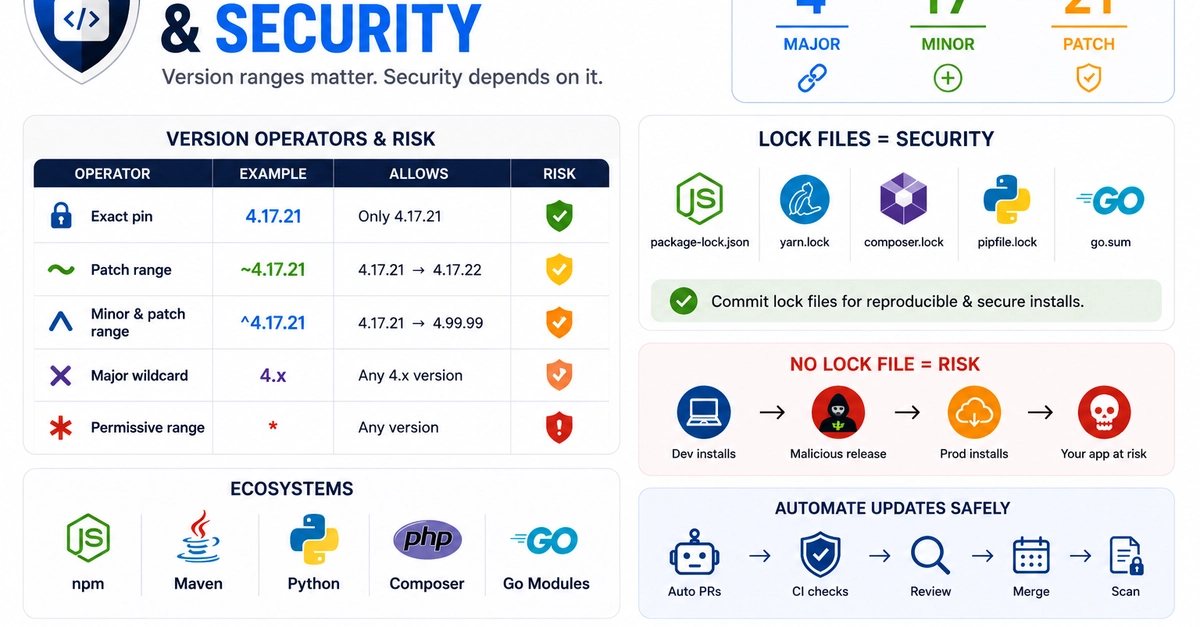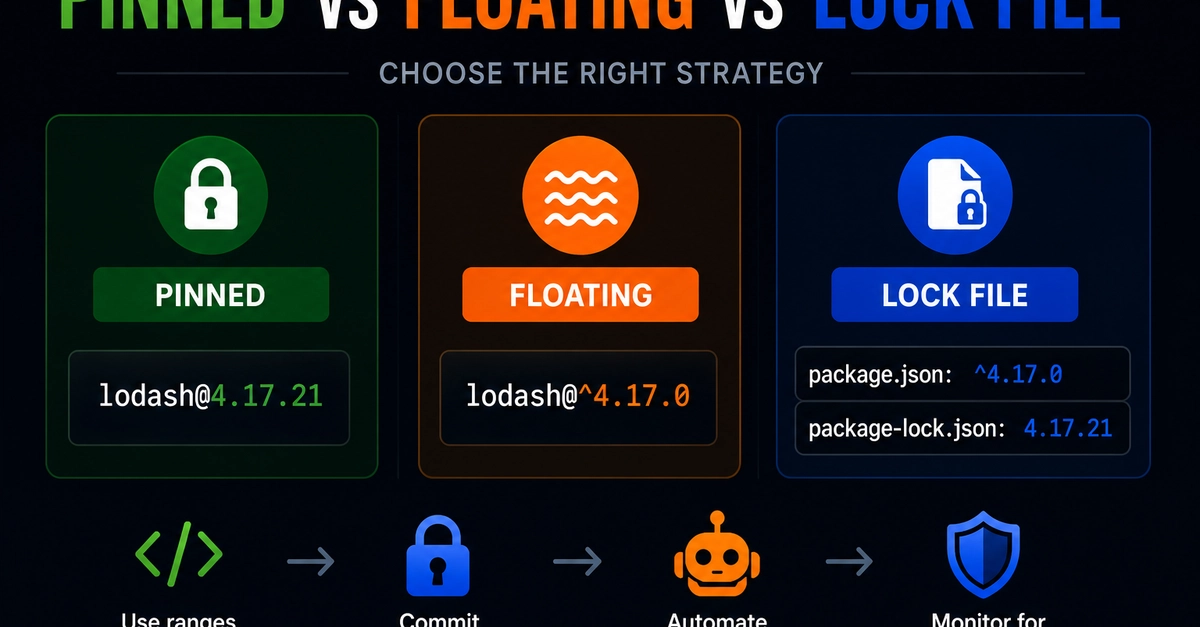
A dependency version can decide whether your production build installs the same safe code every time or silently pulls a different release. lodash@4.17.21, lodash@^4.17.0, and lodash@>=4.0.0 create very different security outcomes.
That is why dependency pinning security matters. Pinning improves reproducibility, floating ranges allow updates, and lock files sit between both. The right strategy helps teams avoid surprise package changes without getting stuck on old vulnerable versions.
The Three Approaches to Dependency Versioning
Dependency pinning means specifying an exact package version. For example, lodash@4.17.21 allows only version 4.17.21. The package manager should not choose 4.17.20 or 4.17.22 unless the developer changes the requirement.
Floating versions use ranges instead of exact versions. For example, lodash@^4.17.0 can allow newer compatible versions in the same major release line, depending on the package manager rules. A broad range such as >=4.0.0 is even more permissive and can allow many future versions.