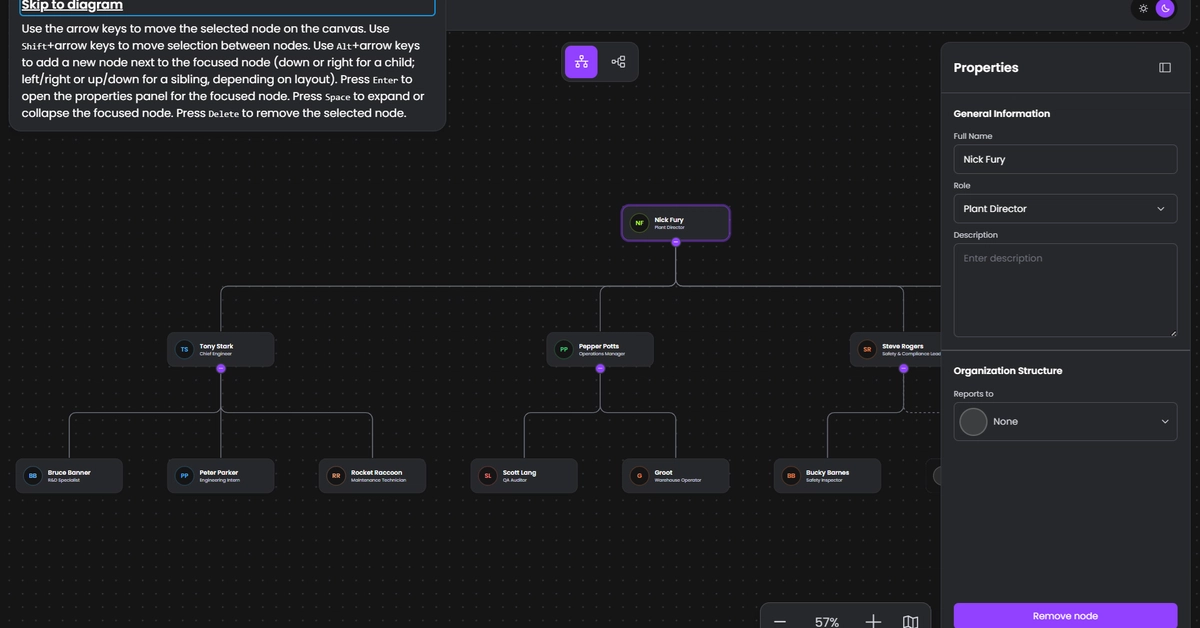
One of the core principles of Red Hat’s open source culture is open exchange, which is the belief that information should be freely available and accessible to anyone. I recently represented Red Hat at Axe-con 2026, the free accessibility conference organized by Deque Systems. There, I shared one of the methods we use to ensure an inclusive experience on our public websites: Keyboard accessibility testing.My Axe-con presentation outlined the topic and invited viewers to join me in a live demonstration of some keyboard testing practices. After the demo, I performed a quick top-to-bottom test of a real web page. Although Axe-con is over, you can still register to watch the recording.Automated and manual accessibility testingAt Red Hat, we measure the accessibility of our digital experiences through a mix of automated and manual testing. Automated tools are fast and well-suited for testing at scale. But automation can’t catch everything. Because accessibility serves real people, we also need to engage with our experiences manually to understand how they work for actual users with diverse abilities.Keyboard testing is an effective and efficient testing method that just about anyone—regardless of role or experience—can use to identify high-impact issues that may stop non-mouse users from accomplishing tasks at our sites. These users include people with mobility issues, screen reader users, those using other assistive technologies, and anyone else using alternate means of interacting with web content.Keyboard operability is also a requirement for conformance with the World Wide Web Consortium’s web content accessibility guidelines. Success criterion 2.1.1 (Keyboard) specifies "All functionality of content is operable through a keyboard interface."How to perform a keyboard testOne of the best aspects of keyboard testing is that just about anyone can do it. It's a great way of inviting people who aren't accessibility specialists into the accessibility testing process. You don't need to be a designer or engineer. You don't even need to be familiar with the page you're testing ahead of time (though you may know it as well as anyone by the time you finish!)To perform a simple keyboard test:Navigate to the web page you want to evaluate.Without using a mouse or trackpad, traverse it from top to bottom and try activating any interactive items. Note any obstacles or annoyances you experience. Are there any interactions or information available to mouse users that are unavailable to you?Here are the primary keys you can use to operate and test a web page:Tab: Moves down the page from interactive item to interactive item, including links, buttons, form fields, and so on. As you do this, you should always see some kind of visual decoration (for example, an outline) to let you know which element is in focus and ready to be activated.Shift-Tab: Moves to the previous interactive item.Arrow keys: Scrolls the page. These keys should also allow you to navigate within certain elements, like select drop-down menus and radio button groups.Return (or Enter): Follows links, and triggers some interactions (for example, pressing a button or choosing a selection in a drop-down menu).Spacebar: Triggers interactions. It often performs a few form-related tasks that Return doesn’t (such as opening a selected drop-downn, or toggling a checkbox). Does not follow links. Escape: Closes modals and may reset other elements to their default state (for example, reduces a full-screen video to its initial size).The next time you’re working on a web project, try operating it top-to-bottom using only your keyboard. You can even practice your keyboard testing skills right now. Go to a web page and note the tasks that you are and aren't able to accomplish without a mouse.Web accessibility at Red HatAt Red Hat, inclusion is a core aspect of our open source culture: "Open source communities need to actively and continuously work to make sure everyone is included and has a fair and equal opportunity to contribute."Keyboard testing is just one of the techniques we use to ensure users of all abilities can fully participate in our digital experiences. For more information on how we at Red Hat approach accessibility, visit our Accessibility hub.
Red Hat's Approach to Keyboard Testing for Web Accessibility
Learn about Red Hat's approach to keyboard testing for web accessibility, a method that ensures an inclusive experience for users with diverse abilities. Watch the Axe-con 2026 recording to see a live demonstration.
799 words~4 min read