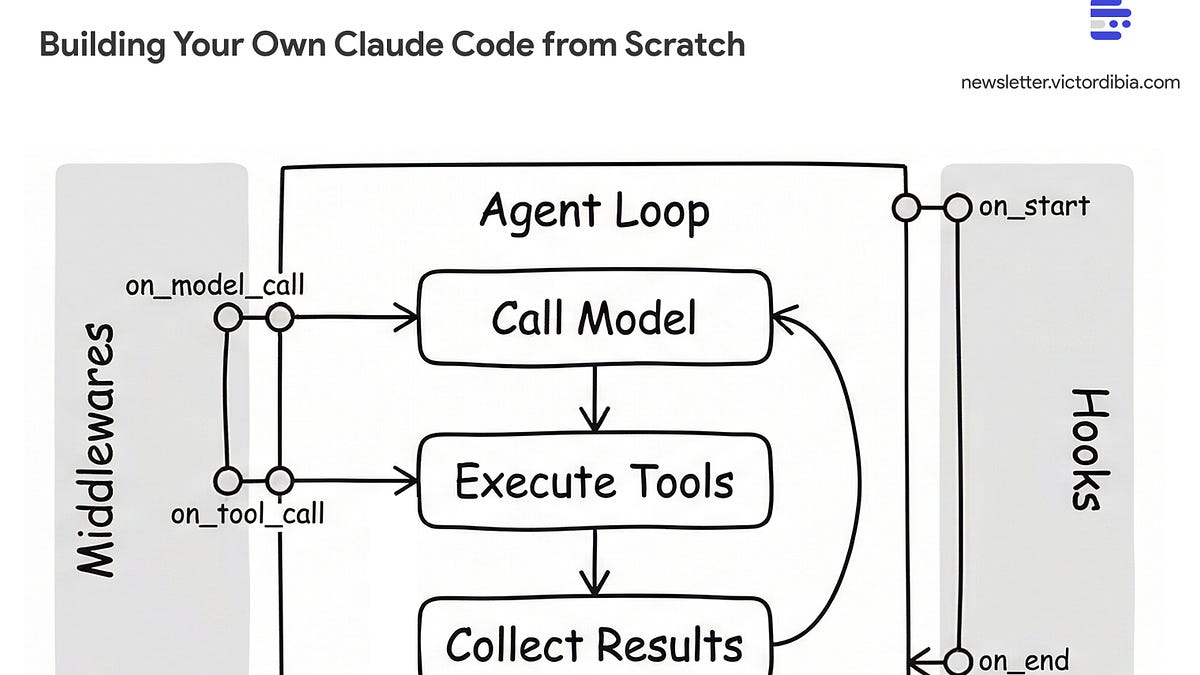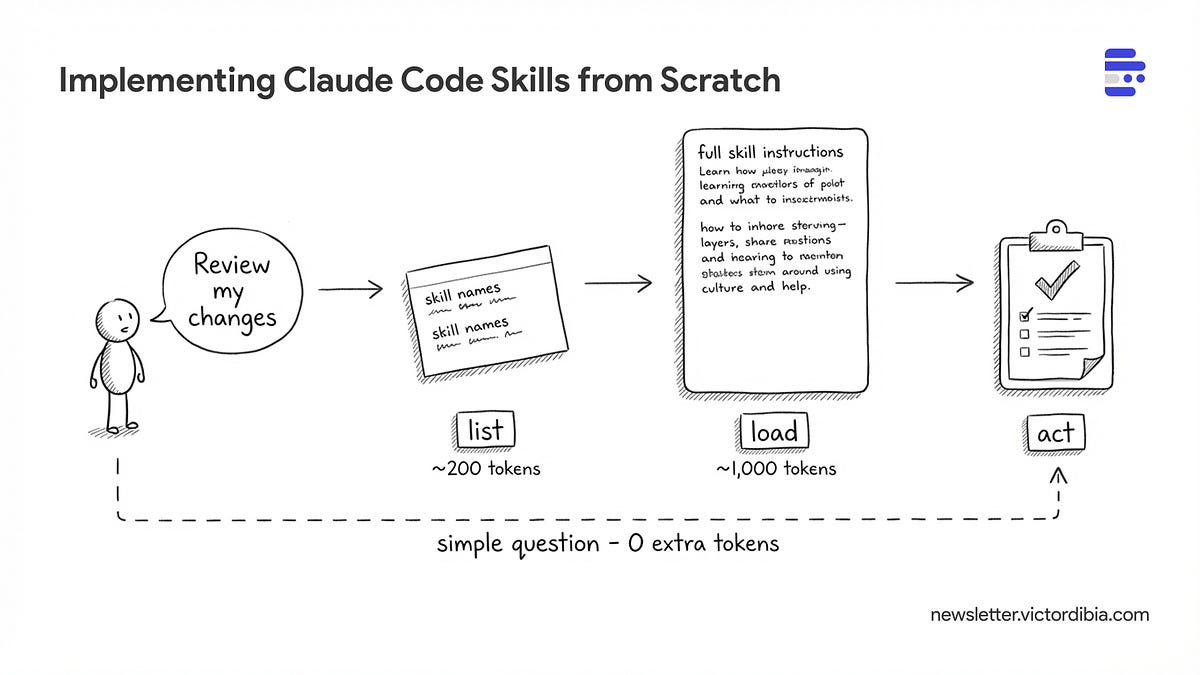
The execution flow of a Skill. Skill metadata sits in the system prompt, allowing the agent to lazily load the full instruction payload only when triggered by the user's intent.Agents can act by calling tools, executing code, or following instructions, but doing so efficiently has massive implications for context window usage and security. One approach now supported by Claude Code, Cursor, Gemini CLI, and a growing list of coding agents is skills. A skill is a folder of instructions and scripts that an agent can discover and load on demand. Unlike a CLAUDE.md or system prompt that sits in context permanently, skills extend context only when needed - the agent sees a one-line description at startup (~100 tokens) and pulls in full instructions only when the task matches (~2,000 tokens). With 20 skills, that's ~2,000 tokens at startup instead of ~40,000. You define a SKILL.md file once, and any compatible agent can use it.Importantly, this pattern is now an open standard adopted by 25+ tools - you can define a skills folder with a SKILL.md file once, and any compatible agent can use it. How does it work under the hood? And how would you implement skills support to your own agent (in any framework of your choice)? Well, that’s what this post attempts to lay out.I will also share a complete implementation of a SkillsTool in PicoAgents, the companion framework from Designing Multi-Agent Systems book. If you are interested in learning about how agents or agent frameworks work, consider grabbing a copy of the book!This post is adapted from Designing Multi-Agent Systems. The book covers tool design, context management, and agent orchestration patterns in more depth with complete implementation code.A skill is a folder containing a SKILL.md file with two parts: YAML frontmatter (metadata) and markdown content (instructions).Here’s a commit skill based on Claude Code’s built-in skills:---
Implementing Claude Code Skills from Scratch
#58 | The pattern behind Claude Code's extensibility - and a working implementation in 100 lines of Python.
1,222 words~6 min read