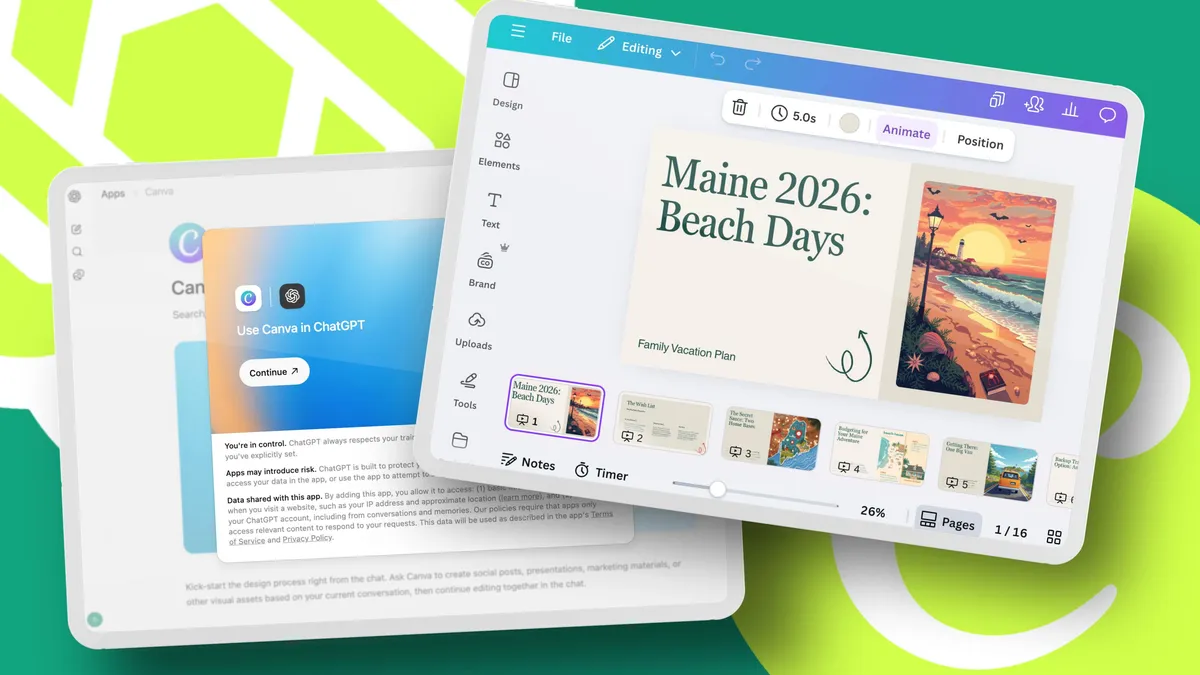
Elyse Betters Picaro / ZDNETFollow ZDNET: Add us as a preferred source on Google.ZDNET's key takeawaysChatGPT can turn your prompts into pretty Canva presentations.Deep Research can help plan your content before hand.Canva lets you quickly edit, customize, and share the final deck.This year, my husband's family is doing something different for Christmas.Everyone is coming up with their own vacation idea, and we're each presenting it on Christmas Day. The rules are simple: The best presentation wins, everyone pays their share, and we'll all go on a trip together next summer. No pressure, right? I already saved a ton of time using ChatGPT's Deep Research to plan where we'll go and stay and which attractions we'll visit. Spoiler alert: My husband, his three brothers, his sister-in-law, and I all majored in either English, journalism, or library science. We're obsessed with reading... and Stephen King. So, a Maine trip to see Bangor, the beach, and Derry-inspired landmarks seems perfect. Also: I tested the new ChatGPT Images - it's a stunning improvement, and enormously funBut turning all of that into a pretty presentation that could win everyone's vote? Blah, that'll take forever. Or will it? I decided to try using Canva directly inside ChatGPT to turn my Maine vacation itinerary into a presentation. I couldn't believe that what normally would have taken me hours in Google Slides took just a few minutes. Here's how I did it. How to use Canva with ChatGPT What you'll need: A ChatGPT account and a Canva account. You can use the free tier for either service, but upgrading to ChatGPT Plus ($20 per month) gives you more prompts and fewer limitations, while Canva Pro ($15 per month) unlocks additional features like premium elements and AI tools. I'm subscribed to both, but the workflow described below is perfectly doable as a free user. Before you do anything, you need to connect your Canva account to your ChatGPT account. How to connect Canva and ChatGPTOpen ChatGPT and sign in to your (Free, Plus, or Pro) account.Go to Settings in ChatGPT.Select Apps and connectors.Find Canva.Click Connect.Sign in to your Canva account (Free or Pro) when prompted.Also: How I use AI to bring my kid's art to life - and why it's a fun learning opportunityOnce connected, ChatGPT can create any design on your behalf, not just presentations. You can make all kinds of documents, from social posts to flyers, using simple natural language prompts.
How to use Canva in ChatGPT to build a stunning presentation in minutes - for free
This is by far the fastest way I've ever made a presentation - and it might even help me win Christmas this year.
1,431 words~7 min read