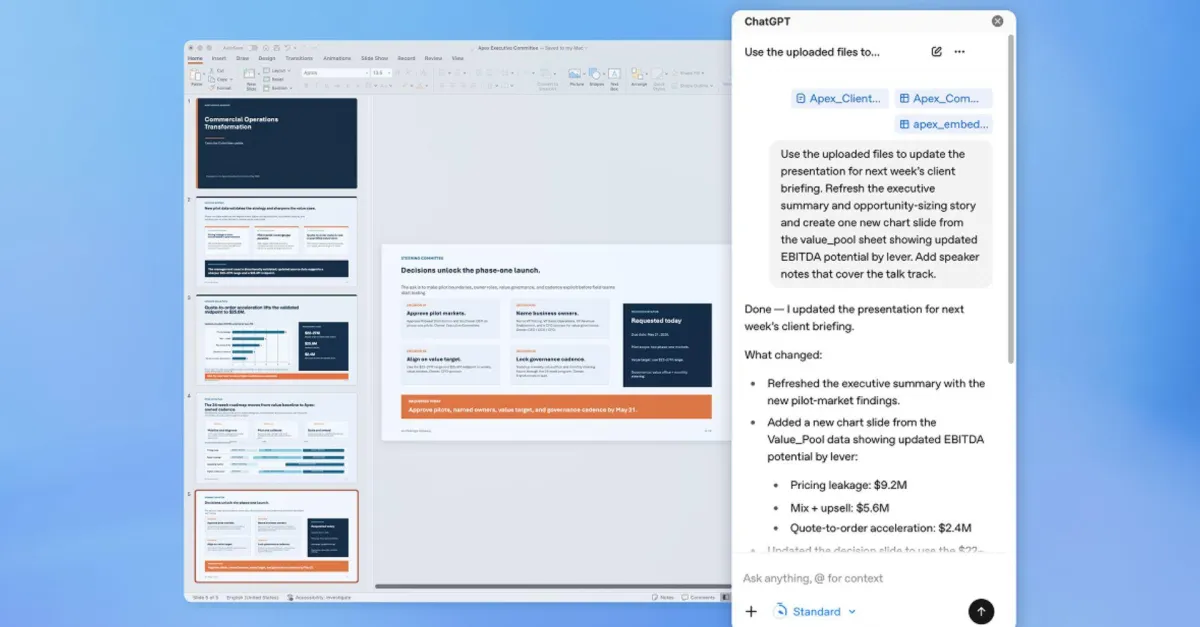
Ask ChatGPT to create new slides, update existing decks, turn source material into presentation-ready content, and polish slides directly in PowerPoint.Available in beta globally for ChatGPT Business, Enterprise, Edu, Teachers, and K-12 users, and for ChatGPT Free, Go, Pro and Plus users.Turn conversations into presentations in minutesCreate and edit in plain languageStart from notes, docs, spreadsheets, prompts, or an existing deck. Ask ChatGPT to create slides, rewrite content, tighten hierarchy, add a new section, or polish a draft while keeping the output editable in PowerPoint.Get a clearer story from your deckAsk what your presentation says, where the narrative is weak, what's missing, and what an executive audience might ask. Use ChatGPT to summarize, restructure, and turn dense slides into clearer takeaways.Follow along so you can trust the workChatGPT works inside PowerPoint, reads your deck structure, and helps preserve editable slide content. Review changes, check important claims and numbers, and keep control before you share.How to installAdd ChatGPT for PowerPoint from Home → Add-ins, then search for ChatGPT. Open ChatGPT from the ribbon and sign in with your OpenAI account.Ways to use ChatGPT for PowerPointFrequently asked questionsBy default, data shared with ChatGPT isn't used to improve our models for ChatGPT Business, ChatGPT Enterprise, ChatGPT Edu, and ChatGPT for Teachers.Can Enterprise administrators control access to ChatGPT for PowerPoint?Workspace administrators can manage access based on plan, workspace settings, and admin controls.More ways to use ChatGPTChatGPT for Excel and Google SheetsAsk ChatGPT to build full spreadsheets, get insights across tabs, add and edit formulas, and update sheets in real time—so projects move forward faster.ChatGPT with presentationsUnderstand data faster, fix formulas confidently, and turn raw numbers into clear insights and templates.ChatGPT for data analysisUnlock value from your data, speed decision-making, and scale analytics initiatives—in one secure workspace.Start creating presentations
ChatGPT for PowerPoint | Create and edit presentations with ChatGPT
Install ChatGPT for PowerPoint in beta. Create, edit, understand, and polish presentations directly in PowerPoint while keeping slides editable.
294 words~1 min read