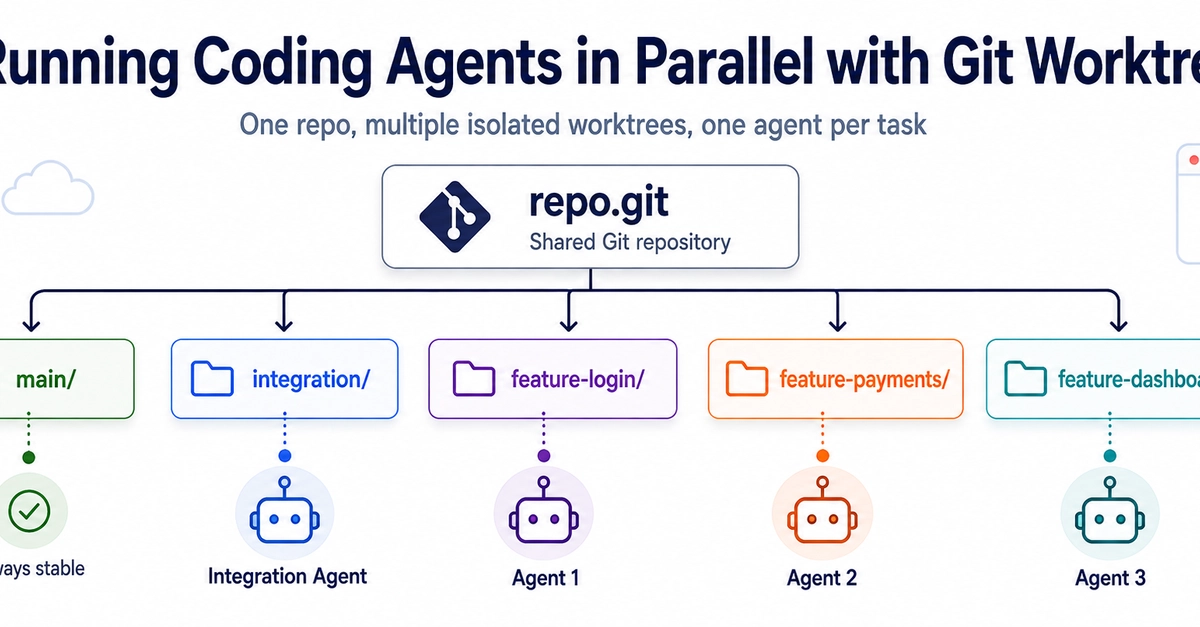
Parallel Claude Code sessions only started to make sense to me once I stopped running them on the same checkout. Before that, for example, one session would be writing tests for a blog build while another was editing the CSS at the same time. But both were working on the same files. The first one would make a change and commit it, and the second one would carry on as if nothing had happened. Then, in the evening, instead of checking the results, I'd have to figure out which session each change actually came from. And it was completely unnecessary. Git has had a solution for this for years — worktrees: each session gets its own directory and its own branch, but they still work on the same repository. This way, the files don't overwrite each other, and both can commit independently of one another.
(Everything here runs locally on my machine. If I want to completely separate the task from the computer, I use a different approach — I describe it in the article about Claude Code in the cloud. And if you need a refresher on Git commands, I have a separate cheat sheet.)
How worktrees work
You can think of a Git worktree as another working directory connected to the same repository. It shares the history and remote with other worktrees, but its own working files and branch are separate. For details, see the Git documentation. One thing is essential for Claude Code: two sessions can run on a single repository, each in its own directory, and one cannot access the other's files.