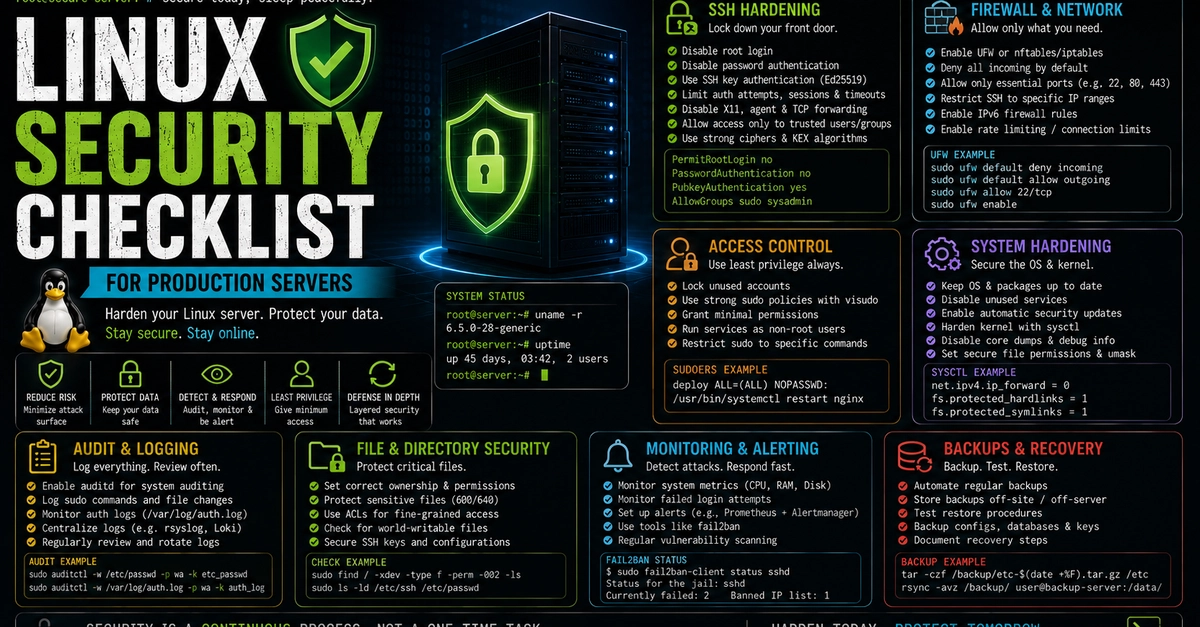
A step-by-step practical guide to locking down SSH, configuring firewalls, enforcing least privilege, hardening the kernel, and setting up audit trails on your production systems.
The moment you spin up a fresh virtual machine on AWS, DigitalOcean, Hetzner, or a bare-metal server in a datacenter, the clock starts ticking.
Within minutes of your public IP address going live, automated bots and port scanners around the globe will begin probing your server. They will scan port 22, attempt thousands of default password combinations, search for open web ports, and test for known vulnerabilities.
If your server runs on default settings, it is only a matter of time before someone finds a crack.
A default Linux installation (whether Ubuntu, Debian, Rocky Linux, or AlmaLinux) is built for convenience, not fortress-grade security. Default configurations often leave password authentication enabled, root logins permitted, unused network ports exposed, and kernel settings tuned for general desktop workloads rather than high-security production environments.