(Image credit: Shutterstock)
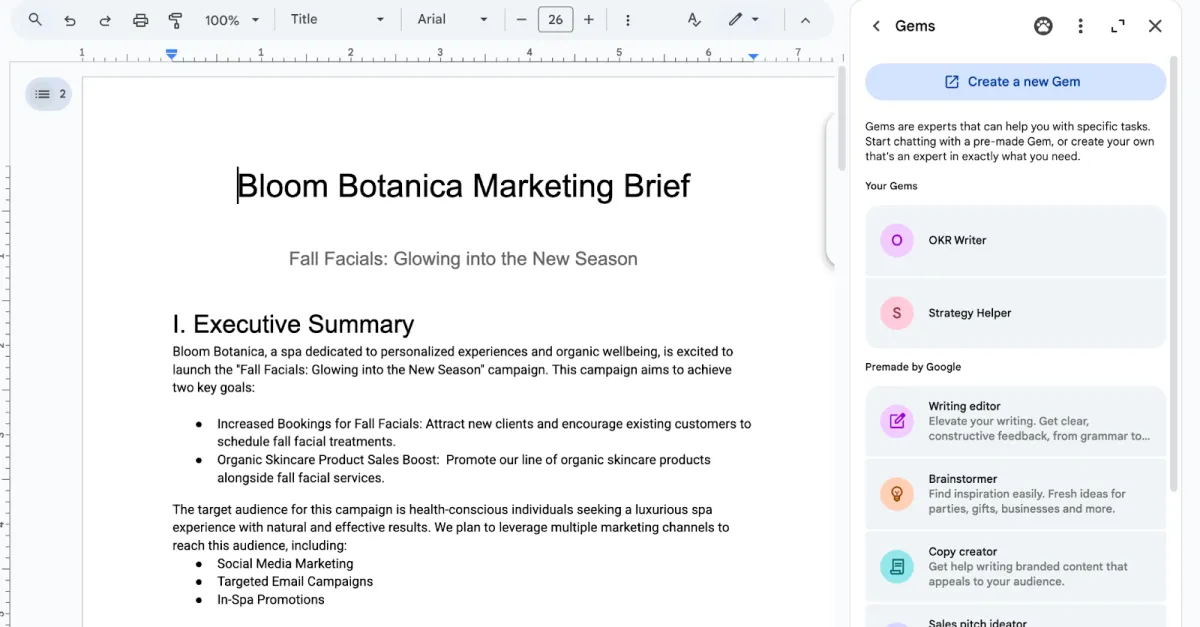
Gemini is so much more powerful than a chatbot, and yet many people haven't even scratched the surface of what it can. Now that Google is offering Gemini Pro to students free for a year, it's time to see what it can do — and students of all ages can appreciate these features. Gemini now works across Gmail, Meet, Slides and several other Google apps, so it can help with the work that usually eats up the most time. Think overloaded inboxes, sprawling research projects and meeting notes no one wants to write.Some of these features require a Google AI subscription or an eligible Workspace plan, and availability can depend on your account. Still, there’s plenty here for free users too.Here are seven Google AI features worth putting to work.1. Create a Gem for work you repeat every week (Image credit: Google)If you regularly give Gemini the same instructions, you shouldn’t have to paste them into a new chat every time.Gems are custom versions of Gemini that follow a set of instructions you write once. You could create one that checks a draft against your company’s style guide, turns rough meeting notes into a standard recap or reviews a proposal from the perspective of a skeptical customer.The instructions can include the role you want the Gem to play, the format it should use and any rules it needs to follow. You can attach reference files as well, which is useful for brand guidelines, examples or background material it should consult.A useful Gem needs more than a vague description such as “help with my writing.” Spell out what it should look for, what it should leave alone and how you want the answer presented. For example, you might tell it to flag repetition and unclear sentences without rewriting the entire piece.Get instant access to breaking news, the hottest reviews, great deals and helpful tips.Once it’s set up, you can open that Gem whenever the task comes up again. It’s a small change, but it removes the tedious setup that often comes with using AI for repeat work.2. Turn a rough brief into a presentation or video