As a data analyst, mastering database design and querying is essential. In this article, I will walk you through how I built and queried a database schema for Greenwood Academy using PostgreSQL.
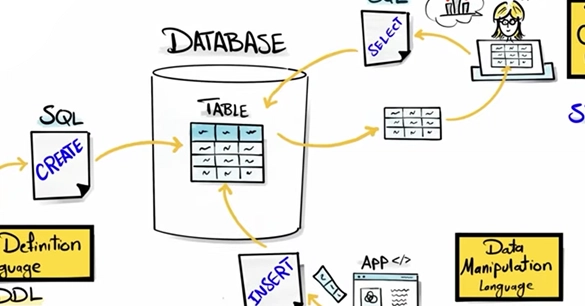
The article covers everything from defining or changing the structure of database objects using the Data Definition Language (DDL), modifying data within tables using the Data Manipulation Language (DML), and fetching and retrieving data from the database using the Data Query Language (DQL). The article also explores filtering the results, utilizing specialized operators, and writing conditional logic with CASE WHEN.
Building the Database (DDL)
Data Definition Language (DDL) is used to define the database structure. For this task, I created a dedicated schema called greenwood_academy to keep everything organized. Inside the schema, I created three tables: students, subjects, and exam_results. Before creating the tables it is important to make sure that they are created in the intended schema. The SET search_path TO [schema_name] is necessary for this. A better and safer practice is to always initialize your table names with the schema name, for example to create a table students in the schema greenwood_academy you can use the command CREATE TABLE greenwood_academy.students. This will ensure that the table is created in the correct schema.