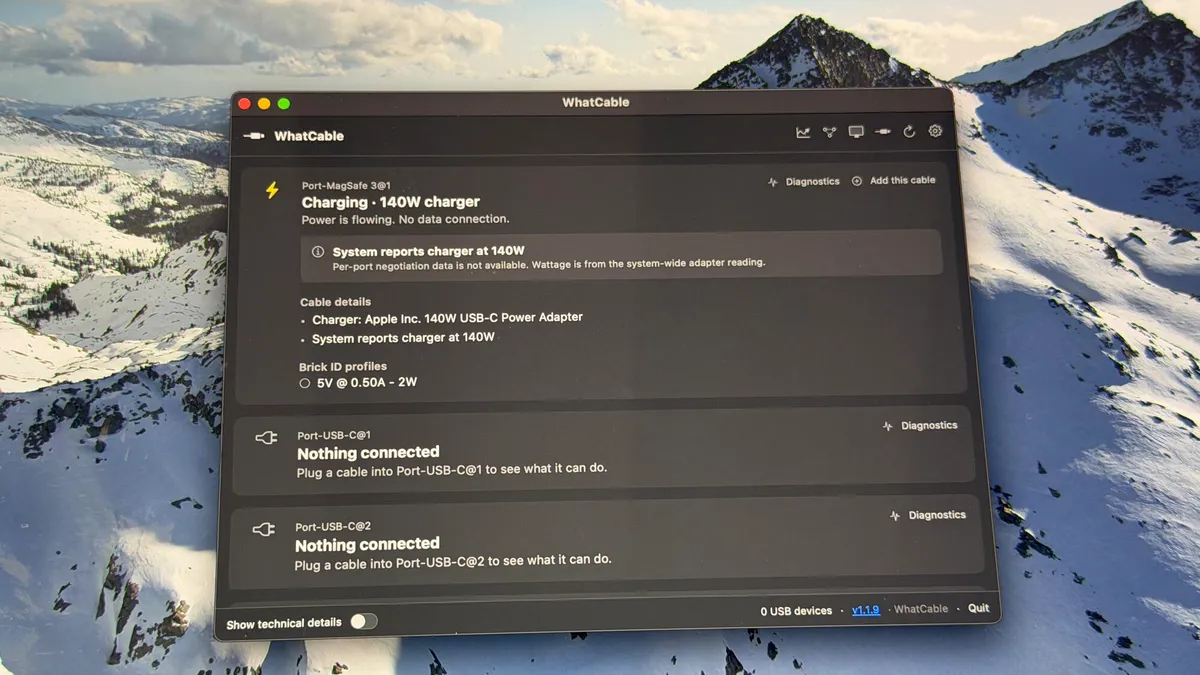
If you’ve ever wondered why your data transfers to external drives aren’t going as fast as you’d like, or a certain peripheral just isn’t working, you could probably use WhatCable, a helpful little app from developer Darryl Morley.
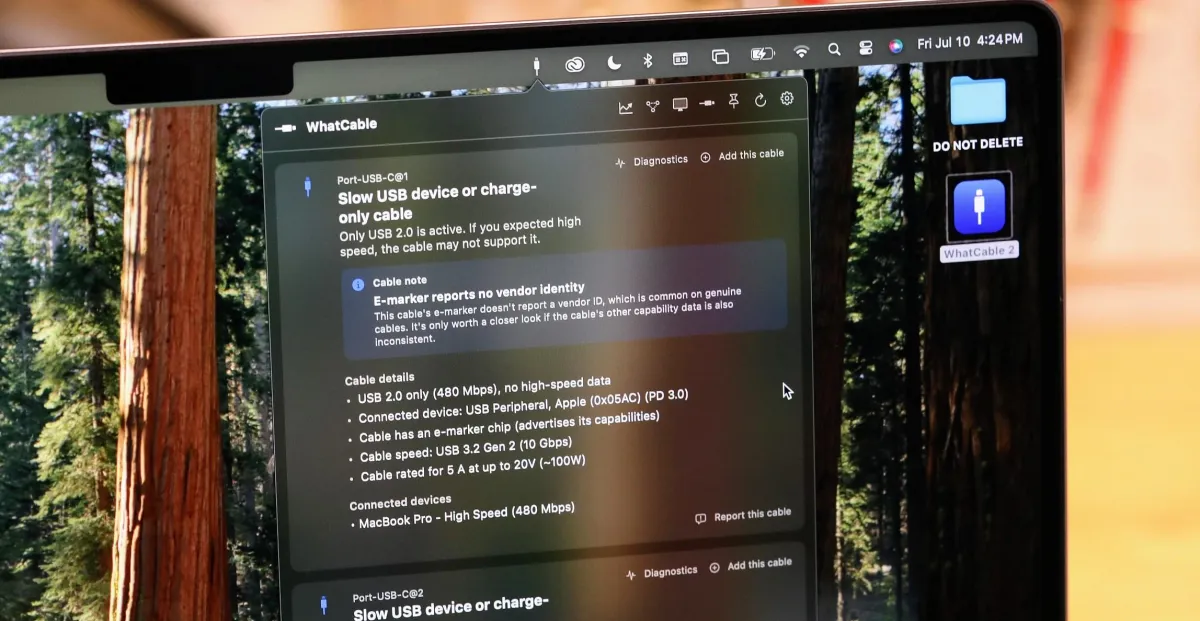
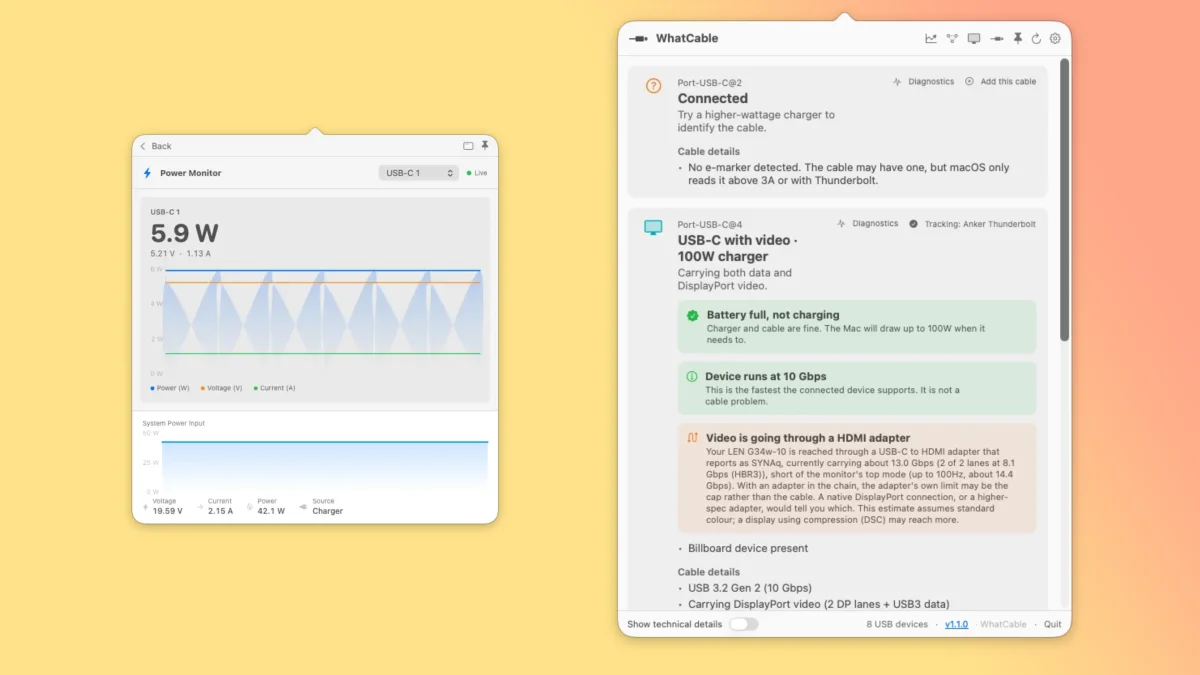
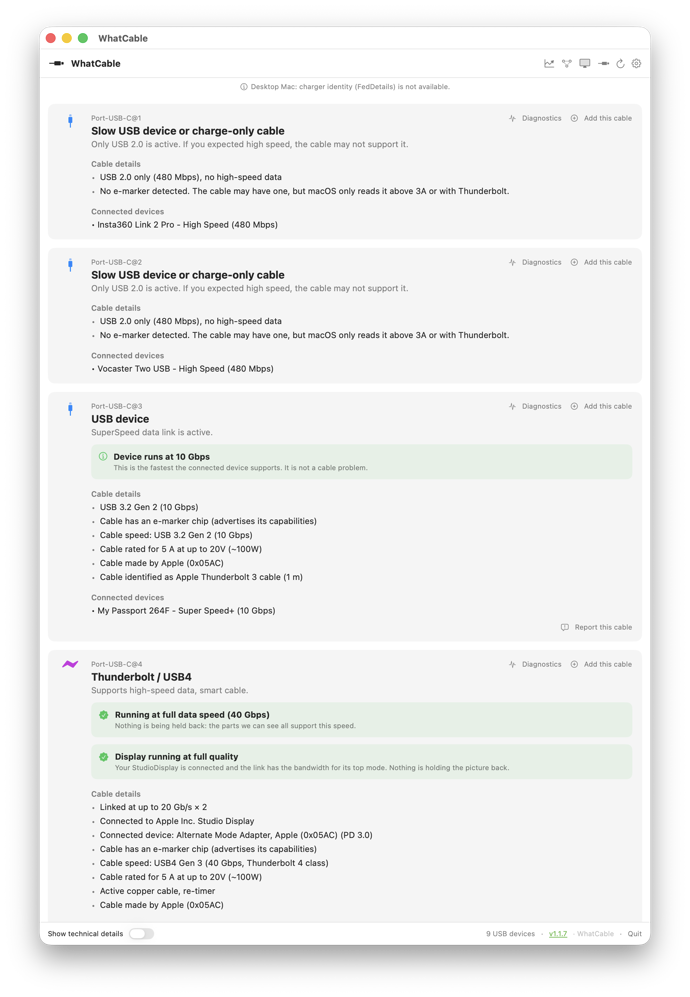
WhatCable looks at your Mac’s USB ports and anything plugged into them, and lets you know about speeds and power supply for your currently connected USB and Thunderbolt cables, as well as what their maximums are. While there are other places on your Mac that you can find this information, such as System Information, WhatCable presents it all in a well organized, easy to read manner. It even details all the devices connected to your USB hubs.
For example, after looking at it, I realized that my backup drive was only connected via a USB2 cable. Fine in general for overnight backups, but when it reminded to me when I was troubleshooting some backup issues that maybe I should switch to a high speed cable that supports USB-3.1
You can choose to run WhatCable in your menu bar, or as a standalone app; there’s also a “Show technical details” option that gives you even more information that could be helpful for troubleshooting. There are options for font size, translucency, and menu bar icon, in case you’re so inclined.