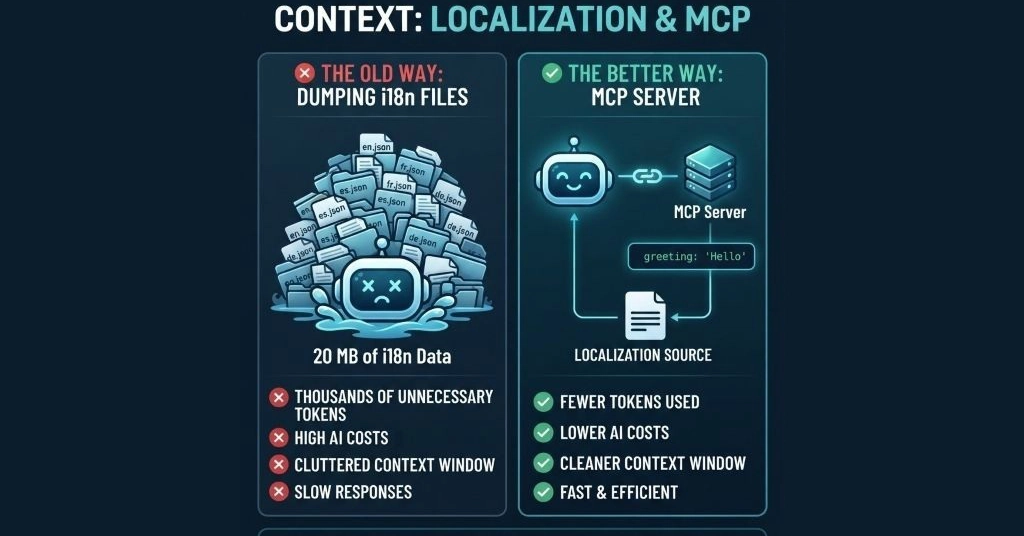
Large localization files waste tokens, pollute your AI agent’s context window, and increase costs. Learn how an MCP server lets GitHub Copilot, Cursor, Claude Code, Codex, and Windsurf fetch only the data they need.
Connecting your AI agent to the ai-l10n MCP server turns it into a professional localization tool. Instead of pasting raw i18n file content into context, the agent calls l10n.dev as a dedicated translation engine — with format guarantees, persistent glossaries, custom style instructions, and token-efficient output.
Why Connect Your AI Agent to a Localization MCP?
The naive approach — pasting your i18n file into the chat — breaks down fast. Here’s what changes when your agent uses a professional localization engine instead:
Large files handled server-side — the agent never needs to load raw file contents into its context window.