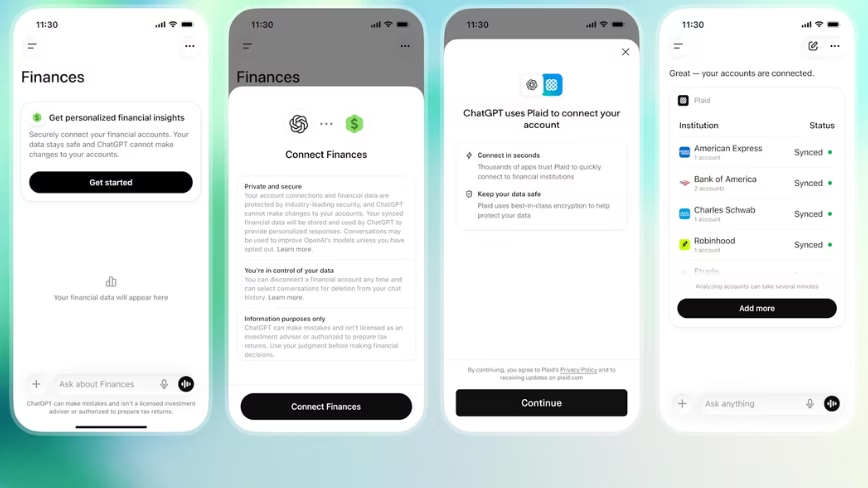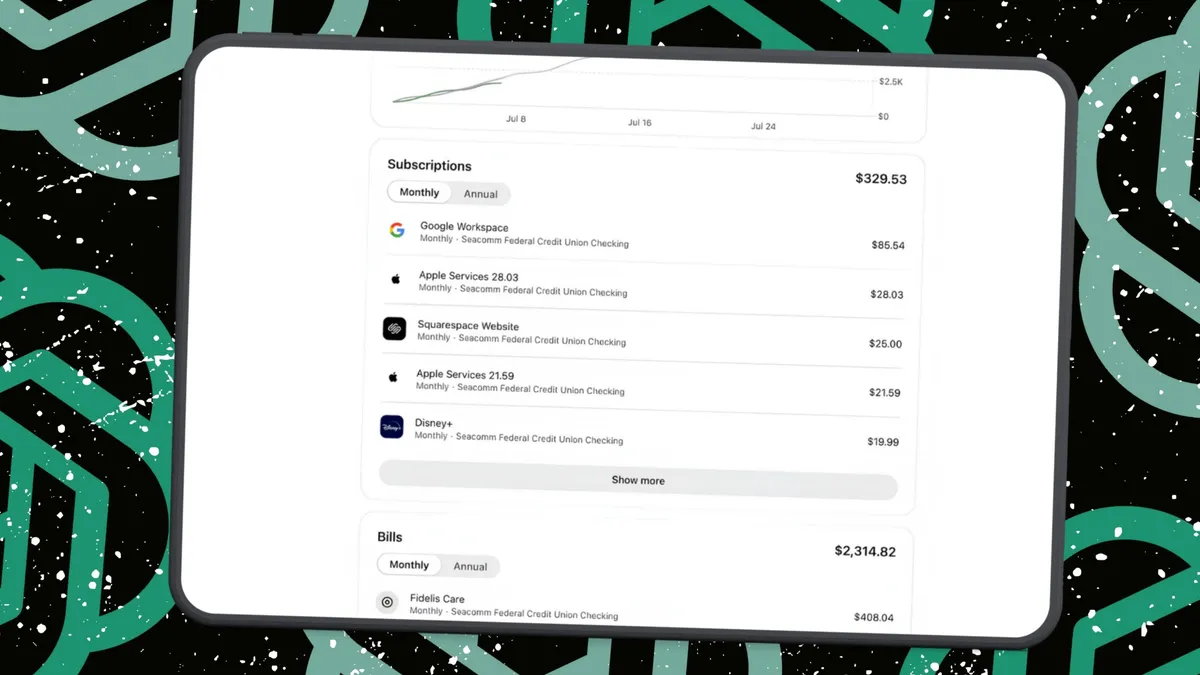
Elyse Betters Picaro / ZDNETFollow ZDNET: Add us as a preferred source on Google. ZDNET's key takeaways ChatGPT can connect to financial accounts through Plaid.It can analyze spending, debt, subscriptions, and investments.It can't move money or see full account numbers.I've been using ChatGPT since it launched, so by now, I've put it to work on just about everything, including my finances.It's walked me through setting up a brokerage account, helped me understand how to start investing, and pointed me toward books and resources so I could learn the basics quickly. I read them. I followed the advice. I'm now averaging a 16% return on my investments. In other words, ChatGPT has genuinely helped me make better financial decisions. Also: How to use ChatGPT: A beginner's guideSo when I saw that OpenAI had launched a personal finance experience inside ChatGPT, my ears perked up. Until now, like many people, I've handled a lot of my money management manually. I check balances, track debts, review recurring charges, monitor subscriptions, and try to make sense of everything using spreadsheets and banking apps. ChatGPT Finances, however, promises to make that easier -- by letting me securely connect my financial accounts through Plaid, including my investment accounts. Once everything syncs, ChatGPT can answer questions using my real data. How to use ChatGPT Finances What you'll need: OpenAI's Finances feature is available to ChatGPT Plus and Pro users in the US on the web, iOS, and Android. It can connect to thousands of financial institutions, including banks, credit unions, credit card companies, lenders, investment firms, and more, but you'll need a free Plaid account to get started. Plaid acts as a secure bridge. Some people may see a prompt inviting them to connect their finances. I did not.Instead, I found the feature in the ChatGPT sidebar under More, then opened Finances from there. I also Googled it and found a direct link to the experience. OpenAI said users can even launch it from a regular ChatGPT conversation by typing something like, "@Finances, connect my accounts."Also: I tested ChatGPT Plus vs. Gemini Pro to see which is betterEither way, once I found and launched it, ChatGPT prompted me to start linking my accounts through Plaid. Afterward, I noticed ChatGPT tucked Finances under my Pinned area, so I could easily access it.
I connected ChatGPT to my bank, and it's my go-to finance app now - here's how (and why)
With ChatGPT Finances, I can see all my money, investments, and debts in one place - and I can ask AI what it all means.
1,374 words~6 min read