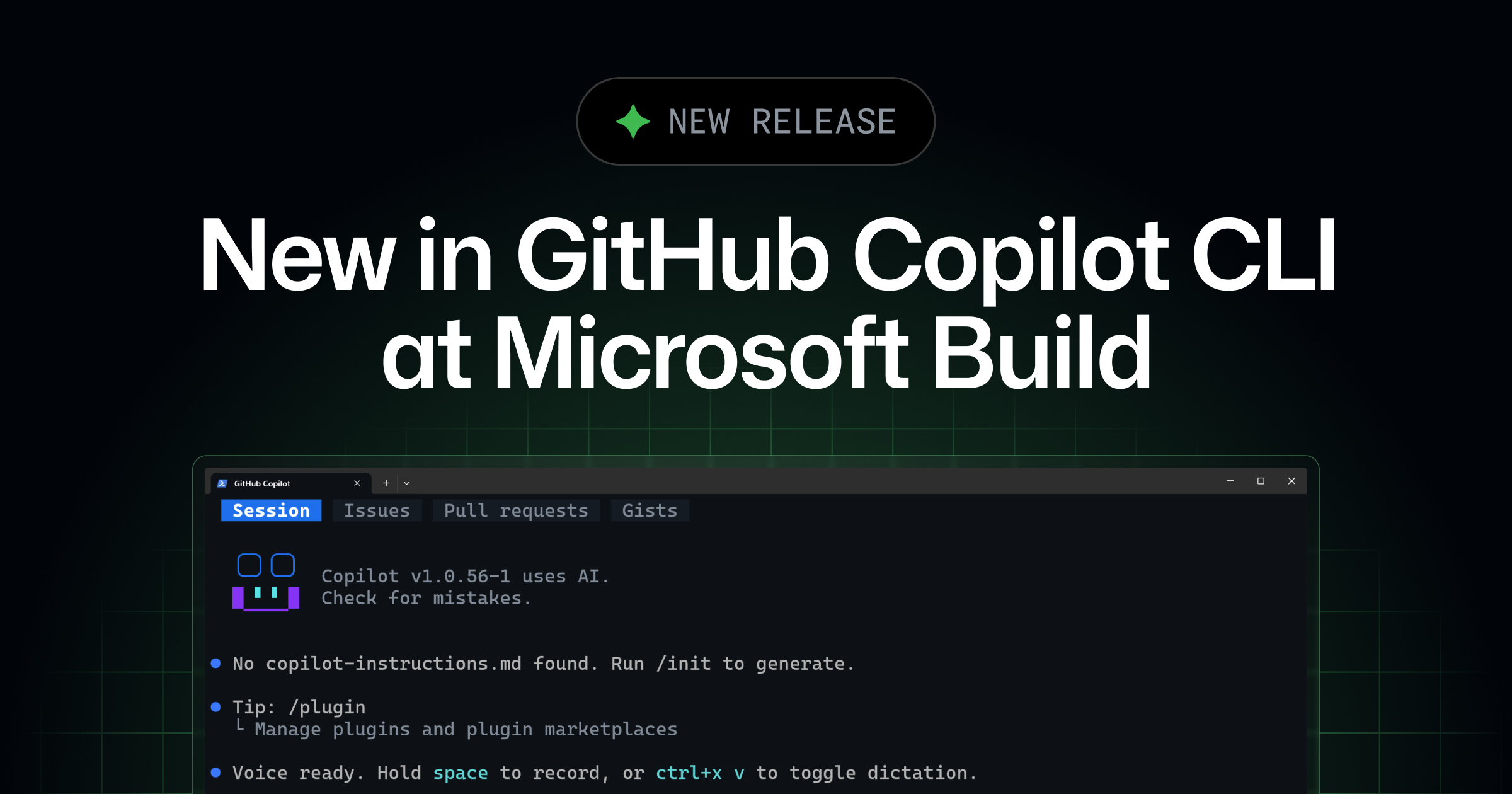
The redesigned terminal interface for GitHub Copilot CLI that we previewed at Microsoft Build 2026 is now generally available. You get a tabbed layout for working with GitHub directly from your terminal, a new experience for configuring your tools, and a cleaner, more accessible interface throughout.
Browse issues, pull requests, and gists in tabs
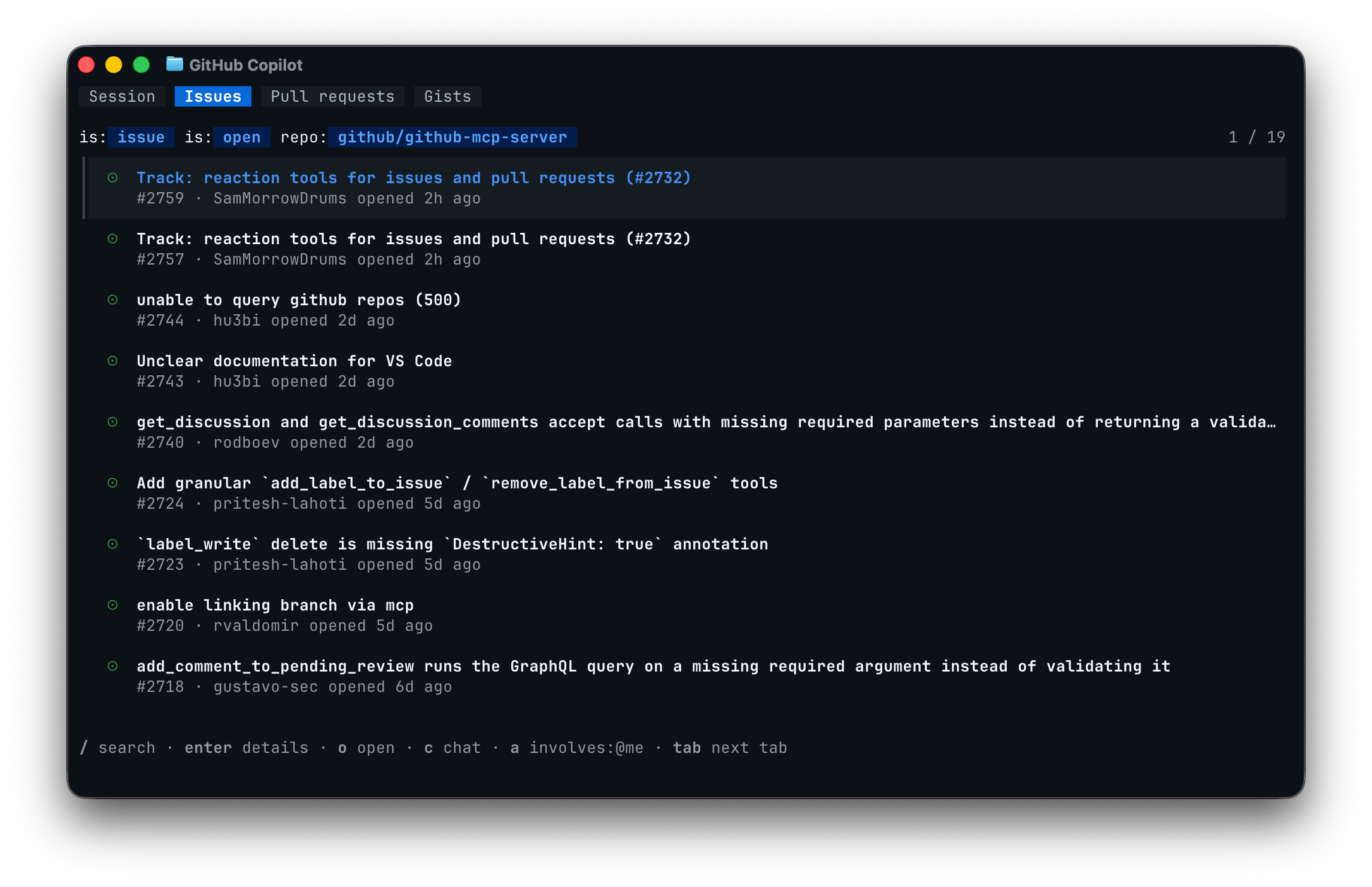
An interactive Copilot CLI session now has tabs at the top of the screen. Press Tab to move between the default Session tab and a Gists tab for your personal gists. When you run the CLI inside a GitHub repository, you also get Issues and Pull requests tabs for that repository.
This lets you find the work you care about without leaving the terminal. Highlight an issue or pull request and press c to drop a reference to it into your prompt, then ask Copilot to investigate, fix, comment on, or review it. Press o to open the highlighted item on GitHub in your browser, or press / on the Issues or Pull requests tab to search GitHub with your own query.
You can also click a tab with your mouse to switch to it. From your settings, you can reorder, hide, or turn off the tab bar entirely.