There are a lot of great features in Google Maps, and a lot of them have absolutely nothing to do with navigation. One of those features is one you may not know about, or forgot was even possible — and it's designed to help you learn more about different areas throughout history. I am, of course, talking about Street View's "time travel" feature.Everyone knows Street View is a great way to get a view of different spots from street level, but it is possible to give you a glimpse at history as well. In the past you stuck with the last load of Street View photos that Google's roving band of camera-laden cars had taken, but that changed a few years back when archived photos were added to Google Maps.This essentially lets you travel back through time and see back into the past through the portal of Google Street view. I've found that this is a really great way to learn about the area around you, and just how much things have changed since Street View first launched. Here's how to time travel through Google Maps.
1. Open Google Maps
First up you need to open up the Google Maps app on your phone, and navigate to the area you want to see
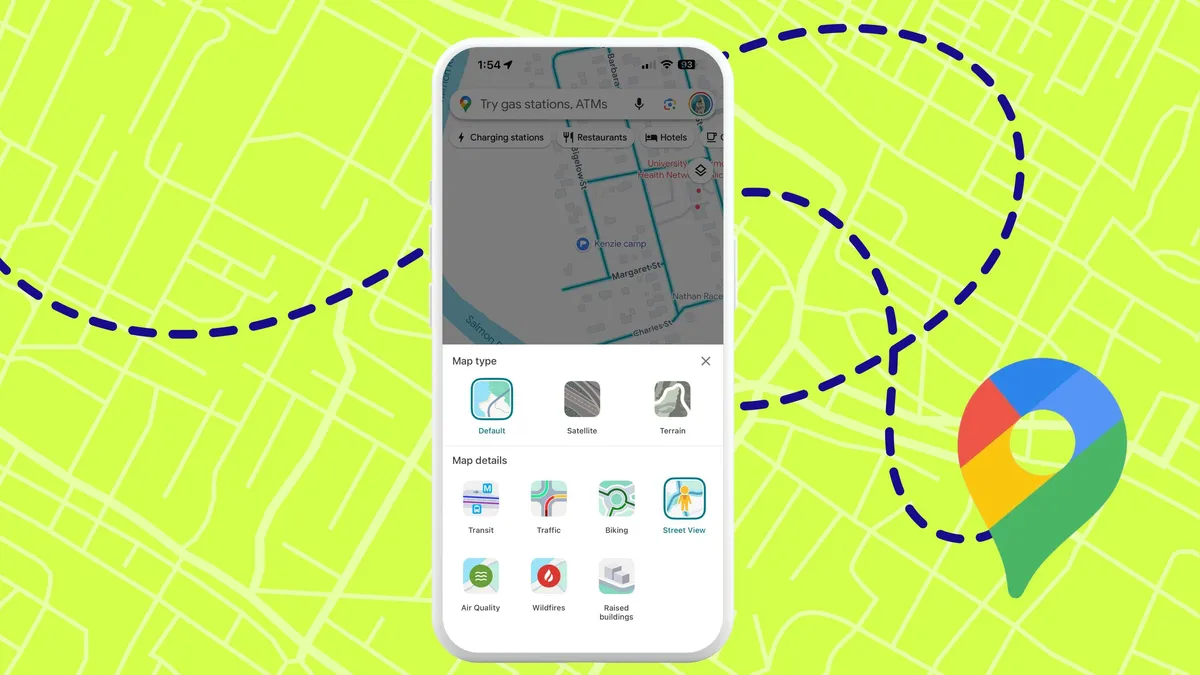
2. Open layers and select Street View
Next up you'll need to open the layers menu, which is the odd-looking double-square in the right-hand corner. Then select the Street View option on the bottom left.