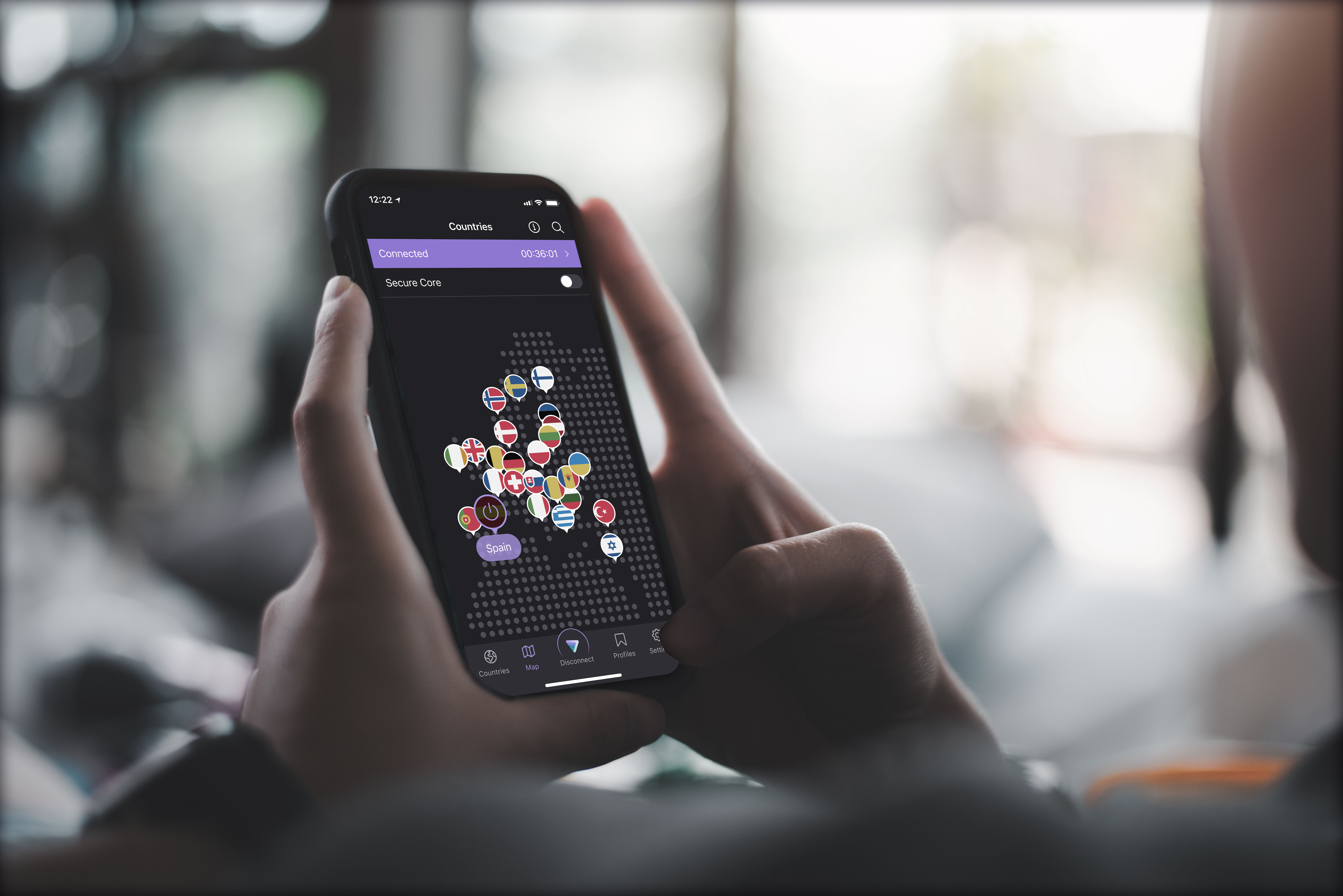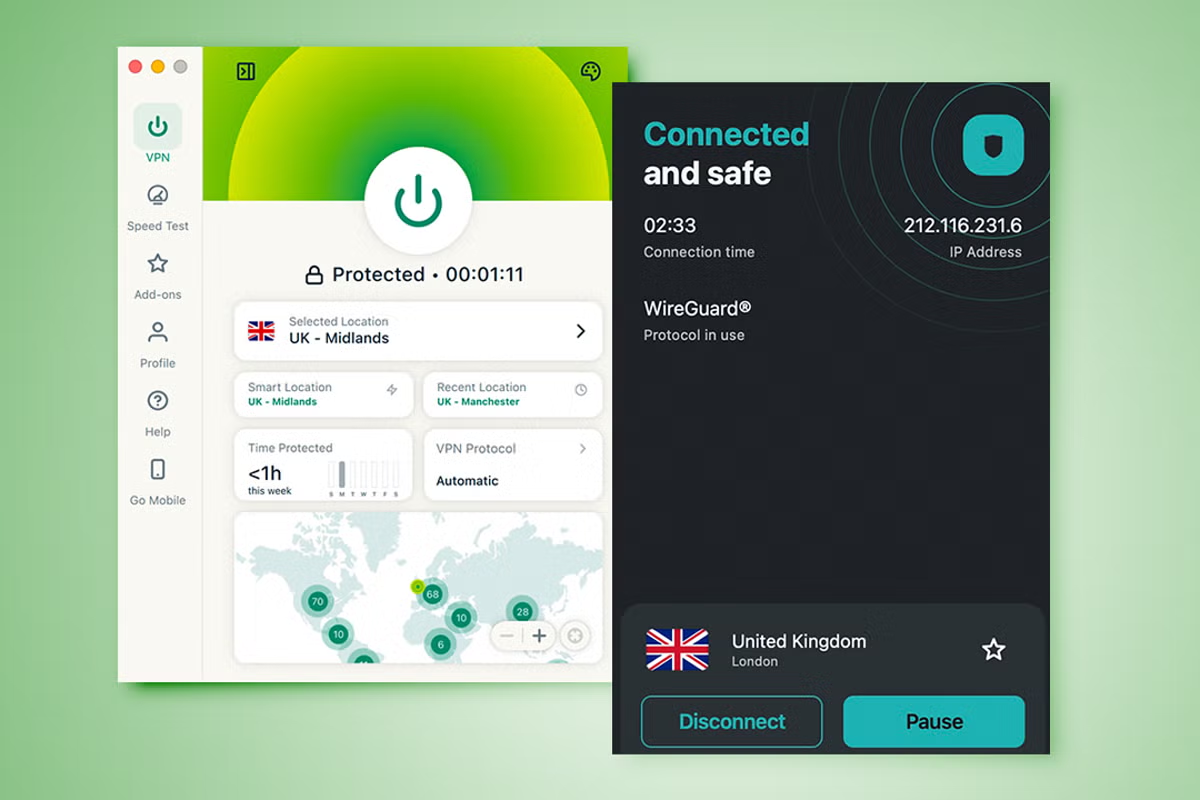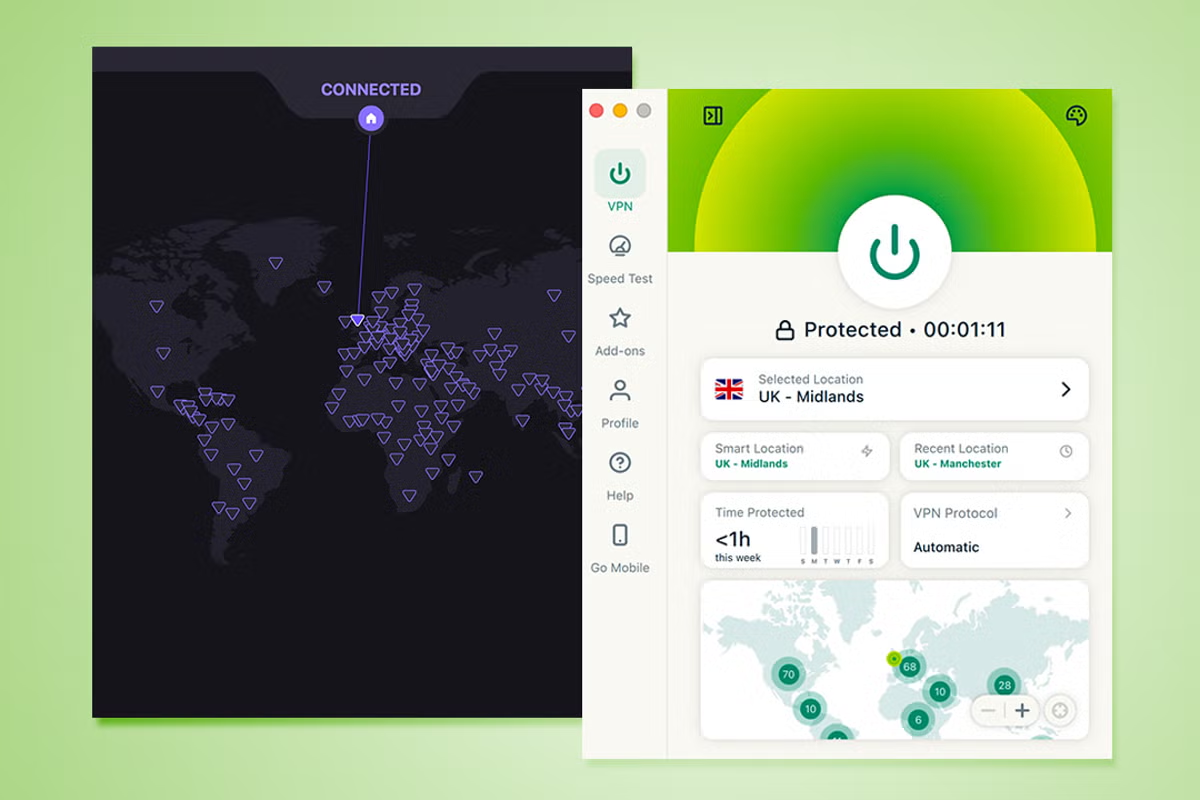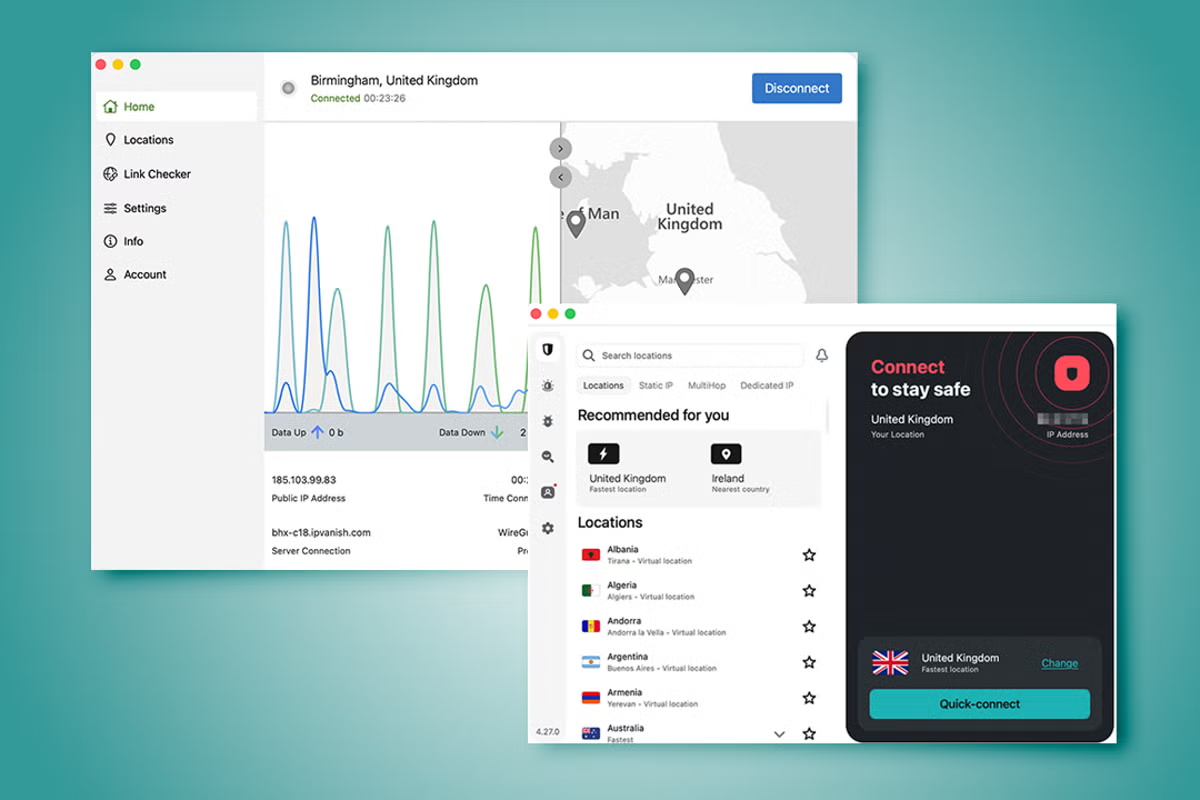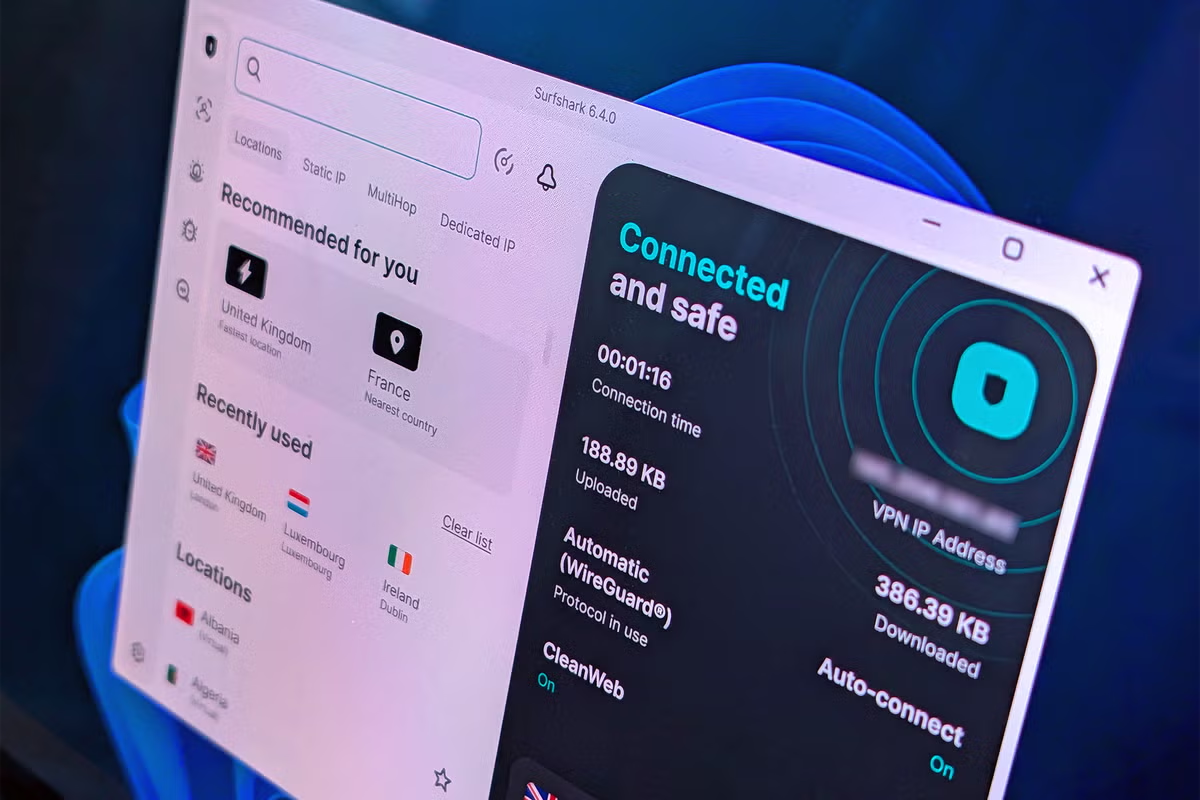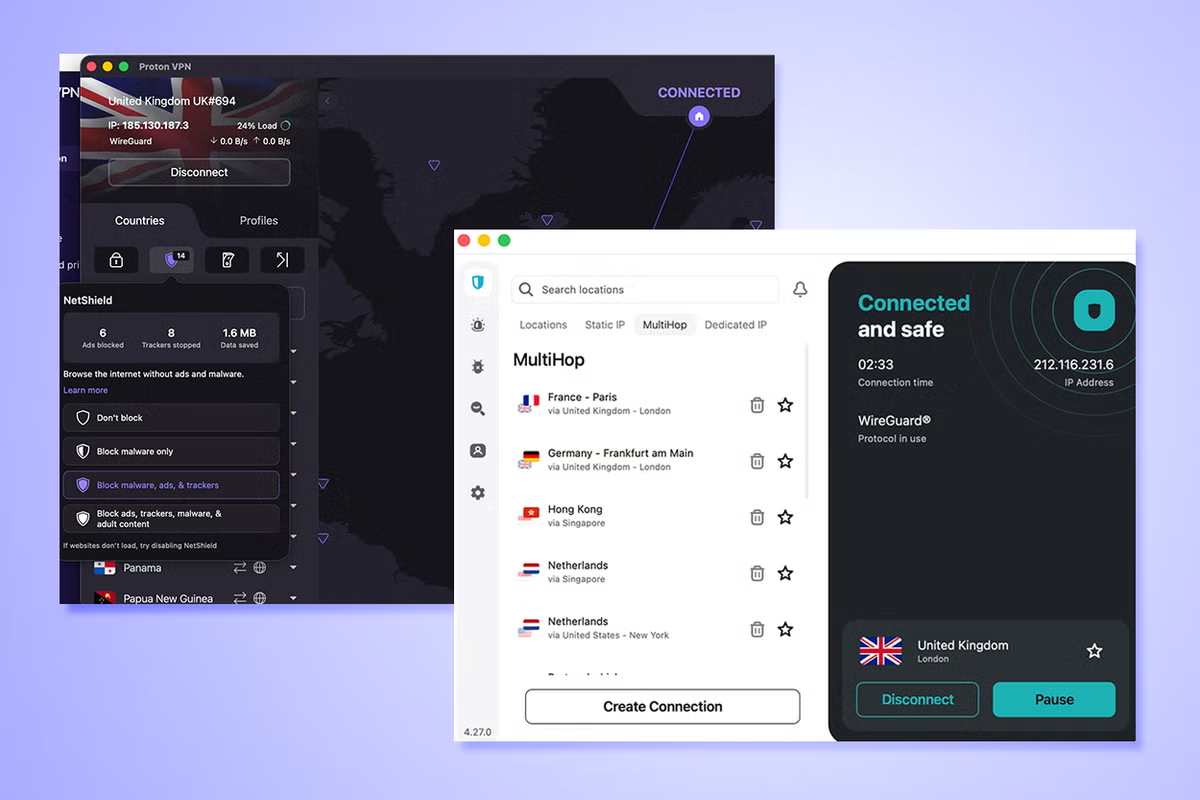
Surfshark is one of the biggest names when it comes to VPN services, with Proton VPN also prominent thanks to a solid reputation for privacy, mainly down to its private email services. If you’re looking for a VPN, one of these is sure to be a hit, but where do you start? I’ve spent a lot of time using both to help narrow down which one you should sign up for. You only need one VPN in your life, but that VPN should keep you safe and secure while you’re online, at home or on your travels. But many services do much more than just that nowadays, with both Surfshark and Proton VPN offering extra features. I’ve used Surfshark extensively in the past but for the purposes of this comparison, I signed up as a new user to be able to evaluate each step of the way. In both cases, I spent about 10 days with each service. I looked at how easy it was to sign up, what features are offered and how easy it is to use both Surfshark and Proton VPN. I also looked at reliability and speed. Below, I’ve looked at value for money, how easy each is to use, and anything else you might need to know. Read more: Best VPNs, reviewed SurfsharkSurfshark is a popular option for good reason. It’s very easy to use with a straightforward app meaning you don’t need to know anything more than the country you want to connect to. If you do want to extend your security, it’s simple enough to add antivirus protection, data leak alerts, and more. As standard, the alternative ID option should protect you too. Pricing is reasonable, particularly if you commit to long-term periods, and it’s an easy service to recommend.Proton VPNProton VPN is pretty simple to use too, but also offers some more obvious advanced features. With a focus on privacy, much like its email service, Proton VPN’s app offers ways to make things extra secure such as using Secure Core, which routes your most sensitive data through its safest servers, and it also supports port forwarding for downloads and gaming. It’s perhaps not quite as attractive looking as Surfshark but it works well, and a free plan makes it very enticing to try out. Surfshark vs Proton VPN: Pricing and plansSurfsharkPros: Cheap long term plans; unlimited devices on all plansCons: No free planProton VPNPros: Free plan; unlimited plan includes a lot of useful extrasCons: Not the cheapest optionIn typical VPN style, the best plans come from committing to a one or two-year plan. Surfshark’s cheapest plan is currently its Starter package for two years, which works out at £40.23 for the first 27 months. You get a VPN and also its alternative ID feature so you can easily mask your email address. Upgrade to its One plan and you also get an antivirus, email scam checker and data leak alerts. That costs £48.33 for 27 months. I signed up as a new user to be able to evaluate each step of the way (Surfshark/Proton VPN)Switch to 12 month plans and Starter costs £34.35 while One costs £37.35 for 15 months. That works out as still decent value. In comparison, paying each month costs a minimum of £11.29 for the Starter plan. There’s also One+ which costs £83.43 for 27 months and throws in data removal services through Incogni, and in the US – identity theft protection.Surfshark doesn’t offer a free plan although it does provide a 30-day money back guarantee. In contrast, Proton VPN does provide a free plan. It only allows you to secure one device at a time and offers ‘medium’ speeds as it randomly picks which server you connect to, but it’s a good starting point. Subscribe to VPN Plus for £2.39 per month (paid in one bulk sum of £57.36 for 24 months), and you get full speeds, 10 device support and an ad and malware blocker. Proton VPN’s ultimate package is its Unlimited plan. It costs £153.36 for the first 24 months. Besides the VPN, it includes a password manager, Proton email with 500GB of storage, encrypted calendar, and cloud storage. Not everyone will need all this but it’s an attractive price for so much security. The VPN Plus package is appealing for most people and is still only £38.28 for the first 12 months so that’s not bad at all, proving only slightly more expensive than Surfshark. Its monthly plan at £7.99 is also one of the cheaper VPNs around. Winner: Proton VPNSubscribe to Surfshark now Subscribe to Proton VPN now Read more: Surfshark VPN, reviewed in full Surfshark vs Proton VPN: FeaturesSurfsharkPros: Speedy connection; unlimited devices as standardCons: Streaming and torrenting isn’t always the bestProton VPNPros: Extra support for torrents and gaming; open-source design enhances privacyCons: Only 10 devices at a time; no antivirusVPN services are rarely just about being a good VPN, with many companies – including both Surfshark and Proton VPN – bundling in additional tools to keep you secure while online. When it comes to the VPN side of things, both are fairly feature-rich too.Surfshark offers support for unlimited devices as standard on all its plans along with Alternative ID. Alternative ID allows you to mask your actual email address with a temporary one set up by Surfshark. If you have an Apple device, you may already use a similar tool built into iOS and macOS. It’s certainly a useful tool and one that costs you nothing more than what you’re already paying for your VPN.Surfshark offers over 4,500 servers around the world so there should be something for every need here. Whether you want the fastest privacy by choosing the one nearest to you or want to browse in a specific country, you can do that here. Surfshark uses its Dynamic Multihop system to keep you extra secure and hidden away. There’s also a split tunneling feature which Surfshark calls Bypasser. You can choose which traffic is hidden by the VPN and which isn’t. That’s useful if you want your web browsing protected but your gaming time to be left out of the VPN tunnel. There’s also a kill switch feature plus ad and tracker blocking. A dedicated IP is available for an additional fee. Talking of additional fees, Surfshark can also provide a built-in antivirus, private search tool and even data removal tools and identity theft coverage for a price. It clearly has an aim to be a one-stop solution for all your security needs.Proton VPN has a far bigger VPN server collective (Proton VPN)Proton VPN supplies a similar arsenal of features. It only allows for 10 devices to be connected at a time but it has a far bigger VPN server collective of over 20,000+ across more than 140 countries. In my time with it, it was ever so slightly slower than Surfshark but not by much. That will change if you use its Secure Core feature, which is its safest selection of servers, but not everyone will need this at all times. It also has port forwarding which is useful for gaming or torrenting, and something that Surfshark lacks.Otherwise, there’s also a kill switch, ad and tracker blocker and split tunneling as standard. If you don’t mind only connecting to one device at a time and slower speeds, you can also sign up for free. Alternatively, like Surfshark, there’s an ultimate package but it packs in even more than that. Known as Unlimited, it gives you a password manager, secure email, 500GB of cloud storage and a secure calendar. Overall, it’s a closely fought battle here. Both Surfshark and Proton VPN are stacked with features and with different pros and cons. I found Surfshark easiest and best for the most simple of purposes, but if you need things like port forwarding then you should opt for Proton VPN.Winner: Surfshark (just)Subscribe to Surfshark now Subscribe to Proton VPN now Read more: Proton VPN, reviewed in full Surfshark vs Proton VPN: Ease of useSurfsharkPros: Simple to start using; one app covers you for everything Cons: Not the most attractive of appsProton VPNPros: Quick setup; map interface is appealingCons: Little technically minded at timesNeither Surfshark or Proton VPN are hard to set up. Install the app, log in and pick a server. During the setup process, Surfshark also offers up the choice of a shared IP or paying under £3 a month extra for a dedicated IP. Many people will be just fine with a shared IP but it’s good that it’s instantly accessible. Once signed up, you simply load up Surfshark and pick your location and connect via that VPN. It’s also possible to multihop between many countries if you need an extra level of security. The same app is also the home of other Surfshark features, although I’m focusing on the VPN here. Surfshark allows you to multihop between many countries (Surfshark)Proton VPN is similarly easy to set up. Its app focuses on a map layout so you can easily click the location that way if you prefer visuals over a list of countries. It also has options to enhance your security such as its Secure Core feature, while those who download a lot of files will appreciate its port forwarding option. It also lists how many ads and trackers it blocks as you browse. Such information might feel a little overwhelming if you prefer to just feel that things are working well in the background, but I liked having something tangible to look at. Winner: SurfsharkSubscribe to Surfshark now Subscribe to Proton VPN now Read more: Best cheap VPNs, reviewed Surfshark vs Proton VPN: SupportSurfsharkPros: Live chat bot is convenient; useful help centreCons: No phone supportProton VPNPros: Usual selection of help works well; feature suggestion tool is a nice touchCons: No phone supportSurfshark’s support options are useful and reasonably varied, despite lacking phone support. It has a useful help centre which solves most common queries. It also provides step-by-step instructions for setting up Surfshark on most devices too. That includes your PC or Mac, your phone and your smart TV too. There’s also a live chat which works well, starting out as an AI bot before branching into human assistance as and when you need it. Finally, if you’re not in a rush, there’s the ticket system for slower paced queries. It takes longer but it’s convenient if you don’t want to hang around for an answer.ProtonVPN hides its support a little amongst your account details, but it’s suitably comprehensive. There’s a live chat which as always starts with a bot before switching over to human assistance if needed. Alongside that, there’s a reasonably comprehensive help centre which covers all the essentials. A particular highlight is its streaming section for those trying to get streaming services to work while travelling abroad.Interestingly, ProtonVPN also has an area for requesting a new feature. Whether that leads to your suggestion being implemented is uncertain and the current wave of feature suggestions are decidedly advanced, but it’s nice to see user feedback potentially being taken onboard. Winner: SurfsharkSubscribe to Surfshark now Subscribe to Proton VPN now Should you buy Surfshark or Proton VPN?Both Surfshark and Proton VPN are high-end and appealing VPN services. When it comes to deciding which one to use, it really does come down to a handful of details, and some of those might not affect you.Surfshark is the more user-friendly one, although there isn’t much in it. Its app is simpler and I found its help centre a little more straightforward for novice users. It’s pretty speedy when in operation, covers an unlimited number of devices and it protects you just how you need it to. In contrast, Proton VPN is still simple enough to use, but I found its app ever so slightly more technically leaning. If you don’t know much about VPNs though, you still won’t get lost here. Its port forwarding support isn’t always something you get with VPNs either and that’s a useful extra for gamers or those sharing files. It also has a limited free plan.That means it’s a tough contest. Surfshark just about wins though, as helped by its additional useful features like antivirus if you choose to upgrade, but if you’re on a tight budget, you should certainly consider Proton VPN’s free plan. It’s an ideal taster session at the very least.Subscribe to Surfshark now Subscribe to Proton VPN now How Surfshark and Proton VPN were testedDuring my time testing and evaluating Surfshark and Proton VPN, I focused on some key criteria that are necessary to earn the reputation of being a good VPN provider. Here are the criteria I considered:Ease of use: It’s important that any VPN is easy to use as well as offering all the features you need. Because of that, I looked to see how user-friendly Surfshark and Proton VPN are. That ranged from how easy it was to sign up, how easy it was to install the app or set up your router, right down to how easy it is to cancel a plan.Features: I looked at the features that Surfshark and Proton VPN had to offer. I checked that the features were genuinely useful, looked at how plentiful they are, and how they compared to each other and competitors too. I wanted each plan to provide what’s needed from a good VPN.Value for money: I evaluated what value for money Surfshark and Proton VPN offer. That didn’t strictly mean that they were the cheapest option around but that they provided strong value through offering key features and everything you would expect for the price. I also looked at what deals were available and whether the best prices only came from the longest commitment period. Performance: Using a VPN needs to be as fast or nearly as fast as your regular internet connection. I focused on the speeds that each VPN service provided to ensure you’re still getting what you pay your ISP for. I also looked at the performance levels of the respective VPN apps to check that they worked efficiently at all times.Read more: A tech expert reviews Private Internet Access VPN
Surfshark vs Proton VPN: Compared and reviewed by our expert for 2026
I’ve put the two popular providers head to head on everything from ease of use to speed and value for money
2,358 words~11 min read