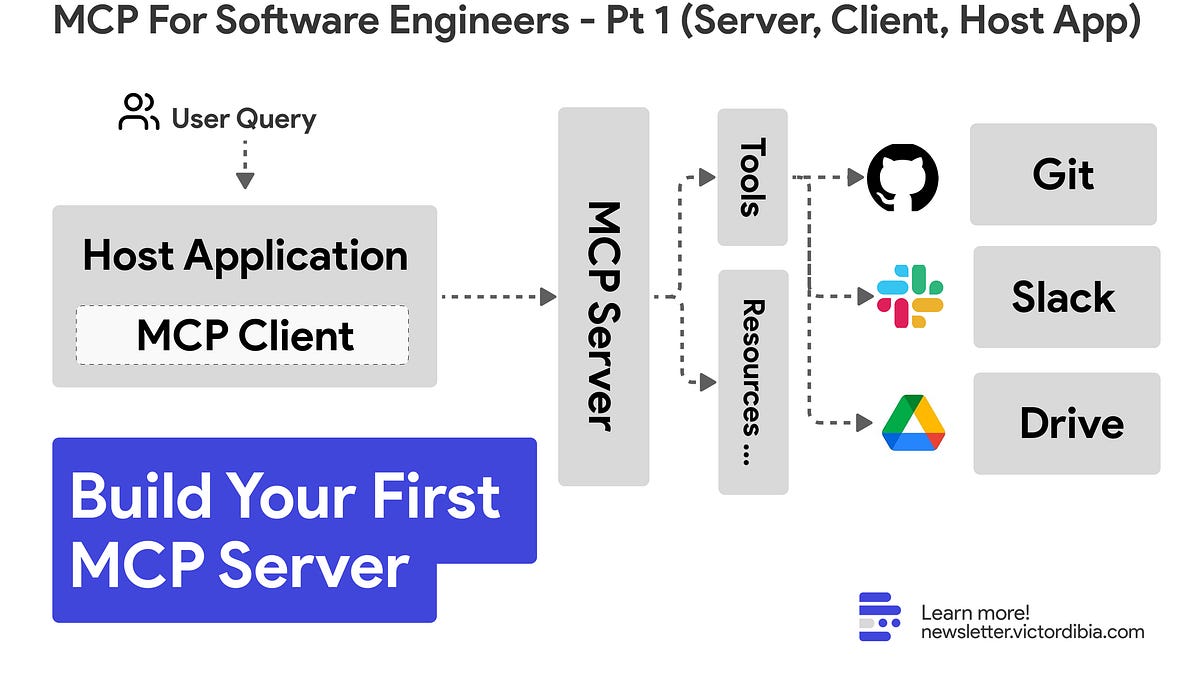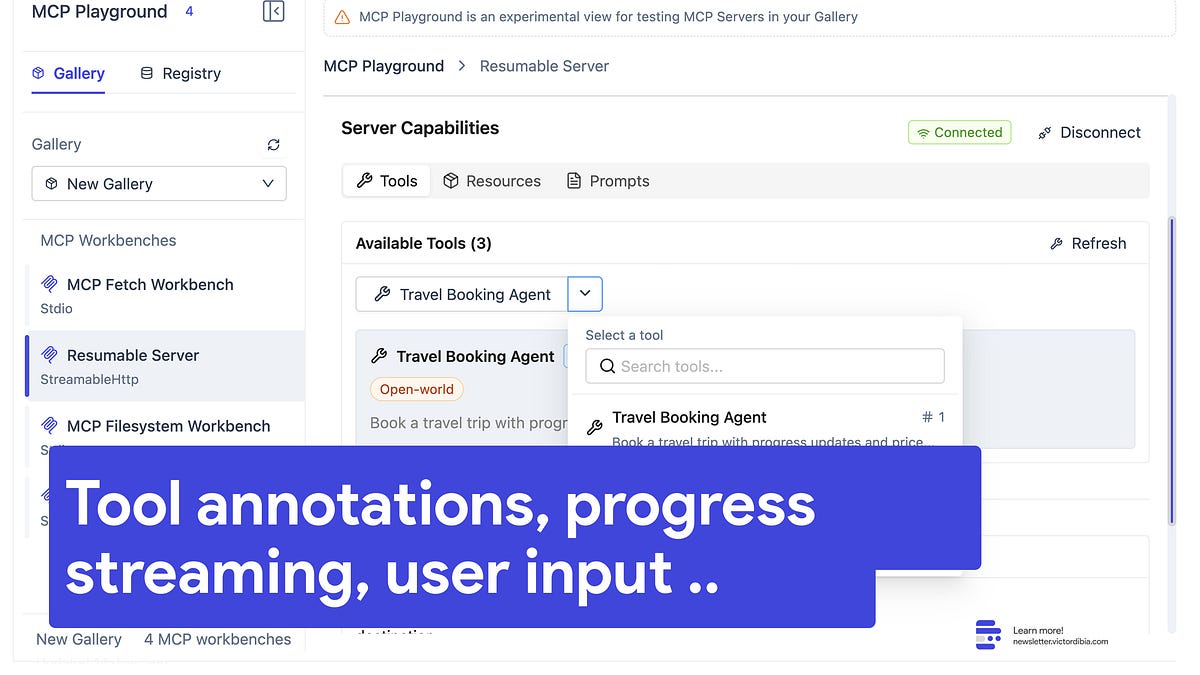
In Part 1 of this series, we built a simple MCP server with a single tool using the high-level server API in the Python MCP SDK, and demonstrated how to connect to this server via a host application that implements an MCP client. In practice, MCP is a lot more flexible, has a set of advanced features, many of which are only available via low level api implementation. In this part, we’ll explore these advanced features and how to use them effectively. The Long Running Tool MisconceptionMost MCP tutorials show quick request/response patterns for tools, creating the incorrect impression that MCP is unsuitable (compared to protocols like A2A) for handling long-running operations. In reality, MCP supports sophisticated tools that can run for hours, pause to request user input, send real-time progress updates, and handle cancellation gracefully. We will cover these in this article.In this part, we’ll go deeper and cover:Tools: Advanced features including annotations, requesting user input (elicitation), LLM assistance (sampling), progress notifications, cancellation, and structured return typesResources: Defining server resources, client operations (list/read/subscribe), and real-time update notificationsPrompts: Creating reusable LLM prompt templates that can be used to modify host application behavior without modifying client/host application code.Roots: Understanding client-suggested operation boundariesAs done previously, we’ll use the Python SDK to illustrate these concepts, but the principles apply across languages. This time around we will use the low-level API which provides more flexibility/control. All of the code for this tutorial is available at the end of the article. AutoGen Studio now has an MCP playground feature that lets users test our interactive tool capabilities (streaming progress notifications, elicitation, sampling). See video below.The MCP python low-level API provides more flexibility and control (but with more code) compared to the high-level API. Many production systems may require this level of control, especially related to how resources, authentication, and transport security are implemented.from mcp.server import Server
MCP For Software Engineers | Part 2: Interactive & Long-Running Tools (Progress streaming, User Input, Cancellation), Resources & Prompts
#45 | A deep dive into implementing Tools, Resources, Prompts, Roots in the MCP
2,265 words~10 min read