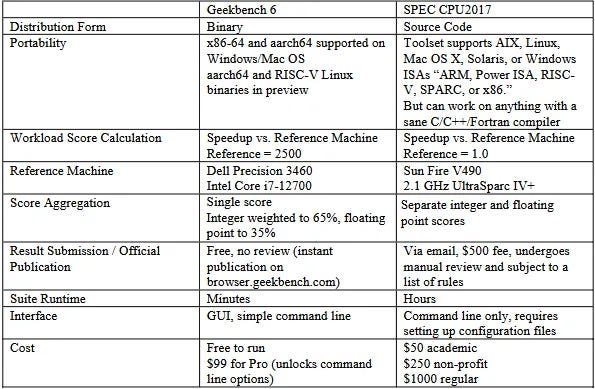
Ben Dicken [@BenjDicken] | May 5, 2026Benchmarking is hard. There are many ways to do it wrong and few to do it right.But zooming out from any single system or harness, there are broad principles that should be applied to all benchmarking. Using these correctly makes it difficult to produce biased results.Am I the world's best benchmarker? Certainly not. I invented the language balls, after all. But correctness and precision are important parts of PlanetScale's culture. We've spent considerable time learning the art of benchmarking, and are here to share best-practices.Here, we're focusing primarily on benchmarking databases, but these principles apply to many domains.Client-server architectureDatabases typically operate in a client-server model. The database server is started, accepts connections from clients, executes queries, and returns results.To benchmark, we need a client that establishes the connections, generates queries, and takes measurements. Since both sides consume resources and we want to give the database its full share of the host server, it's common to set up a distinct server for benchmark execution.As usual, there's a catch. This introduces latency between the two machines.How much this skews the results of the benchmark depends quite a bit on how "far apart" the benchmark server and database server are (network latency) and how long the queries / transactions take on the database (execution latency).Let's consider a scenario where each query takes ~10ms to execute on the database. If the network round-trip time is 2.5 milliseconds, then we can execute approximately 80 queries per second over a single connection. On the other hand, what if the round-trip is 15 milliseconds? We've now cut our single-threaded QPS capability in ~half, resulting in 40 QPS.Same database. Same benchmark client. The only difference is the speed at which bytes can go over the wire between the two.This latency variation will always have an impact on latency measurements.It can also impact throughput. We often don't run benchmarks on a single connection. We'll do 10, 50, or 100 simultaneous connections to best utilize the parallelism of the machine and database. But if we have a fixed connection count, and are not making it dynamic to account for round-trip latency, we can end up allowing the elevated latency to hurt throughput.Finally, you should double-check that the client server is not a bottleneck. While benchmarking, ensure that CPU and network utilization are well under their capacity. We want to be straining the database server, not the client.Choosing resourcesIt's easy to make one database look better than another with an imbalance of resources. Postgres running on a 16-core server will almost always perform better than on an 8-core server.An important prerequisite to proper benchmarking is setting up the compute, storage, and networking resources to allow for a fair fight.This isn't as easy as it sounds, especially when we're talking about running things in the hyperscaler clouds like AWS and GCP. For example, the Geekbench results for an AWS r7g.2xlarge are ~15% lower than the results for an r8g.2xlarge. Both have 8 vCPUs and 64 GB RAM. But move one generation newer, and there's a ~15% CPU improvement.You might then be tempted to just use the same instance for everything, but this breaks down too. The availability of instance types varies over time, region, and database provider. In some cases, it's not possible to match.In an ideal world, we'd run everything on the exact same instance. In reality, we sometimes have to settle for matching CPUs and RAM as best we can, and living with the differences. However, you must give this your best effort. Purposefully choosing to benchmark your product on 2025-gen CPU and then comparing to a competitor's product on a 2022 CPU, when the alternate was readily available, is intentionally misleading.WorkloadEven once we know that our infrastructure is set up sanely, there's a lot to consider for the workload we run.The easiest way to think about this is in terms of traffic ratios.How many queries are hitting RAM vs disk?What % of the data is hot (frequently queried) vs cold (rarely queried)?What's the ratio of reads to writes?All of these impact performance, especially when combined with the variations of underlying hardware.Queries executed on a relational database often require some amount of I/O work. Writing data must always be persisted to disk. Reading data can come from the in-memory cache, or disk on cache misses.Some databases operate on local SSDs, while others use network-attached storage like AWS EBS or Google Persistent Disk. Some even take a hybrid approach. Either way, the percent of read traffic hitting RAM vs disk impacts performance due to I/O wait times.Consider a benchmark like sysbench OLTP read-only. This is a simple, read-only benchmark that runs a handful of select query patterns repeatedly. As benchmarks often do, the data size is configurable in the preparation phase. If we run this benchmark on a server with 64 GB of RAM and a 32 GB data size, the entire data set will fit in RAM after warming. The same benchmark run with a 320 GB data size will generate significant I/O and inevitably run slower.This is related to, but not the same as, data distribution.Even for a fixed data size, access patterns can vary widely. The simplest examples are uniform and Zipfian.A uniform access pattern gives every row the same chance of being queried on each request. If we have 100 rows, each has a 1% chance of being read for each operation.A Zipfian access pattern is skewed: the k-th most popular key is accessed roughly proportional to 1/k. A small number of hot rows receive a large share of requests, while most rows are accessed rarely.These are only simple models. Real workloads often have messier shapes: recently inserted rows might be hotter than old rows, one tenant might dominate traffic, or a small working set might receive most reads for a period of time.Which pattern the benchmark operates with significantly impacts performance, because it in turn impacts how frequently we need to access disk vs RAM and the amount of cache churn.Closed and open loopThere are two types of benchmark workload shapes: open and closed loops.In a closed-loop benchmark, the client sends requests and then waits for a response before sending the next.while True:
On benchmarking — PlanetScale
Benchmarking is hard. Done wrong it is very misleading, and unfortunately it is frequently done wrong. Let's explore how not to make silly mistakes.
2,497 words~11 min read