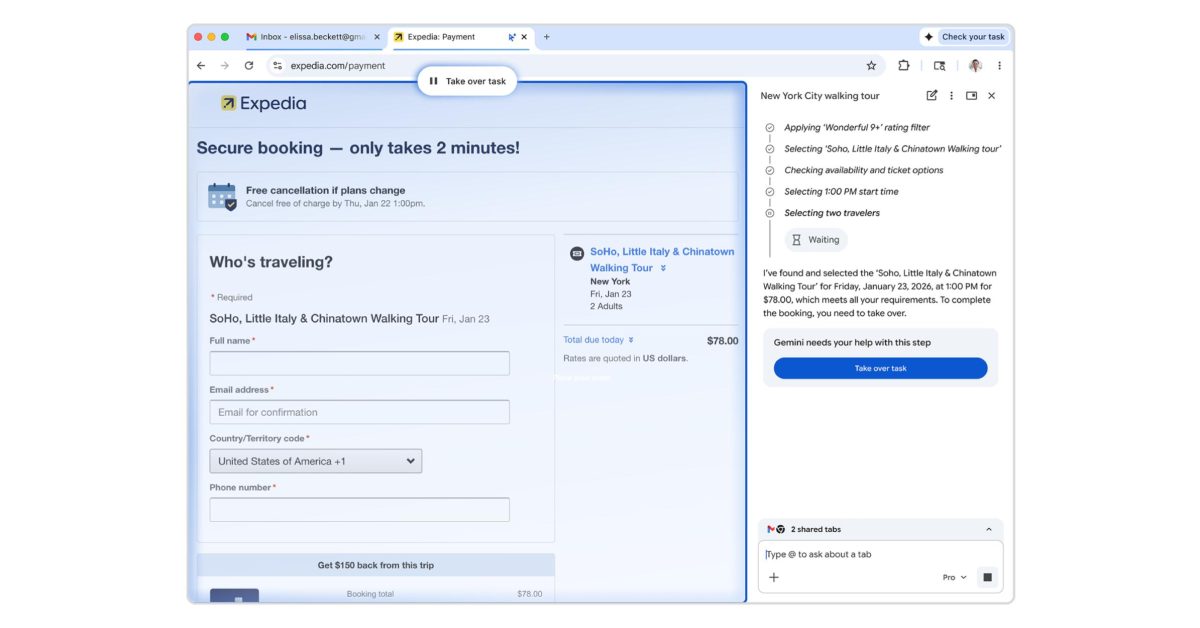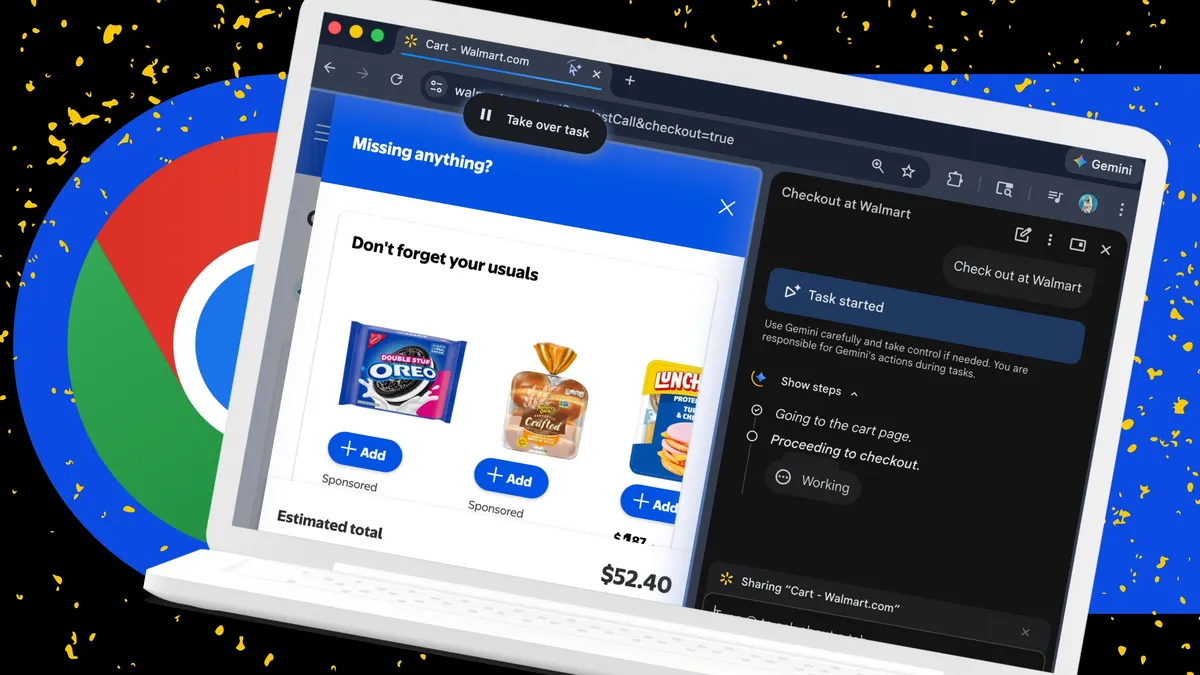
Elyse Betters Picaro / ZDNETFollow ZDNET: Add us as a preferred source on Google.ZDNET's key takeawaysChrome Auto Browse lets Gemini complete multi-step tasks.You stay in control, with confirmations required along the way.The feature is desktop-only and limited to US subscribers.In the past couple of years, web browsers have made major leaps in what they can do. They've long been able to remember your passwords, auto-fill forms, and help you organize and group countless open tabs. With the rise of consumer AI chatbots, however, that is no longer enough. Browsers now need to be far more ambitious and, some would argue, autonomous.Also: Your Google Chrome browser just got a useful autopilot feature - here's how it worksOr at least that is what Google and its competitors, including OpenAI and Microsoft, believe. They've been rolling out AI agents in their browsers with the goal of clicking, searching, comparing, and navigating the web for you. Auto Browse, for example, is Google's biggest move yet toward agentic browsing. It can take actions on your behalf and is built directly into Chrome. What can Chrome Auto Browse do? Auto Browse is technically called "Auto Browse in Gemini in Chrome." Yeah, cumbersome name aside, it's an AI agentic feature in Chrome that lets Google's Gemini AI perform multi-step tasks for you across the web. Instead of having to manually jump from tab to tab, Chrome can now handle much of the work for you, whether that is comparing products, researching flights, gathering and emailing documents, filling out forms, or checking out. Just tap the Gemini icon in your browser, describe what you want in the side panel that opens, and Auto Browse will take over once you give it permission. Also: How to turn off Gemini in your Gmail, Photos, Chrome, and more - it's easy to opt out of AIAuto Browse works with other Google apps, including Docs and Gmail. You will need to grant permission in the side panel for it to access those apps if it is your first time using Auto Browse. For example, if you ask Gemini to send an email, you will get a prompt to connect with Gmail. Auto Browse will also ask for confirmation before completing sensitive actions, such as sending messages. How to use Chrome Auto Browse What you'll need: The latest desktop version of Chrome for Mac, Windows, or Chromebook, a personal Google account with Gemini in Chrome enabled, and an active Google AI Pro or Ultra subscription. You also need to be 18 or older and located in the US. First, check whether Auto Browse is available to you. Open Chrome, click the three-dot menu, go to Settings, select AI innovations, and then open Gemini in Chrome. Look for "Let Gemini browse for you" under Permissions. If you do not see it, Auto Browse is rolling out and may not be available for your Google account yet.That said, I did not see the option either, but I was still able to trigger Auto Browse through the Gemini side panel.Also: I've used nearly every browser out there, and these are my top 4 (spoiler: Chrome is out)Auto Browse lives inside Gemini, which appears as a persistent side panel in Chrome. You can access Gemini on any tab, but not in Incognito mode. To open it, click the Gemini icon in the Chrome toolbar. If this is your first time using it, follow the opt-in prompts. Once enabled, Gemini opens as a side panel on your current tab.To activate Auto Browse, I went to Walmart.com, where I already had items in my cart. I asked Gemini in the side panel to check out for me. Gemini prompted me to allow Auto Browse, and once I approved it, the feature took control of the page and began completing the checkout process on my behalf. Nice workaround, right?How to trigger Auto Browse:Click the Gemini icon in the Chrome toolbar to open the side panel.Complete the opt-in prompts if needed.Ask Gemini to perform an agentic task, such as checking out on a site.Approve Auto Browse when prompted.
I let Chrome's AI agent shop, research, and email for me - here's how it went
With Auto Browse, Google is turning Chrome into an AI-agentic browser. I tested it to see how well it works.
1,756 words~8 min read