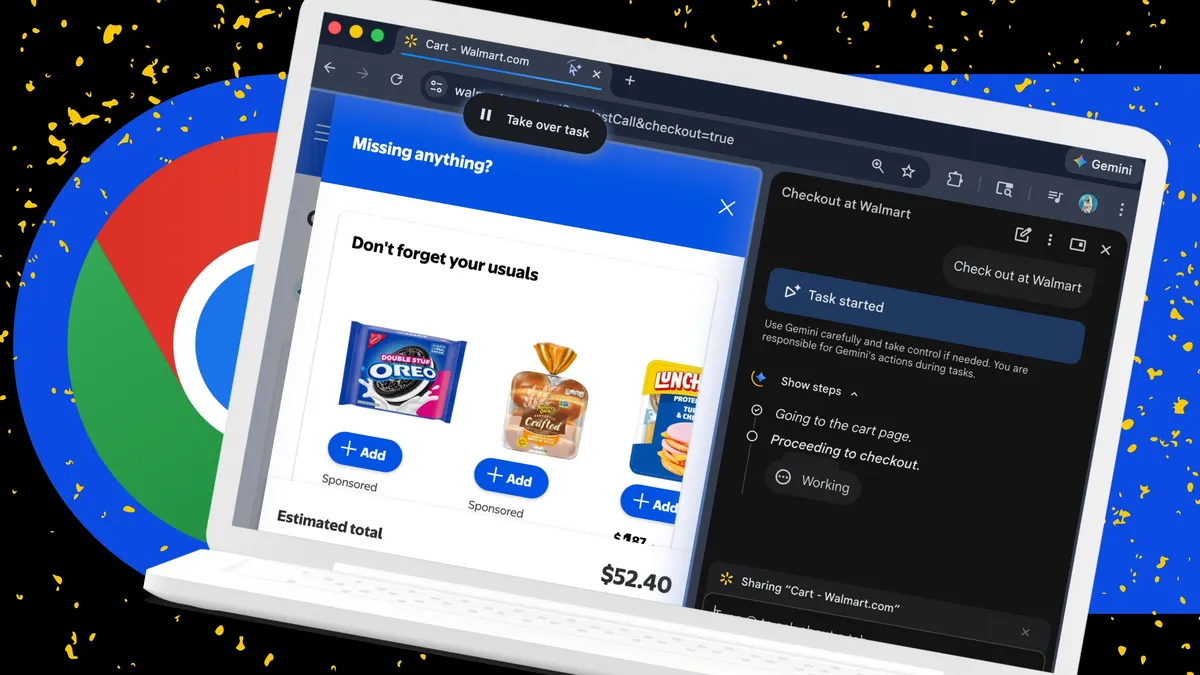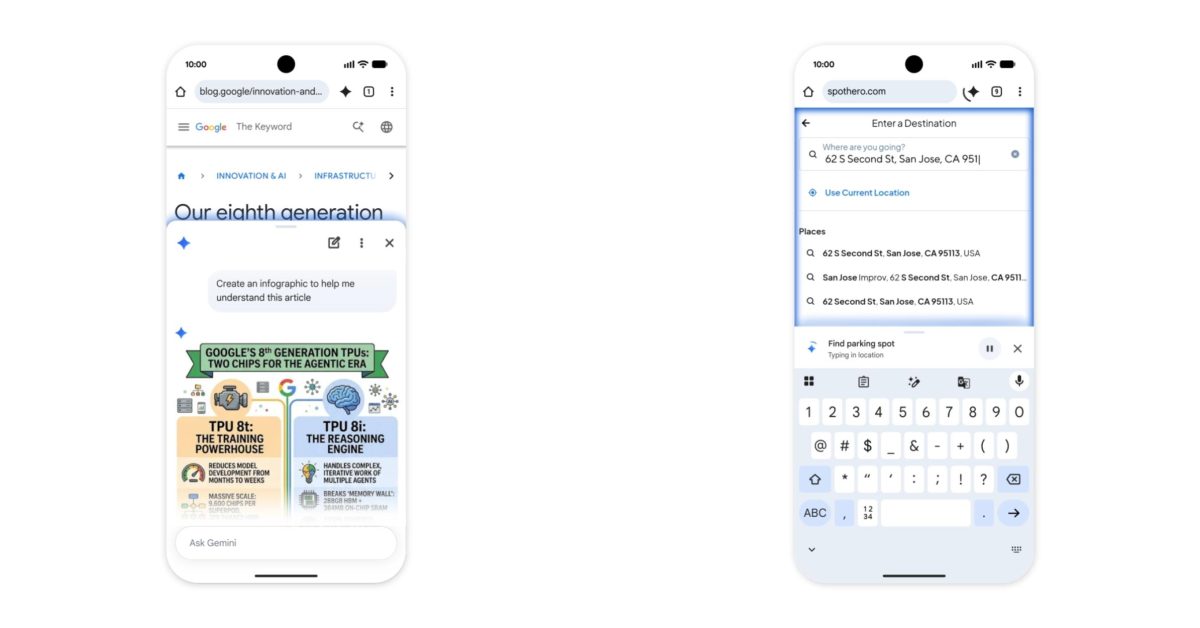
Google today announced “Chrome auto browse” as a “powerful agentic experience that handles multi-step chores on your behalf.”
Available on desktop, auto browse is triggered by specifying a task when prompting Gemini in Chrome. Google can scroll, click, and enter text on your behalf. The actions are happening on your device with a cloud model leveraged.
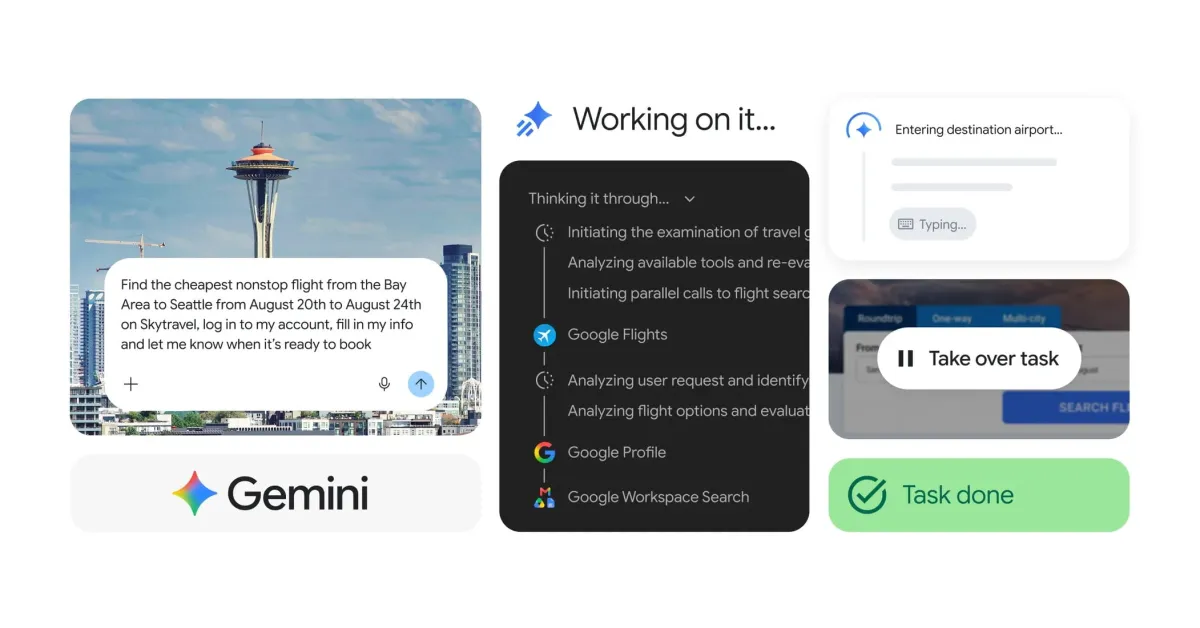
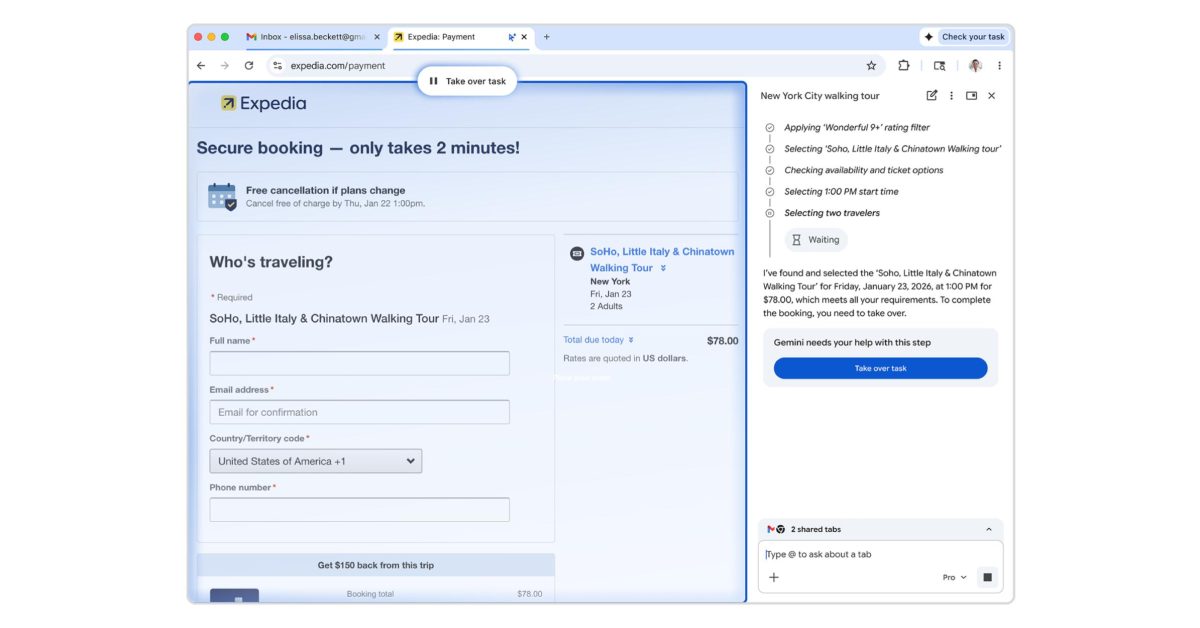
Gemini will then confirm “Task started” and proceed to open a new tab that’s badged by a cursor and sparkle icon. Chrome will also note whenever auto browse is active in the top-right corner of your window next to the Gemini spark.
The tab has a glow around it, while the new Gemini side panel interface shows step-by-step what it’s doing. Auto browse can use Google Password Manager to auto-fill credentials, but you have to first authorize it. Similarly, Gemini requires you to actually press the buy button when shopping, or the post button if tasked with sharing something to social media. At any time in the process, you can “Take over task.”
You can continue to visit other sites as auto browse works in the background.