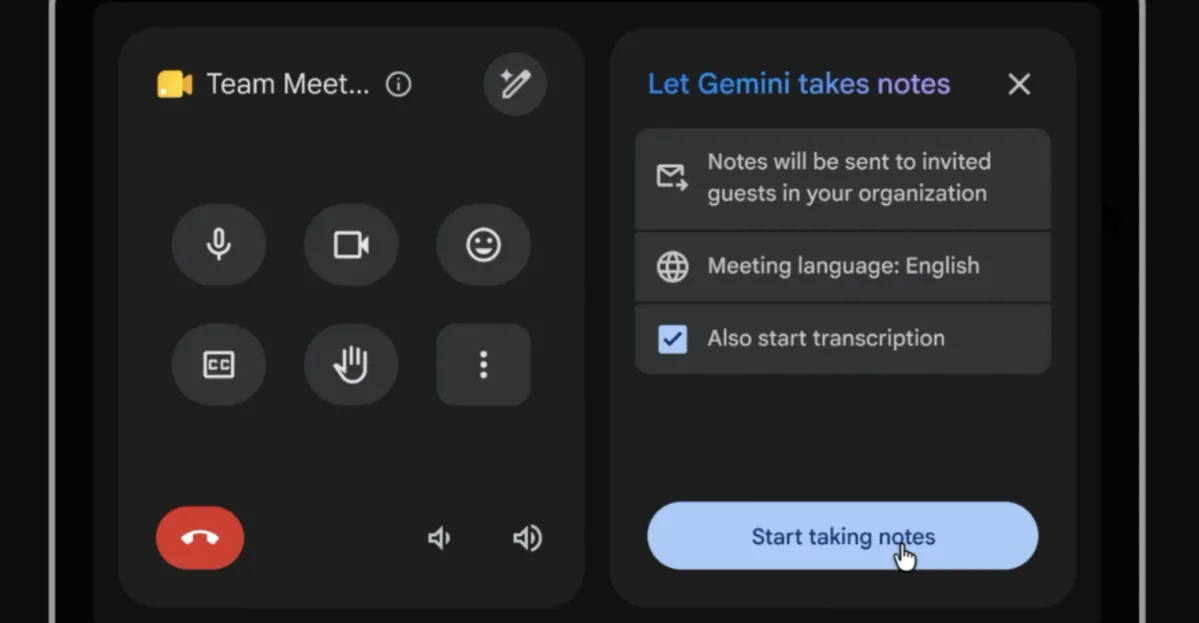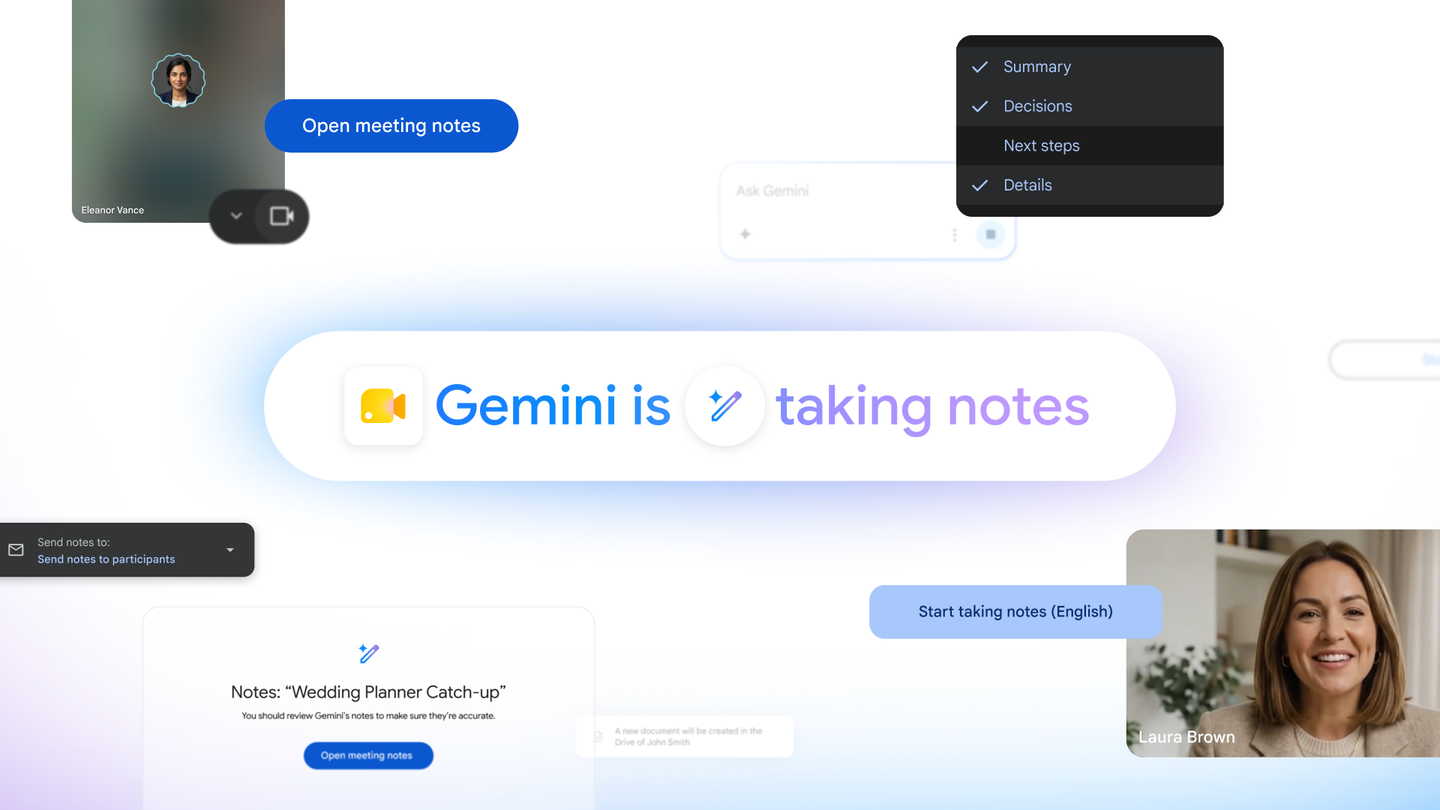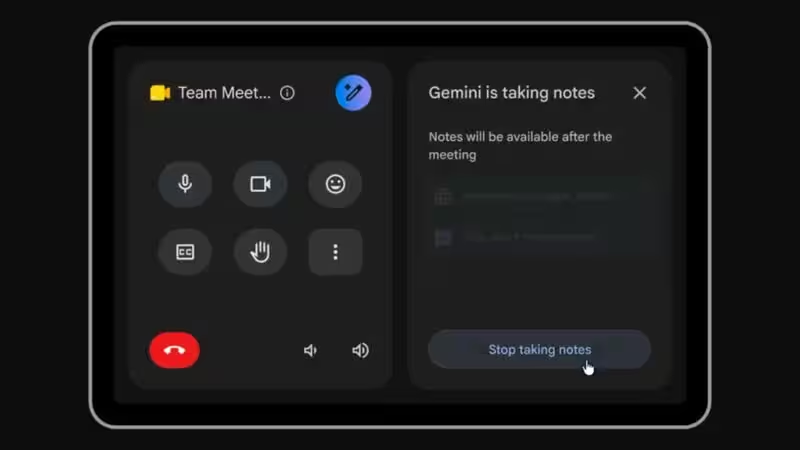
Google is making it easier for people in physical meeting rooms to control AI-generated meeting notes in Google Meet. Starting August 31, the company will begin rolling out controls that let participants start, stop and manage the “Take notes for me” feature directly from Google Meet hardware touch controllers.The change removes the previous need for an in-room participant to join the meeting from a laptop in Companion mode just to manage Gemini’s note-taking. Google says the update is designed to give people in the room more direct control over when AI captures meeting discussions, including the ability to pause note-taking for off-the-record conversations and resume it when appropriate.About The AuthorHey there, i am a technology enthusiast with a deep passion for gadgets, consumer electronics, emerging technologies, and the fast-paced world of digital innovation. Constantly exploring the latest tech trends, product launches, and industry developments, I enjoy translating complex technological advancements into engaging and accessible stories for readers. My interests span smartphones, wearables, artificial intelligence, smart devices, and the broader technology ecosystem. As I begin my journey as a Tech Journalist at Gadgets Now, I am excited to contribute to a platform that informs millions of readers, combining my passion for technology with storytelling to deliver insightful, accurate, and timely tech coverage.Directly managing AI notes from the meeting roomThe update brings the “Take notes for me” controls onto the Google Meet hardware touchscreen itself. Google says a dedicated badge will show participants whether Gemini is currently taking notes, while a tap lets them switch the feature between active and inactive states. Previously, managing this AI function from a meeting room required someone to join from a laptop using Companion mode.By putting the controls on the room’s touch controller, Google is reducing that extra step and making AI note-taking easier to manage collaboratively. The feature will work only in meetings where “Take notes for me” is available.How you can take notes nowGoogle’s current guidance makes the process a short, touchscreen-based workflow. Once the feature is available in an eligible meeting, participants do not need to use a laptop in Companion mode simply to switch AI note-taking on or off.StepWhat to do1Join an eligible meeting using Google Meet hardware.2Look for the “Take notes for me” icon on the touch controller.3Tap the icon to start Gemini note-taking.4Tap it again when you want to stop or pause note-taking.5Resume note-taking by tapping the control again when appropriate.Google says administrators must first enable “Take notes for me” for the organization. The company also notes that the controls appear only when the feature is available for the meeting.Pausing note-taking for sensitive discussionsOne of the most practical changes is the ability to temporarily stop AI note-taking during a meeting. Google specifically highlights an “off-the-record” capability, allowing participants to pause Gemini when a discussion should not be captured and then resume note-taking with another tap. This gives meeting participants more control over when AI is listening for the purpose of creating notes.More articles by AuthorTrending StoriesThe distinction could be useful in meetings that move between formal agenda items and confidential, informal or sensitive discussions. Google says users can pause and continue note-taking as needed directly from the touch controller, without switching devices or entering Companion mode.Taking notes directly from the Meet controllerFor eligible meetings, participants will be able to control the feature from the Google Meet hardware device in the room. Google’s instructions are straightforward: once “Take notes for me” is available, users can tap its icon on the touch controller to start or stop AI note-taking. Administrators also have a prerequisite: the feature must be enabled for the organization.The company says the new controls are being added specifically to Google Meet hardware, which means availability depends on both the meeting’s eligibility and the organization’s configuration. Users therefore may not see the control in every meeting or on every Meet hardware setup.Rollout begins August 31The new controls will not arrive for everyone simultaneously. Google says Early Preview devices will begin receiving the feature on August 31, 2026, with visibility potentially taking up to 15 days. For Rapid Release and Scheduled Release domains, the rollout is scheduled to begin September 8, also with a gradual rollout of up to 15 days.This means organizations may see the controls at different times even after the rollout begins. Google has therefore positioned the change as a staged release rather than an immediate switch-on for every Google Meet hardware customer.Eligible Workspace plans and hardware requirementsGoogle lists the feature for Business Standard and Business Plus, Enterprise Standard and Enterprise Plus, Frontline Plus, and Google AI Plus, Pro and Ultra consumer plans, as well as Google AI Pro for Education. However, the company stresses that “Take notes for me” on Google Meet hardware requires a separate Meet hardware license.Some users whose hardware licenses do not include the note-taking functionality may nevertheless encounter the feature when joining a meeting where “Take notes for me” is enabled. The new controls therefore depend on both plan eligibility and the capabilities configured for the meeting hardware.Why the change matters for in-room meetingsThe update reflects a broader shift in how AI meeting tools are being integrated into physical conference rooms. Instead of treating the laptop as the primary control point for AI features, Google is moving those controls onto the room’s shared interface.This is significant because participants can now immediately decide at which points should Gemini take notes and at which times shouldn't, all without exiting the meeting.It also means that the pause-and-resume feature has a much more clearly defined division of what should be kept on the record and what not. The extra level of control is what can be a highly useful feature for organizations that are increasingly relying on AI to makemeeting summaries. FAQsWhat is the new feature introduced by Google for AI-generated meeting notes in Google Meet?Google has introduced new controls that allow participants in physical meeting rooms to manage the 'Take notes for me' feature directly from Google Meet hardware touch controllers, eliminating the need for a laptop in Companion mode.How can participants control AI note-taking during a meeting?Participants can control AI note-taking by tapping the 'Take notes for me' icon on the Google Meet hardware touchscreen to start, stop, or pause note-taking, providing them with greater control over when discussions are captured.What are the eligibility criteria for using the 'Take notes for me' feature in Google Meet?The 'Take notes for me' feature is available for certain Workspace plans such as Business Standard and Business Plus, Enterprise Standard and Enterprise Plus, and others. Additionally, a separate Meet hardware license is required to access this functionality.end of article
Google Meet Adds Direct Controls for AI Meeting Notes on Hardware Touch Controllers
Google Meet hardware will soon offer direct controls for AI note-taking. Participants can now start, stop, and manage Gemini's note-taking from touch controllers. This update removes the need for a separate laptop to manage AI meeting summaries. Sensitive discussions can be paused, and note-taking resumed later as needed. These new controls will begin rolling out from August 31st.
1,100 words~5 min read