Disclosure: I work on Notula, which is the last section of this article. Everything before it is about the category.
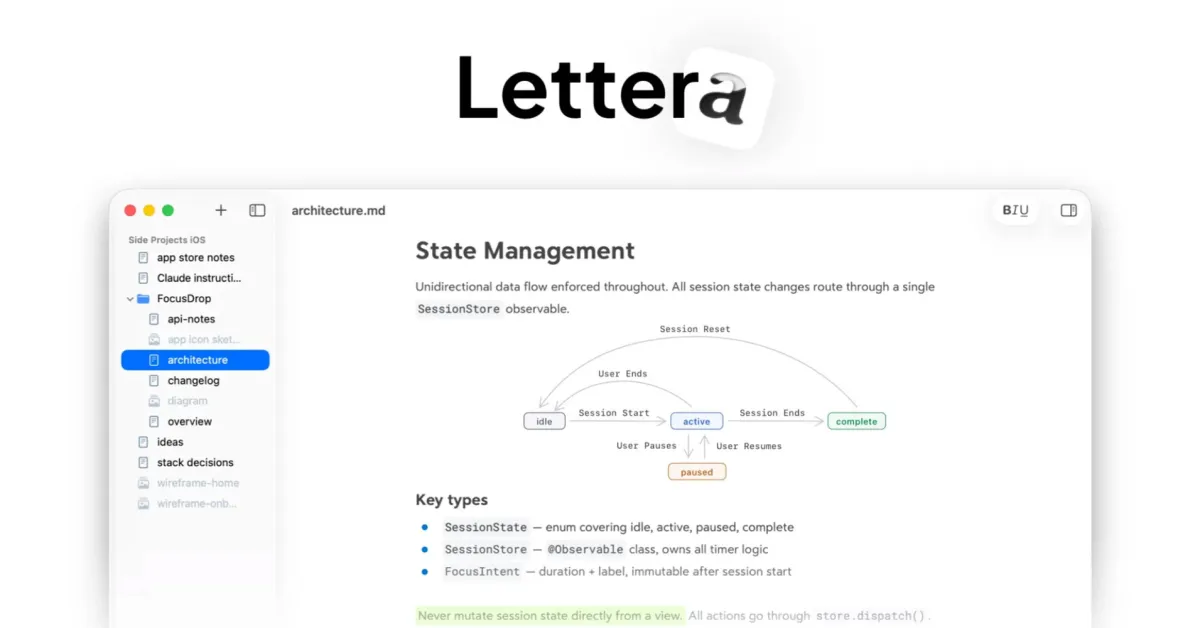
A WYSIWYG Markdown editor hides the syntax. Live preview shows it twice, and most of the tools called WYSIWYG are the second kind. The difference is small when you are checking how something renders, and large when you are writing.
What it means
A WYSIWYG Markdown editor shows you the formatted document while you type, instead of the syntax that produces it. No hashes in front of headings, no asterisks around bold, no pipes in tables. You see a heading, and the file on disk contains ## Heading.
WYSIWYG stands for "what you see is what you get", which came from word processors in the 1980s and means something more specific here: the editing surface and the rendered document are the same surface. There is no second pane, and there is no moment where you are looking at the raw text.