The first time we were introduced to Git, we really didn't know where our code was going to be saved until I learned that Git is part of a control system. It keeps track of changes made to files in a project so you can: track what changed, see previous versions of what you were working on to undo mistakes, work on different features, collaborate with others on the code or project we were working on, and back up projects to GitHub. Once you have added the knowledge of the stages of a Git workflow, then you have total control of your project from the previous history to the current workspace.
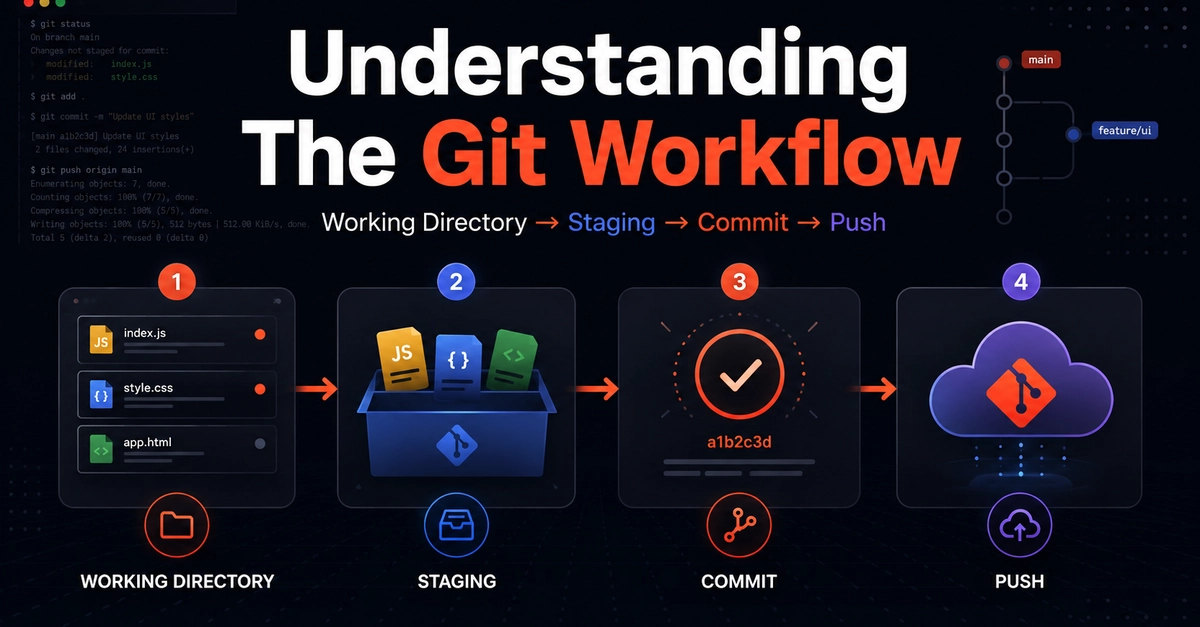
During our learning, we were able to cover four stages of a Git workflow: working directory, staging, committing to the local repository, and pushing to the remote repository.
Working Directory
This is our working directory where we type our code, a folder where our code lives. When opening a file in the code editor and making changes, we are working in the Working Directory; at this moment Git is aware that something has changed, but it hasn't recorded anything permanently yet. If we check the status by writing a command like git status, it will show the files that have been modified or deleted. Here, the changes are tracked but not yet saved.