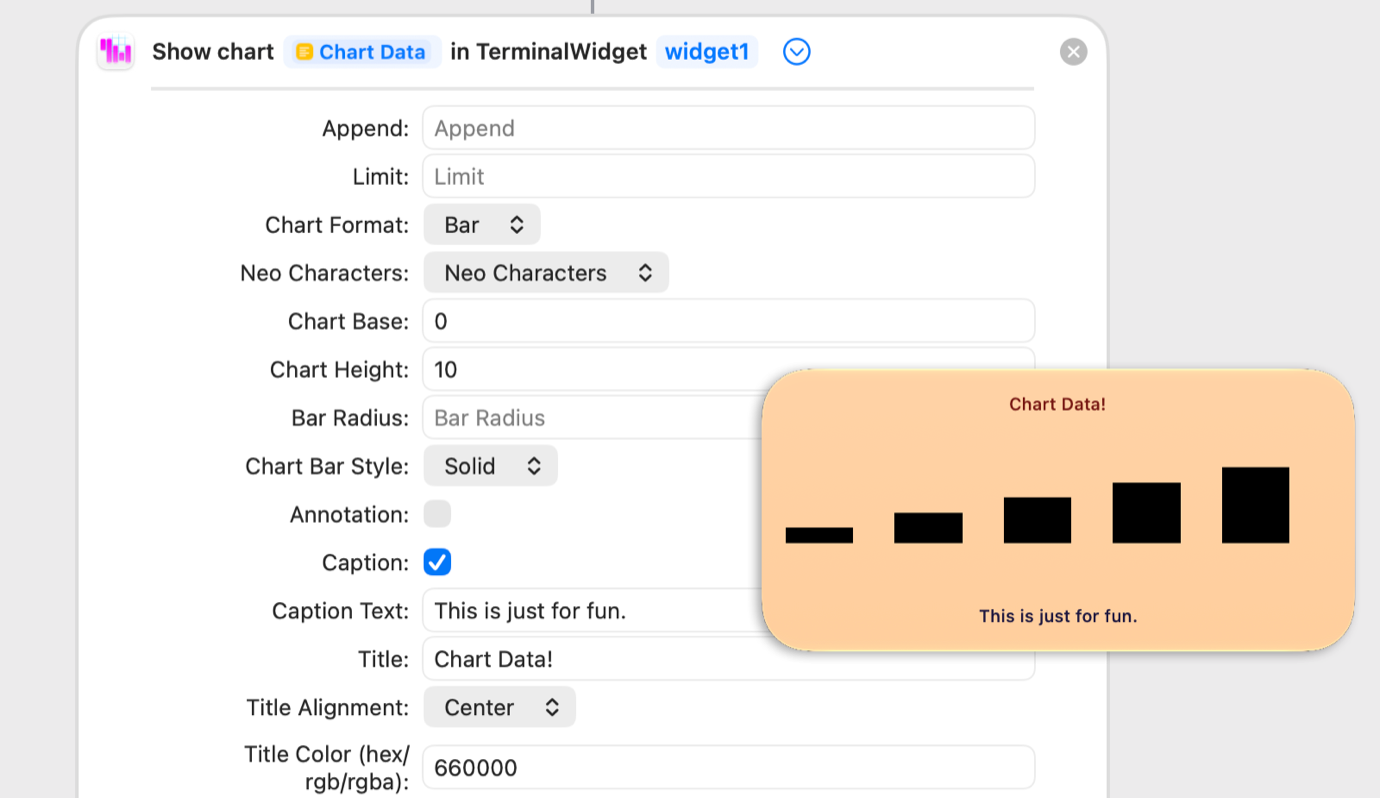
A TerminalWidget shortcut action and its output.
I’m a huge fan of displaying ambient information in my computer interfaces, which on my Mac tends to involve putting data about weather, solar power and the like in my menu bar, so it’s available at a glance. My tool of choice for this is SwiftBar, itself a follow-on to BitBar (which has been rebooted as xbar). On my iPad, I’ve been using custom widgets generated with Simon Støvring’s Scriptable app to do the job.
Now here’s a new contender that generates widgets on both Mac and iOS: Brett Terpstra’s $20 TerminalWidget, which lets you send data to a widget from a command-line script, Shortcut, AppleScript, or a URL scheme.
Widgets are more complicated than little items that live in the menu bar. That’s why Scriptable uses little JavaScript scripts to build them. TerminalWidget has a basic set of terminology that lets you target specific widgets and provides some pre-filled functionality that lets you generate some design elements without much hassle. It’ll also just… take text you give it and display it if you want.
If you’re working via Shortcuts, you can update TerminalWidget using a bunch of different template types: Chart, Image, Progress, Table, or Text. Just as with the command line, each Shortcuts action contains a bunch of variables, so you can customize colors and fonts, add a caption and title, or other things that help fill out TerminalWidget’s templates. It’s by design a lot less flexible than something like Scriptable, where the sky’s the limit—but it’s also a lot more approachable, since you’re basically filling in the blanks with whatever data you want to provide.