In Part One I deployed nginx on a single k3s node and killed a Pod to watch a replacement appear. In Part Two I pulled the config and the passwords out of the image. Both parts had the same weak spot, and it's the one nobody mentions when they teach you kubectl: I was still standing at a terminal typing kubectl apply at a cluster.
That works fine until it doesn't. A month later nobody can tell you what's actually running, or who changed it, or what the cluster looked like before someone "just quickly fixed" something at 11pm. The YAML on your laptop and the YAML in the cluster quietly drift apart, and the only way to find out is to go and look.
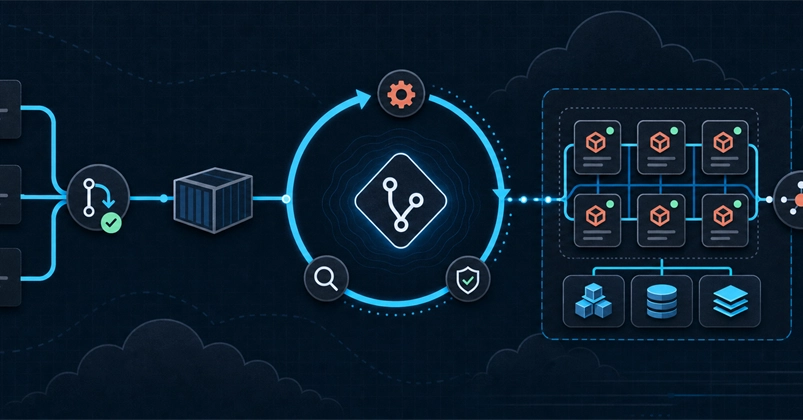
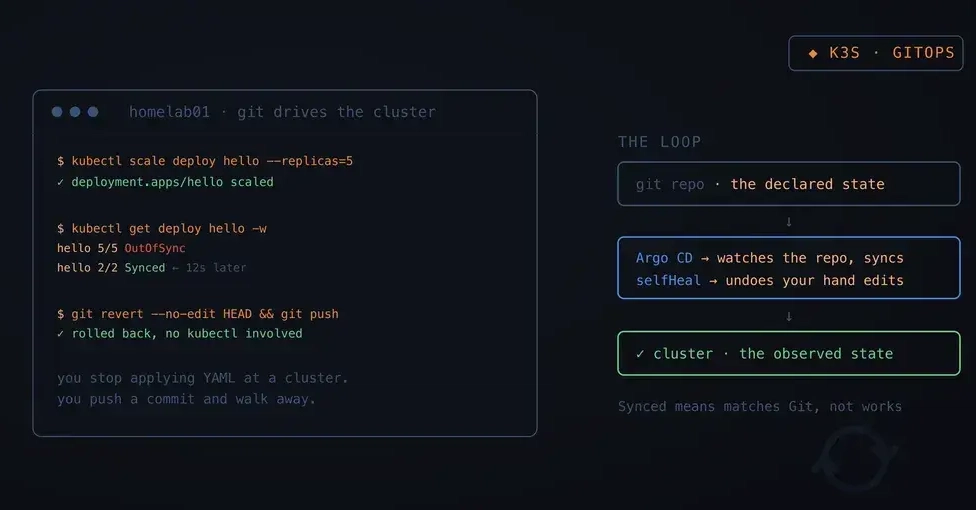
Argo CD fixes that by taking the terminal away from you. You put your manifests in Git, you tell Argo CD where that repo is, and from then on the repo is the truth. Change the cluster by hand and Argo CD changes it back. I ran the whole thing on the same 4GB box that already hosts my Forgejo instance, and I'm writing it down because six separate things bit me and I'd rather not rediscover any of them.
TL;DR Put your manifests in a Git repo first. Install Argo CD with kubectl apply --server-side (plain apply fails on one oversized CRD). Create an Application object that names three things: which repo, which folder, where it goes. Sync it once by hand and watch OutOfSync become Synced. Then set syncPolicy.automated with selfHeal: true and prune: true, and try to fight it: scale a Deployment, delete a Service, swap an image. It puts all of them back within fifteen seconds. Deploy by pushing to Git, roll back with git revert. And remember that Synced means "matches Git", not "works".