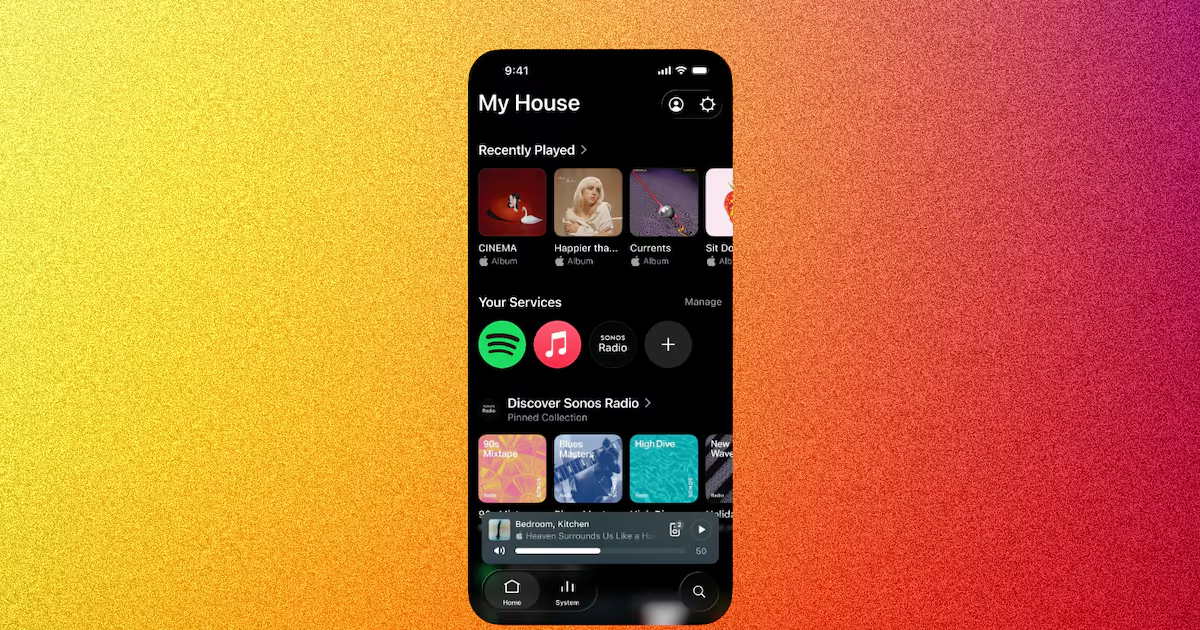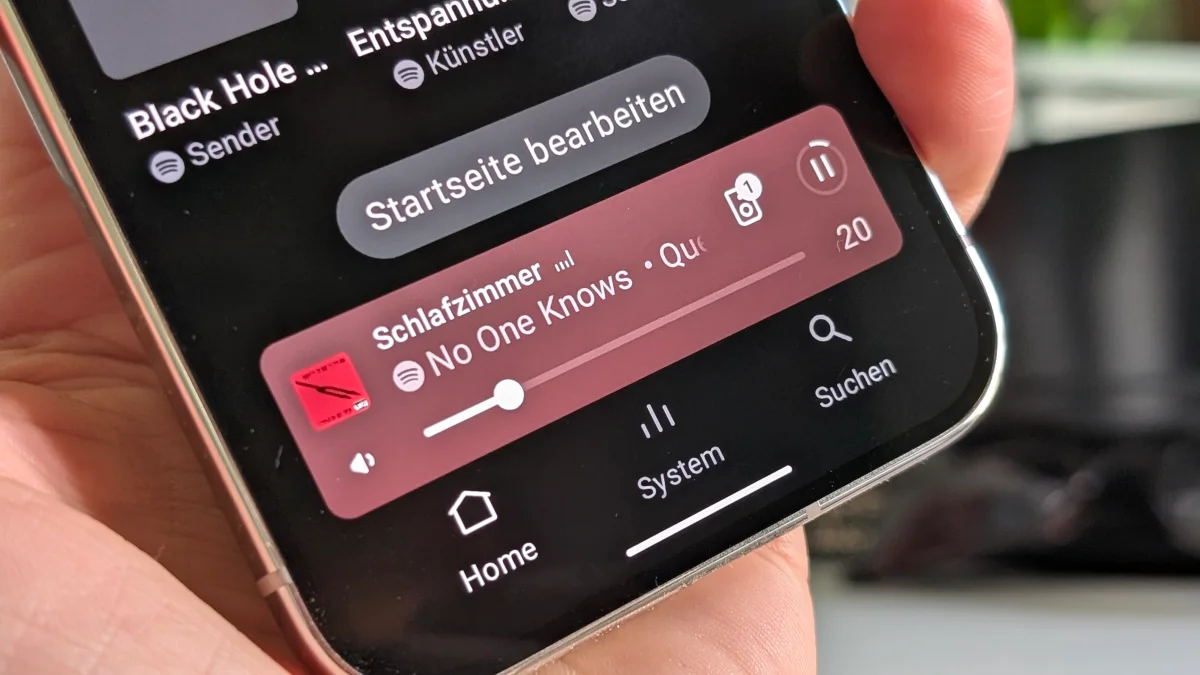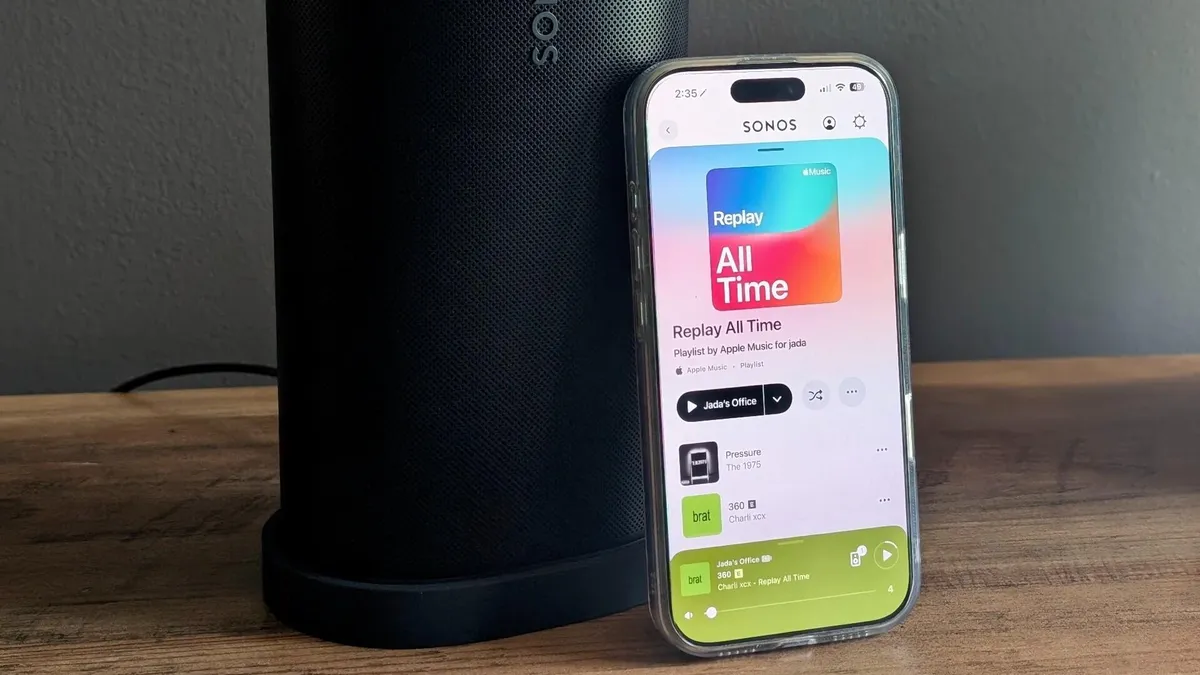
Jada Jones/ZDNETFollow ZDNET: Add us as a preferred source on Google.ZDNET's key takeawaysSonos announced a public beta test for its new app features.They target OS design conformity and improve user interface and experience.Some features available on iOS are not yet ready for Android, and vice versa.The Sonos app has been mired in controversy since its 2024 overhaul and relaunch -- buggy controls, vanishing systems, and un-synced speakers made for a major mess. Fixing the app cost the company millions, with frustrated longtime customers looking elsewhere for home audio.Also: Your Sonos smart speaker has an underutilized automation feature - 5 helpful ways I use mineNearly two years later, Sonos is rising from its self-inflicted disaster, and with app stability seemingly conquered, the company is now focused on improving more granular and aesthetically focused features. I've tested the new features on iOS and Android; here's what to expect in the next app update, and how to opt-in if you want to try them early.How to try the Sonos app public betaIn the app, open "Settings" with the gear icon in the upper right-hand corner. There, you'll see the "Enable Improved Navigation" feature at the very top. According to a Reddit post from Sonos CEO Tom Conrad, users will be able to toggle the beta features on and off throughout the months-long testing period, so if something goes wrong, you can easily revert your settings.What's new in the Sonos app beta?Improved user interface and experiencePreviously, when opening a new tab or app in the Sonos app for iOS, new information appeared on the screen via a bottom-to-top animation. To exit this screen, users would slide down. Now, when opening a new tab or app, new information appears from a left-to-right animation, and users can return to the previous screen by sliding left. As a result, navigating the Sonos app behaves like all of your other apps, which is much more satisfying.Also: Sony Bravia Theater vs. Sonos: I've used both home theaters - here's how to chooseSonos's volume control scrubber has been problematic for me in the past, partly because it was too close to the upward-sliding function used to monitor your system's status. Occasionally, I'd try to slide up to check my system status and accidentally adjust the volume. It was also difficult to control the volume scrubber at a granular level; instead, it had to be moved by a large margin to achieve finer control. The Sonos app's volume scrubber update on iOS. Jada Jones/ZDNETNow, tapping the bottom-left corner volume icon mutes your current speaker or speaker group, and tapping the bottom-right corner volume indicator provides granular volume control. When the volume scrubber is activated, the right-corner mute button becomes a lower-volume control. I wish this icon were always a decrease volume control instead of mute, but that's me being picky.As noted in Conrad's Reddit post, these volume control improvements are not yet available on Android, though Sonos promises they are in the works. DesignOn iOS, the Sonos app is more consistent with Apple's Liquid Glass design, with smoother animations when toggling between apps. Previously, users could swipe up on the miniplayer to glance at their entire system's current activities. The new "System" tab at the bottom of the screen allows for the same view. Also, the "Now Playing" background changes color to match the album art.Also: How I tweaked my Sonos speakers to upgrade their audio performance - easy and freeI also tested these new features on my Google Pixel 9 Pro; users receive a slimmer miniplayer with a new navigation bar underneath it, providing easier access to the "Home," "System," and "Search" tabs. Sonos moved Android's "Search" tab from above the miniplayer, allowing an unobstructed view of your next scroll. For both operating systems, users should now swipe up on the miniplayer to view a full screen of their "Now Playing" tab instead of swiping up to see an overview of their system and familiarize themselves with the "System" tab for a comprehensive view. The Sonos app redesign on Android. New tabs, a shifted "Search" function, and an ergonomic miniplayer. Jada Jones/ZDNETA major pain point for me with the Sonos iOS app is that there's no way to control music playback from my iPhone's lock or home screen. More often than not, I'm closer to my phone than to my nearest Sonos speaker, so I rely on playback controls on my phone or through the Sonos Voice Assistant. It's often annoying to have to unlock my device and open the Sonos app just to skip to the next track.Also: Sonos Era 300 vs. Denon Home 400: Why I'm pulling the plug on the more popular speakerSoon, Sonos promises that lock screen playback controls will be available on iOS as a Live Activities widget, and will hopefully also appear in the iPhone's Dynamic Island. According to Conrad's Reddit post, lock screen playback controls for iOS are still in private beta testing; once ready, all users will have immediate access.Android users already have a Sonos "Now Playing" lock screen widget that displays the current song, the Sonos speaker in your system playing it, track skip and rewind, and playlist repeat and shuffle. Android users can also adjust the Sonos system volume with their device's volume buttons.
I tested Sonos' new beta features on iOS and Android - how to opt in and what to expect
Sonos's software comeback is nearly complete, with small but mighty fixes. Here's everything you need to know.
874 words~4 min read