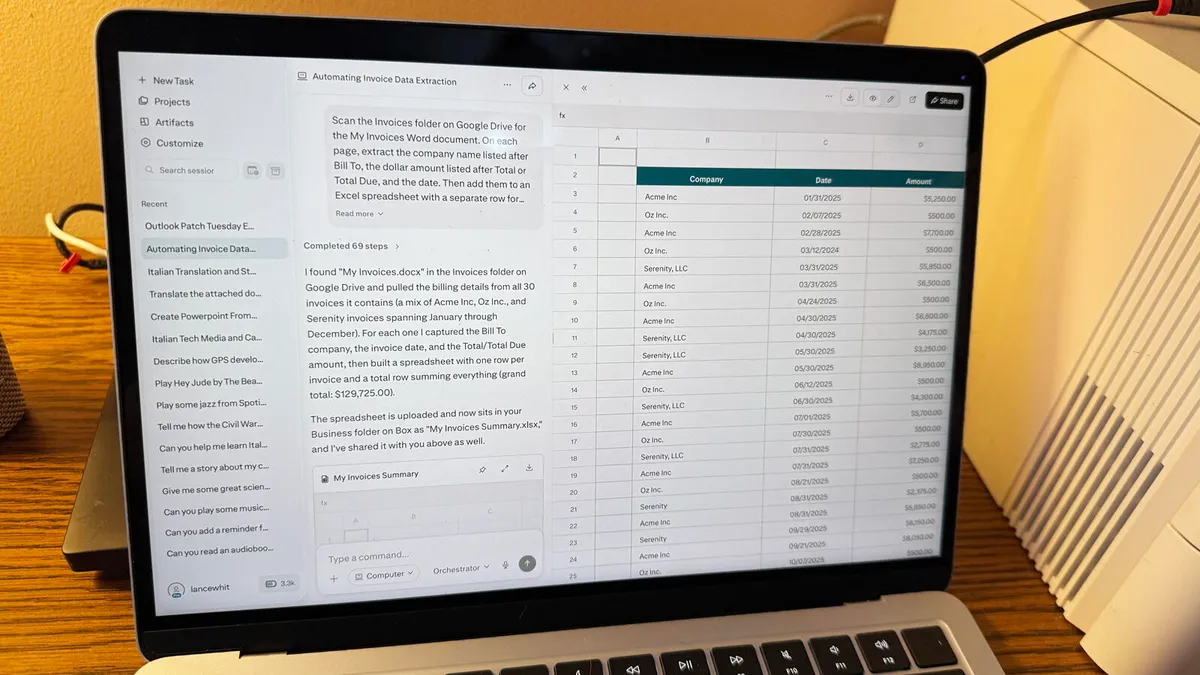
Lance Whitney/ZDNETFollow ZDNET: Add us as a preferred source on Google.Agentic AI promises to automatically handle tasks that would otherwise require significant time and effort on your part. And by interacting directly with your computer, the AI can work with your files, apps, settings, and services. One particular agentic AI that's getting a lot of buzz is Perplexity, thanks to the Personal Computer feature built into the Mac app.Initially available only for Perplexity Max subscribers, the Personal Computer skill recently expanded to Enterprise and Pro users. If you subscribe to any of those plans, all you need to do is download the Perplexity Mac app to try out the feature. You can then connect Perplexity to your own files, apps, and services and give it a range of assignments to tackle on its own.Also: I lost over 100 pounds for an 80-mile hike with a friend - here's the tech that kept me on trackPersonal Computer takes advantage of three types of access.First is local file access. Here, the AI can connect to any folder anywhere on your Mac to search for, view, and create files. Second is app control. The AI can use and work with any native app on your computer, including Messages, Notes, Mail, Maps, Photos, and Settings. Third is access to external services. You can connect to services such as OneDrive, Google Drive, Box, and Dropbox, enabling Perplexity to work with your cloud-based files.Perplexity's Personal Computer can use Safari or another web browser to browse the web normally. But if you want the AI to log in to websites, fill in forms, click buttons, and interact with various pages and content, you'll need to install Perplexity's Comet browser. To start a session, you can simply click the Perplexity icon on the Dock. But pressing the two Command keys at the same time also launches a small session window where you can type or speak your request. Plus, you're able to kick off a voice conversation with the AI in which you can discuss the task you'd like it to complete.Also: I let ChatGPT Work and Claude Cowork loose on my files - only one made me nervousI recently took Perplexity's Personal Computer skill for a test drive to see how it handled a range of tasks. I started with a couple of relatively simple ones and ramped up the difficulty level to see how it would react. To cut to the chase, I was quite impressed with Personal Computer. Frankly, I gave it some tasks that I didn't think it could handle, and it completed them as I requested.Before you get startedHead to the Perplexity Personal Computer page on your Mac and click the Download for Mac button to download and install the app. After signing in, you're prompted to grant Perplexity access to keyboard shortcuts, screen recording, and your hard drive so that it can work across your Mac. Follow the screens to set up the necessary permissions. You may next want to add the connectors for third-party services if you want the AI to access them. You're able to connect such services as Microsoft OneDrive, Google Drive, Box, Dropbox, SharePoint, Outlook, Slack, GitHub, Shopify, and many more. To do this, select the Customize option in the left pane. On the screen of connectors, click the name of a service you wish to add. On the next screen, click the Add connector button, then sign in to the service to connect it. Also: The best AI chatbots: Expert tested and reviewedIf you plan to use Perplexity to interact with web pages, you'll need to install the Comet browser. For this, browse to the Comet web site and click the button to download Comet. 5 tasks I assigned to Perplexity OK, with everything set up, here are the missions I gave it, and how Perplexity's Personal Computer fared. Return to the Perplexity app and click the New Task option on the left. You're placed at the Personal Computer screen where you're able to kick off a task by submitting your request at the prompt. If you're not sure how to get started, select a category below the prompt and choose a suggested task. I selected the task of building an Italian practice tool focused on everyday phrases.Also: 3 ways Samsung deeply integrates Gemini AI into its new Galaxy devicesThe process took around 15 minutes to complete. When done, Perplexity created an interactive language-learning tool that let me see and hear different Italian phrases across multiple categories. I could also take a quiz to see what I had learned. I appreciated this one, as my wife and I are planning a trip to Italy next year, so I need to bone up on my Italian.
I gave Perplexity's agentic AI 5 complex tasks to run on my Mac - and I'll do it again
Perplexity's Mac app offers its own agentic AI, Personal Computer, which can handle multi-step tasks on your computer from start to finish. See why the results impressed me.
1,439 words~7 min read