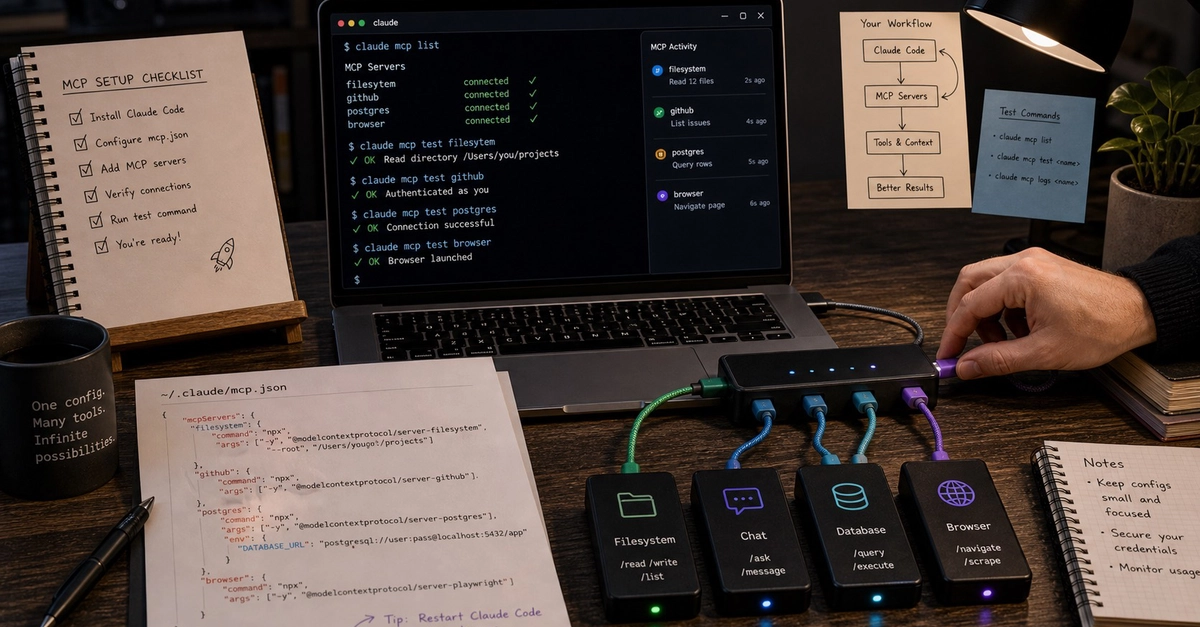
The Model Context Protocol (MCP) is how Claude Code talks to external systems. GitHub, Slack, Linear, your database, your monitoring stack, and your browser can all become tool surfaces that Claude Code can call. This guide walks through how to set up MCP servers for Claude Code in 2026, the configuration patterns that hold up in real work, and the debugging steps when authentication or connection breaks.
Claude Code MCP: Quick Answer
What is Claude Code MCP? A standard for letting Claude Code call external tools. Each MCP server exposes one or more tools. Claude Code discovers them at startup and includes them in the tool list it can use during a session.
Where do I configure MCP servers? In ~/.claude/settings.json (user level) or .claude/settings.json in a project (project level). Project settings override user settings.
What MCP servers should I install first? GitHub for issues and PRs, then the systems your project already depends on: Linear or Jira for ticketing, Slack for team comms, Postgres or Sentry for backend work, Playwright for UI verification. Claude Code already has built-in file tools, so a separate filesystem server is usually optional.