reactnative #expo #mobile #frontend
If you've worked with a web app before, you know how convenient it is to run staging/development and production side by side. Mobile apps are a different story — by default you have to uninstall the production app before you can test a staging or preview build. Anyone who's shipped a React Native app knows this pain, especially during active development: you test against a dev API, QA needs a staging build, and production must point to a live server — all from the same codebase. Hardcoding URLs and switching them manually before each build is a recipe for disaster.
The good news is you can have the same workflow you're used to on the web. You can set up separate staging/development and production environments, and even install both the preview and production builds on the same device at the same time.
In this article, I'll walk you through how to set up separate environments — development, preview (staging), and production — in an Expo React Native project, so each environment gets its own:
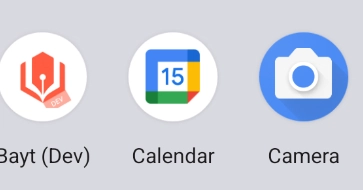
App name and icon