Designers hand you a mood photo — a sunset, a product shot, a piece of packaging — and say "use these colors." No hex codes, no tokens, just a picture. Here's a repeatable way to turn that image into a proper, production-ready CSS palette in a couple of minutes.
1. Pull the key colors out of the image
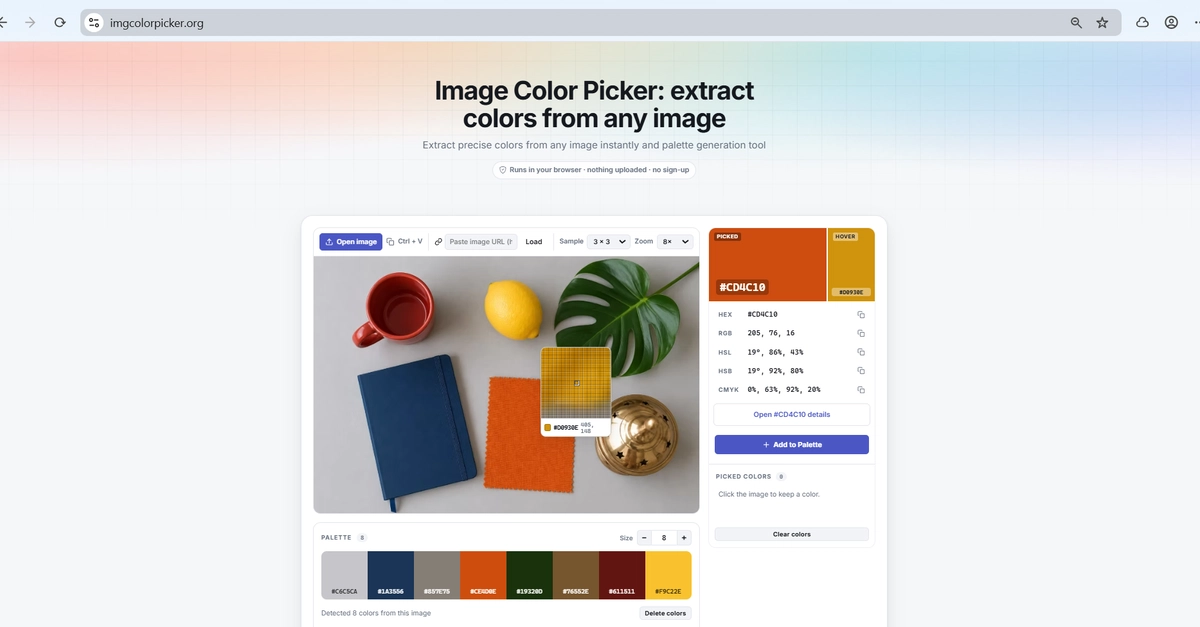
Start by sampling the colors that actually carry the image. The quickest route is an image color picker: drop in the photo, click the pixels you care about — a highlight, a mid-tone, a shadow, an accent — and copy each value. You'll get HEX, RGB, HSL, HSV and CMYK for every point, and because it runs client-side the image never leaves your browser.
Aim for four or five anchor colors — highlight #F4E3C1, mid-tone #C9784B, shadow #3A2A21, accent #2E6E8E.
2. Grow it into a full, balanced palette