(Image credit: Future)
Have you ever struggled with finding the best TV, laptop, robot vacuum, running shoe, or pair of headphones? Not only do you have to wade through dozens of reviews, but then you have to also check the prices on Amazon, Best Buy, and other sites to make sure you're getting the best deal.We've introduced a new tool at Tom's Guide to help you cut through the clutter. Introducing the Tom's Guide Product Finder. You can search for virtually anything, and the Product Finder will search through every product that we've tested to bring you not only our top picks, but also let you know if now is the best time to buy, or if you should wait for a better deal to come along.Let me show you how the Product Finder works, and how to use it to find just what you're looking for.Getting started
Go to the product finder
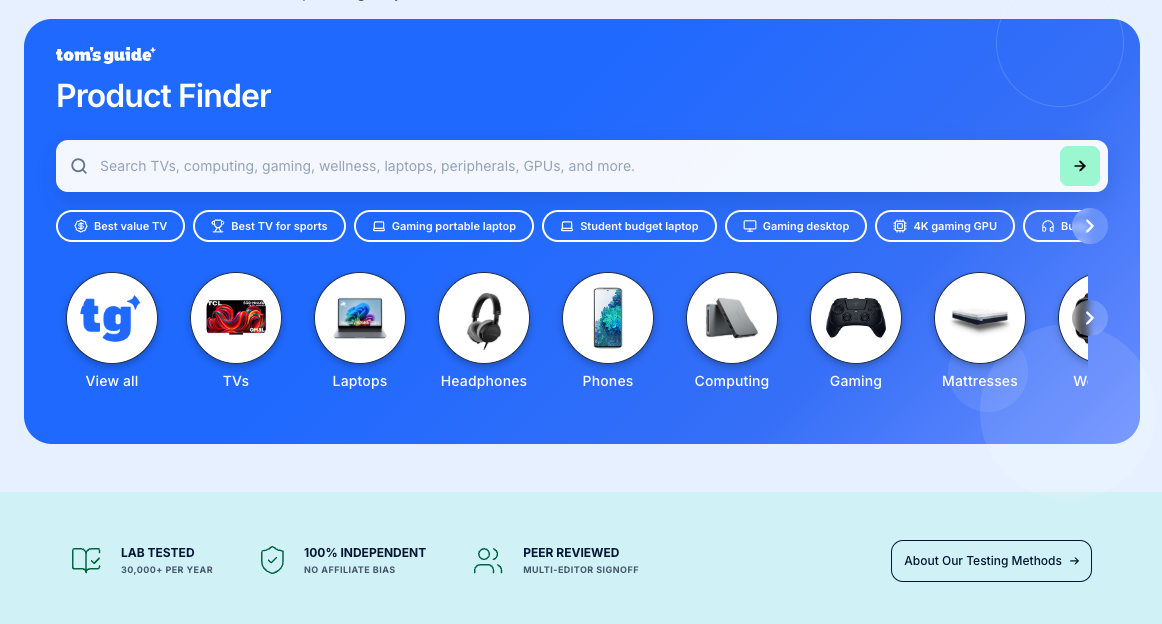
On your phone or laptop, navigate to https://www.tomsguide.com/products. At the start, the Product Finder has a search box, along with some pre-selected categories below. If you're unsure of where to start, click on one of the icons to view, for example, all of our TV reviews.
Sort your results