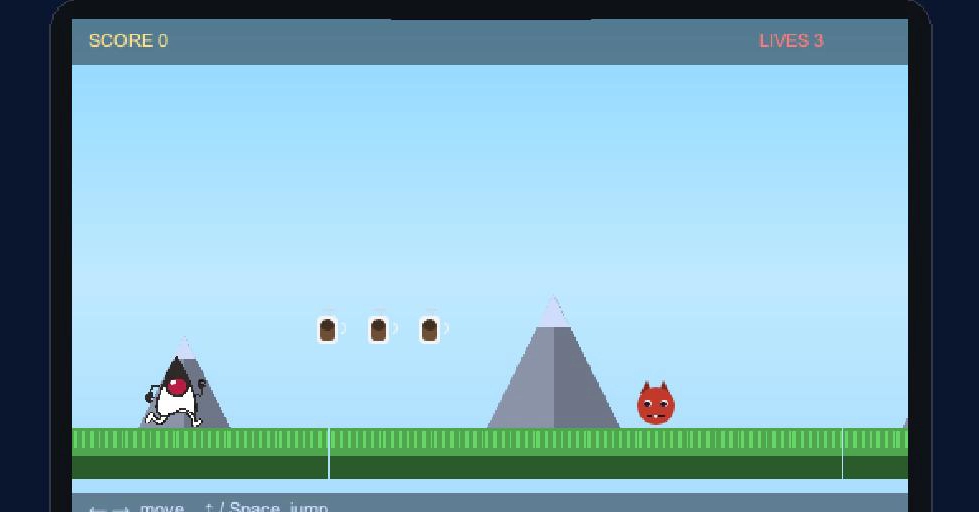
Most game tutorials make you hand-place every sprite in code. The Game Builder flips that around: you draw the level visually, tag objects with the numbers your game needs (lives, value, speed), and the editor saves it as a small data file that the runtime plays. Your code shrinks to the part that's actually yours — the rules.
What is Codename One? Codename One is an open-source framework for building native iOS, Android, desktop, and web apps from a single Java or Kotlin codebase. Learn more at codenameone.com.
This is the first of three tutorials. We'll build Duke's Coffee Run: a side-scroller where Java's mascot Duke dashes right across a grassy floor, collects coffee cups for points, dodges roaming exception monsters, and reaches a flag to win. Along the way we'll do the part most tutorials quietly skip — bringing in real art, including slicing an animated sprite sheet for Duke. By the end you'll have a running game and understand every moving part: the assets, the level file, the generated companion class, the built-in arcade behavior, and where your own logic goes. Tutorials 2 (board game) and 3 (3D dungeon) continue the story.
Why a game builder?
A Codename One game is a GameView holding a Scene of sprites, driven by a GameInput. Building a level purely in Java means dozens of new Sprite(...) / setX/setY calls that you can't see until you run them, and that you must recompile to tweak. The builder replaces that with a visual editor and a plain-data level file, so: