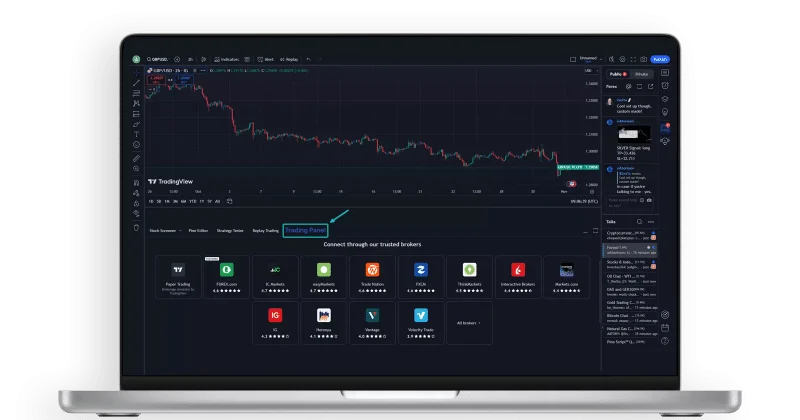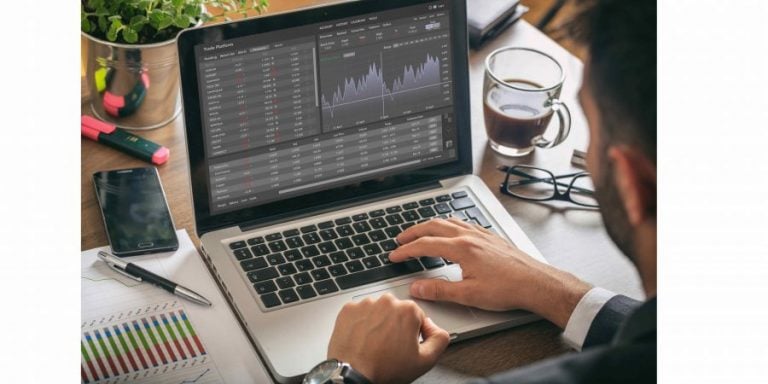
Table of ContentsPotential DrawbacksIs TradingView Worth It?TradingView FAQSee All 4 ItemsWhy Use TradingView?TradingView is best known for its powerful charting tools, but the platform offers much more than charts. Users can screen markets, create watchlists, set price alerts, test strategies, follow market news and learn from other traders.The platform is designed for a wide range of users, from beginners learning technical analysis to active traders who need advanced indicators, multiple chart layouts and custom scripts.Key TradingView FeaturesAdvanced ChartsTradingView charts are interactive, customizable and easy to use. Traders can choose from multiple chart types, timeframes and layouts, then add indicators, drawings and alerts to track market movement.Popular tools include moving averages, RSI, MACD, Bollinger Bands, Fibonacci retracements, volume indicators, trend lines and support and resistance levels.Stock, Crypto and Forex ScreenersScreeners, Watchlists and Market DiscoveryTradingView gives users multiple ways to discover and monitor markets. Its screeners help traders filter large groups of instruments by criteria such as price, volume, performance, technical indicators and other market data points.Screeners are available across several major asset groups, including stocks, ETFs, bonds, crypto coins, centralized exchange crypto pairs, decentralized exchange crypto pairs and Pine-based screening workflows.Watchlists make it easy to monitor favorite markets in one place. Users can track stocks, ETFs, futures, forex pairs, cryptocurrencies, crypto perpetual futures, options symbols where available and other supported instruments from a single customizable list.This is especially useful for multi-asset traders who want to follow traditional markets and digital assets side by side, including equities, ETFs, futures contracts, crypto spot pairs and perpetual futures such as BTCUSDT.P or ETHUSDT.P where supported.Technical Analysis ToolsTradingView supports both simple and advanced technical analysis. Beginners can use built-in indicators and chart templates, while experienced traders can create custom indicators and strategies using Pine Script®, TradingView’s programming language using supercharts. Users can also browse a large public library of community-built scripts and trading ideas.Paper TradingTradingView offers paper trading The Leap, which allows users to practice trading with virtual money before risking real capital. This is especially useful for beginners, strategy testing and learning how different markets behave.Alerts and WatchlistsUsers can create alerts based on price levels, indicators or custom conditions. Alerts can help traders monitor markets without watching charts all day.Watchlists also make it easier to follow favorite stocks, ETFs, crypto assets, forex pairs, futures contracts and other instruments.Broker IntegrationsTradingView connects with a growing number of supported brokers, allowing eligible users to analyze markets and place trades from the same interface. Availability depends on the broker, region and asset class.Market DataTraders can monitor global markets from one platform, including U.S. equities, Dow Jones futures, gold, FX alongside thousands of additional stocks, ETFs, futures, forex pairs and cryptocurrencies.Depending on your plan and exchange subscriptions, users can access data for stocks, ETFs, futures, options, forex, cryptocurrencies, bonds and crypto perpetual futures from exchanges around the world.The platform also offers economic calendars, earnings calendars, corporate events and financial metrics that help users combine technical analysis with fundamental research. Whether you're following U.S. equities, European futures or digital assets, TradingView makes it easy to monitor multiple markets from one customizable workspace.Community and Trading IdeasOne of TradingView's biggest advantages is its global trading community. Millions of traders and investors use the platform to publish market analysis, trading ideas, educational content and live streams across virtually every asset class.Users can explore chart-based trade ideas, learn different technical analysis techniques, follow experienced market participants and discuss market trends in real time. Whether you're looking for investment inspiration, educational resources or different perspectives on current market conditions, TradingView's community helps transform the platform from a charting tool into an active social network for traders.Because ideas are published by individual users, they should be viewed as educational content rather than investment advice. Many traders use community ideas as a starting point for their own research before making investment decisions.Mobile and Desktop AccessTradingView works across web, desktop and mobile. The mobile app allows users to check charts, receive alerts, follow watchlists and monitor markets while away from their computer.Who Is TradingView Best For?TradingView is a strong fit for:Active traders who rely on charts and technical analysisInvestors who want better market research toolsBeginners learning how to read chartsCrypto, forex, stock, ETF, futures and options tradersUsers who want alerts, watchlists and screeners in one placeTraders who want to connect analysis with supported broker executionPotential DrawbacksTradingView offers a large number of features, which may feel overwhelming for new users at first. Some advanced tools require a paid plan, and access to real-time exchange data may depend on the market, plan or data subscription selected.Is TradingView Worth It?TradingView is worth considering if you want a modern charting platform that combines technical analysis, market data, screeners, alerts, community content and broker connectivity. It is especially useful for traders who follow multiple asset classes and want a single platform for research, charting and market monitoring.For beginners, the free version can be a good way to explore the platform. More active traders may benefit from paid plans that unlock additional charts, alerts, layouts, indicators and advanced functionality.QWhat is TradingView?
TradingView Overview: Features, Pricing, and More • Benzinga
TradingView is known for helping beginner to advanced traders access data they need. Read our review to learn if it's right for you.
1,234 words~6 min read