You forwarded the phishing email to the security channel about ninety seconds too late. The laptop is already cooperating with someone else. Your personal access token, the one you minted "just for that one script", is on its way to whatever Discord pays for stolen tokens this week. Now what?
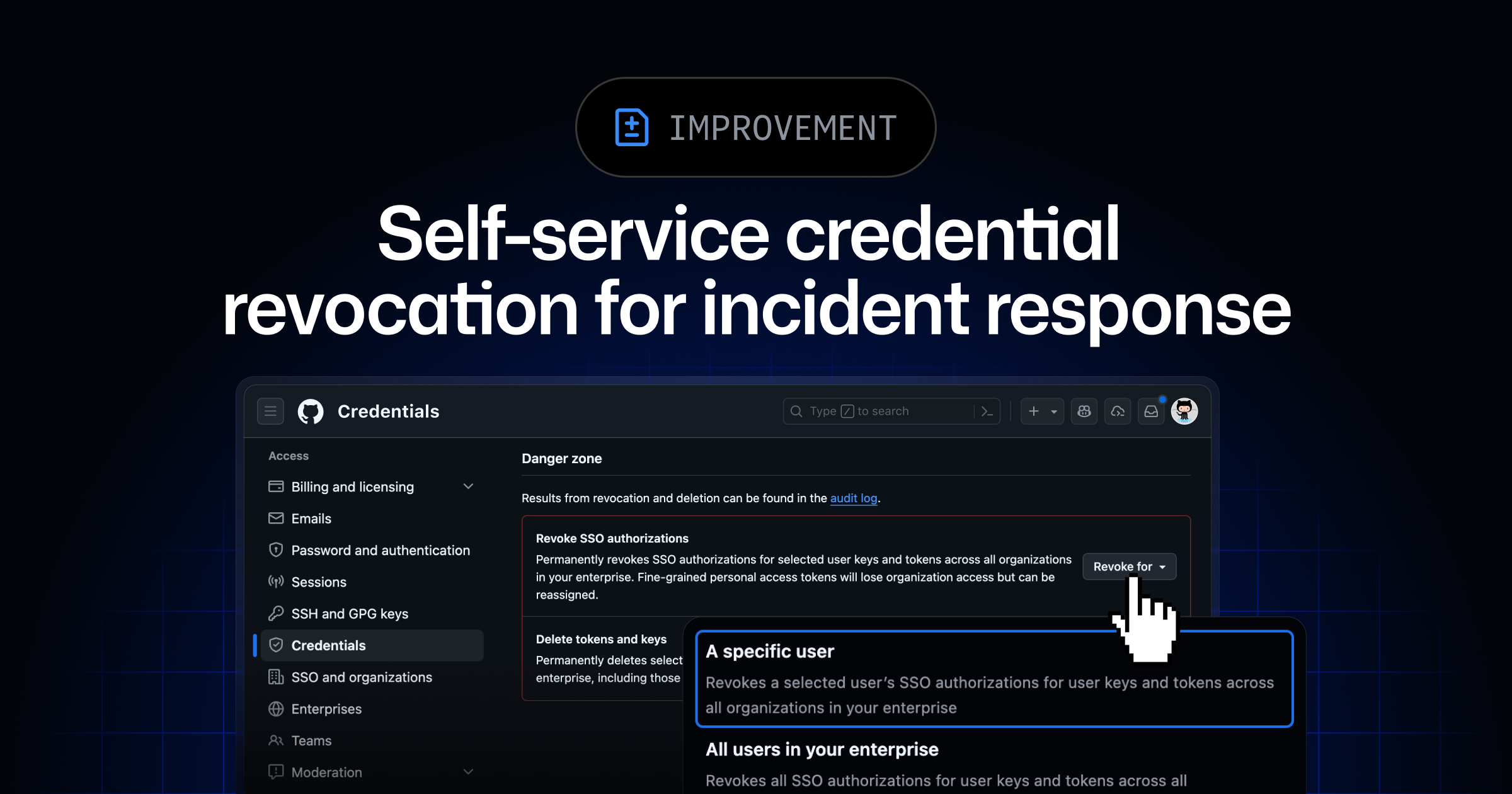
For users on GitHub Enterprise, what was previously a clickthrough checklist you complete while your hands shake is now one button. On June 24 the GitHub Changelog announced a self-service credential revocation flow under Settings, Credentials. From that view a user can see counts of every credential they have generated or authorized through SSO, then revoke or delete all of them in a single action. Personal access tokens, SSH keys, OAuth tokens, SSO authorizations: gone together.
What actually shipped
Containment used to be a manual scavenger hunt. PATs sat under Developer Settings. SSH keys lived one tab over. OAuth apps you forgot you authorized two years ago hid behind a different submenu. SSO was its own world. In practice that meant during an incident you forgot something, and the something you forgot was the credential the attacker actually wanted.
The new view collapses that surface onto one screen. Counts on one side, a revoke-or-delete-everything action on the other. Whoever wrote it had clearly pictured the 3am screenshot: a user who has just been told to "rotate everything" and has no idea where "everything" lives.