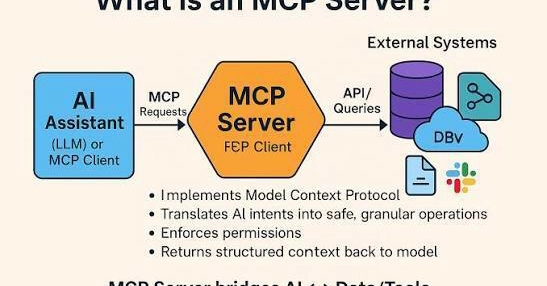
Once you can connect an MCP server, the next question hits fast: which ones? There are thousands of public servers now, which is wonderful for capability and overwhelming for choosing. The good news is that most people's real needs are covered by a small, well-established set.
Here's the opinionated starter map — the five categories that pay off soonest, so you build something useful today instead of collecting connections you never touch.
1. Filesystem — the universal first win
If you connect only one server, make it this one. A filesystem server lets your assistant read and write files in a folder you choose, which turns it from something you copy and paste into and out of, into something that works directly with your documents, drafts, notes, and data.
It's the most tangible "aha" moment in MCP — watching a chat assistant reach into a real folder — and it benefits everyone, technical or not. Start here, point it at one dedicated folder, and you'll feel the shift from feeding the assistant to directing it.