You've built todo apps, counters, and forms. But can you handle a grid of 50 cells that reference each other through formulas? This challenge pushes your state management skills into real spreadsheet territory — formula evaluation, two-way cell bindings, and an interface that juggles editing, selection, and keyboard shortcuts all at once.
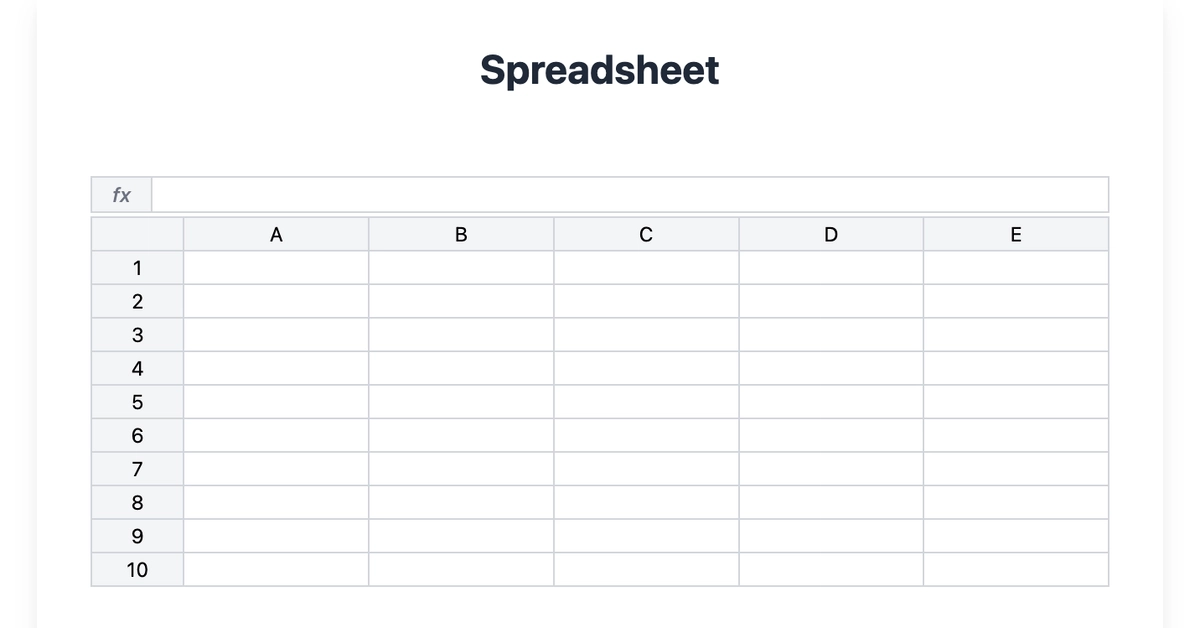
Build a spreadsheet with real-time formula evaluation. You'll wire up a 10-row × 5-column grid where cells support basic values and Excel-style formulas (like =A1+B2), column and row selection, and a formula bar that mirrors what you're typing.
Render a spreadsheet with column headers A through E and rows 1 through 10
Each cell uses an <output> element for the computed value and an <input> overlaid for editing
Click a cell to edit; press Enter or blur to commit the change