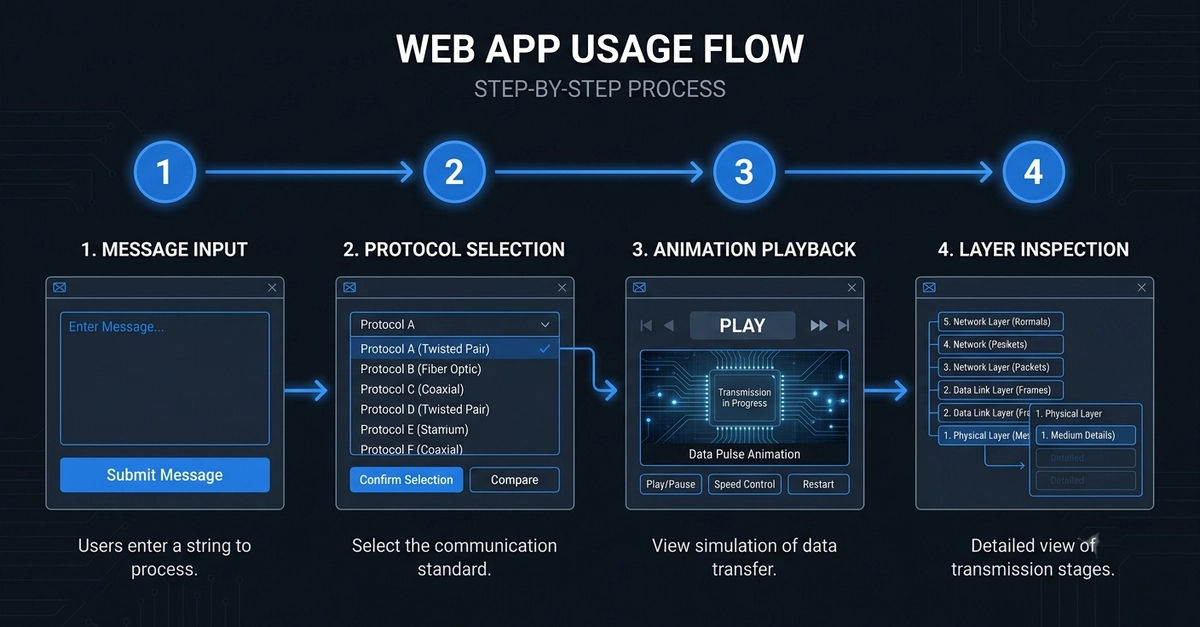
Getting started with the OSI Model Simulator takes less than 60 seconds. The interface is thoughtfully designed to be intuitive for beginners while offering enough depth to satisfy advanced learners. Here's your complete step-by-step guide.
Step 1: Open the Simulator
Navigate to app.osi-model-simulator.roboticela.com in any modern web browser. No account required, no download necessary, and no cost. The app loads instantly and is ready to use immediately.
Alternatively, visit the landing page to learn more about features and download the desktop app for offline use.
Step 2: Enter Your Message