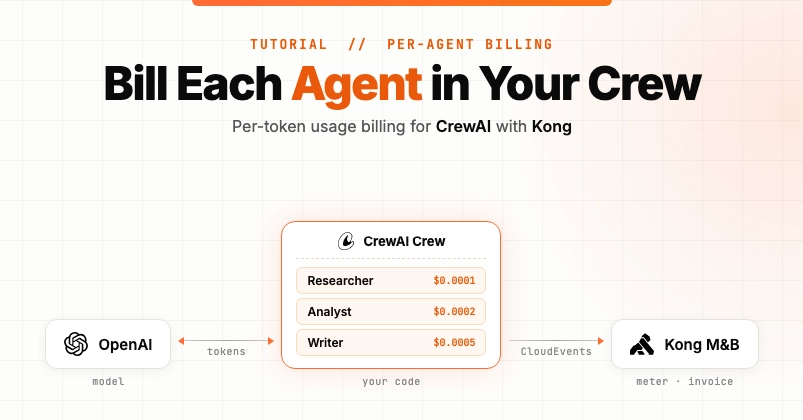
Setting up billing for a single AI agent is easy. The agent uses tokens, you multiply by a price, you send an invoice. Setting up billing for a CrewAI crew is more challenging. A crew has multiple agents working together. Each agent uses tokens differently. Roll them all into one number and you can't tell which agent drove the cost.
In this tutorial, we will build per-agent token billing for a CrewAI multi-agent app. We will track token usage per agent role in CrewAI, send the usage to Kong Konnect Metering & Billing (the managed version of OpenMeter), and turn one crew run into three invoice line items, one per agent.
Here is why this matters. In my CrewAI research crew, the Writer agent uses about twice as many tokens as the Researcher agent. A flat per-token price overcharges Researcher-heavy runs and undercharges Writer-heavy runs. Per-agent billing fixes that. Each agent gets its own meter slice, its own filter, and its own price.
This is a common need for any multi-agent SaaS product, any team trying to monetize CrewAI agents, and any team setting up usage-based billing for AI agents. The same pattern works for LangChain agents, AutoGen crews, or any multi-agent framework that exposes per-call token usage.


 aws.amazon.com